Radius Terminate Capture
These scenarios show different acct-terminate-causes that are sent by OSDx devices when 802.1x sessions end.
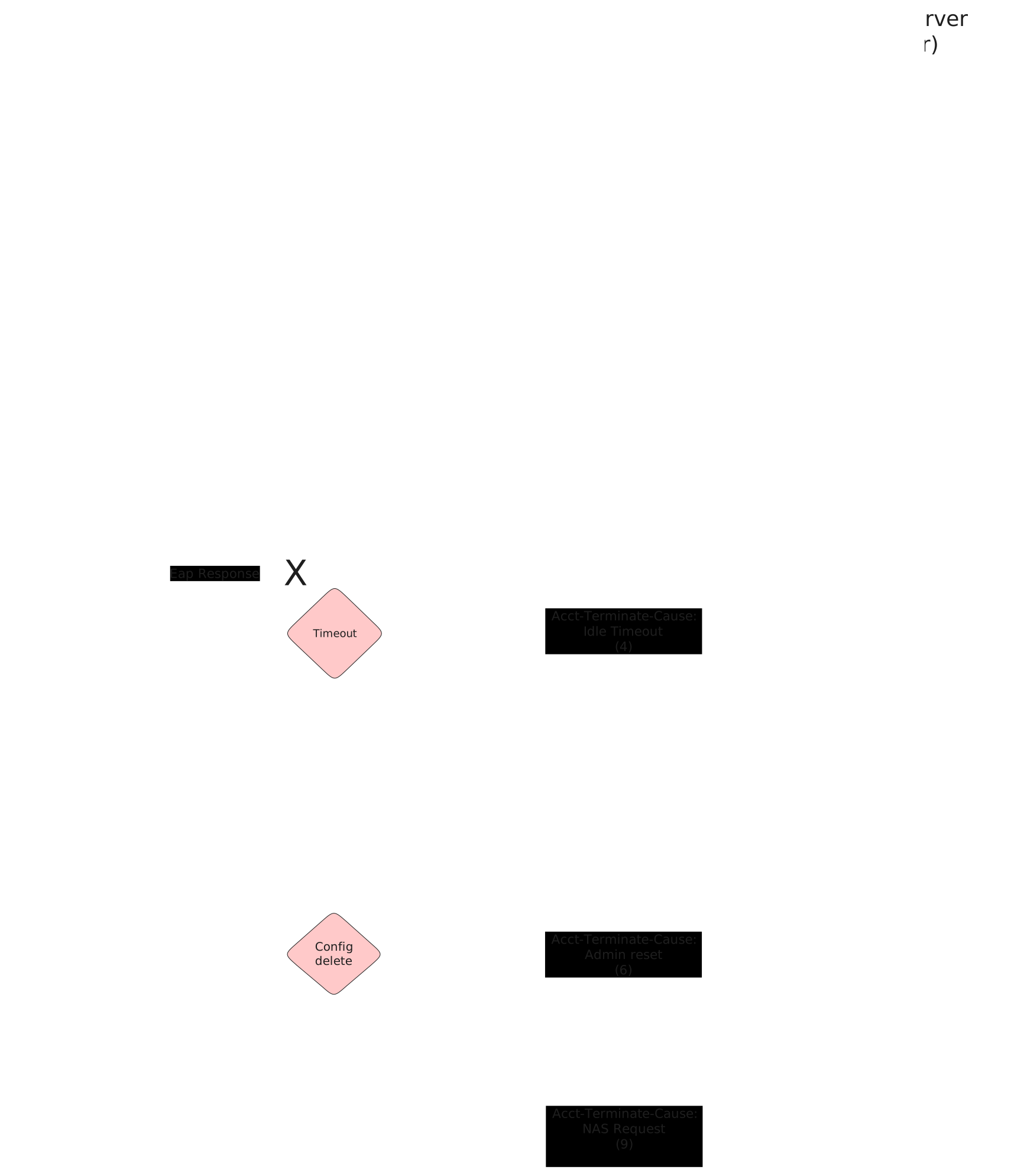
Test 802.1x User Request Cause
Description
This scenario shows how to stop an 802.1x session using
operational command supplicant disconnect.
Accounting RADIUS stop messages should contain the
following attribute: acct-terminate-cause=1.
Scenario
Step 1: Set the following configuration in DUT2 :
set interfaces ethernet eth0 address 10.215.168.66/24
set interfaces ethernet eth0 traffic nat destination rule 1 address 192.168.200.2
set interfaces ethernet eth0 traffic nat source rule 1 address masquerade
set interfaces ethernet eth2 address 192.168.200.1/24
set system login user admin authentication encrypted-password '$6$GSjsCj8gHLv$/VcqU6FLi6CT2Oxn0MJQ2C2tqnRDrYKNF8HIYWJp68nvXvPdFccDsT04.WtigUONbKYrgKg8d6rEs8PjljMkH0'
Step 2: Ping the IP address 10.215.168.1 from DUT2:
admin@DUT2$ ping 10.215.168.1 count 1 size 56 timeout 1Show output
PING 10.215.168.1 (10.215.168.1) 56(84) bytes of data.
64 bytes from 10.215.168.1: icmp_seq=1 ttl=64 time=0.307 ms

--- 10.215.168.1 ping statistics ---
1 packets transmitted, 1 received, 0% packet loss, time 0ms
rtt min/avg/max/mdev = 0.307/0.307/0.307/0.000 ms
Step 3: Set the following configuration in DUT0 :
set interfaces ethernet eth1 address 192.168.100.1/24
set interfaces ethernet eth1 authenticator 802.1x max-retransmissions 2
set interfaces ethernet eth1 authenticator aaa accounting list1
set interfaces ethernet eth1 authenticator aaa authentication list1
set interfaces ethernet eth1 authenticator log-level debug
set interfaces ethernet eth1 authenticator mode only-802.1x
set interfaces ethernet eth1 authenticator quiet-period 60
set interfaces ethernet eth1 authenticator reauth-period 0
set interfaces ethernet eth2 address 192.168.200.2/24
set protocols static route 0.0.0.0/0 next-hop 192.168.200.1
set system aaa group radius radgroup1 server serv1
set system aaa list list1 method 1 group radius radgroup1
set system aaa server radius serv1 address 10.215.168.1
set system aaa server radius serv1 encrypted-key U2FsdGVkX188hj7czbHuv+970ixVdeeHMXYnk7fA3p0UIthV90jcvhUHtqsz64WQGwQ6sJoLv2RfTrGacLS75w==
set system login user admin authentication encrypted-password '$6$GSjsCj8gHLv$/VcqU6FLi6CT2Oxn0MJQ2C2tqnRDrYKNF8HIYWJp68nvXvPdFccDsT04.WtigUONbKYrgKg8d6rEs8PjljMkH0'
Step 4: Ping the IP address 10.215.168.1 from DUT0:
admin@DUT0$ ping 10.215.168.1 count 1 size 56 timeout 1Show output
PING 10.215.168.1 (10.215.168.1) 56(84) bytes of data.
64 bytes from 10.215.168.1: icmp_seq=1 ttl=63 time=2.38 ms

--- 10.215.168.1 ping statistics ---
1 packets transmitted, 1 received, 0% packet loss, time 0ms
rtt min/avg/max/mdev = 2.376/2.376/2.376/0.000 ms
Step 5: Set the following configuration in DUT1 :
set interfaces ethernet eth1 address 192.168.100.2/24
set interfaces ethernet eth1 supplicant encrypted-password U2FsdGVkX1/FE9t9vtQU8tXWqKbqBThBtRlYFmQQKRU=
set interfaces ethernet eth1 supplicant username testing
set system login user admin authentication encrypted-password '$6$GSjsCj8gHLv$/VcqU6FLi6CT2Oxn0MJQ2C2tqnRDrYKNF8HIYWJp68nvXvPdFccDsT04.WtigUONbKYrgKg8d6rEs8PjljMkH0'
Step 6: Run the command interfaces ethernet eth1 supplicant show status on DUT1 and check whether the output contains the following tokens:
AuthorizedShow output
---------------------------------------------------
        Field                      Value
---------------------------------------------------
EAP State                                   SUCCESS
EAP TLS Cipher          ECDHE-RSA-AES256-GCM-SHA384
EAP TLS Version                             TLSv1.2
PAE State                             AUTHENTICATED
Supplicant Port Status                   Authorized
WPA State                                 COMPLETED
Step 7: Run the command interfaces ethernet eth1 supplicant show stats on DUT1 and check whether the output matches the following regular expressions:
Port Status\s+AuthorizedShow output
-------------------------------
       Field           Value
-------------------------------
EAPoL Frames (Rx)            11
EAPoL Frames (Tx)            11
Invalid Frames (Rx)           0
Logoff Frames (Tx)            0
Port Status          Authorized
Req Frames (Rx)               9
Req ID Frames (Rx)            1
Resp Frames (Tx)             10
Start Frames (Tx)             1
Step 8: Run the command interfaces ethernet eth1 authenticator show stats on DUT0 and check whether the output matches the following regular expressions:
Authentication Successes\s+1
Authentication Mode\s+802\.1X
Show output
---------------------------------------------
         Field                   Value
---------------------------------------------
Access Challenges                           9
Authentication Backend                 RADIUS
Authentication Failures                     0
Authentication Mode                    802.1X
Authentication Status     Authorized (802.1X)
Authentication Successes                    1
EAPoL frames (Rx)                          11
EAPoL frames (Tx)                          11
Quiet Period                               60
Reauthenticate                          FALSE
Reauthenticate Period                       0
Session Time                                0
Session User MAC            de:ad:be:ef:6c:11
Session User Name                     testing
Step 9: Ping the IP address 192.168.100.1 from DUT1:
admin@DUT1$ ping 192.168.100.1 count 1 size 56 timeout 1Show output
PING 192.168.100.1 (192.168.100.1) 56(84) bytes of data.
64 bytes from 192.168.100.1: icmp_seq=1 ttl=64 time=0.644 ms

--- 192.168.100.1 ping statistics ---
1 packets transmitted, 1 received, 0% packet loss, time 0ms
rtt min/avg/max/mdev = 0.644/0.644/0.644/0.000 ms
Note
Start packet capture in DUT2 to filter RADIUS stop messages (e.g., traffic dump monitor interface eth0 detail filter "udp port 1813" packets 1).
Step 10: Run the command interfaces ethernet eth1 supplicant disconnect on DUT1 and expect the following output:
Show output
OK
Step 11: Run the command interfaces ethernet eth1 authenticator show status on DUT0 and check whether the output contains the following tokens:
Current status: UnauthorizedShow output
Current status: Unauthorized
Note
Stop packet capture in DUT0 and expect
the following RADIUS messages:
Show output
 eth0, link-type EN10MB (Ethernet), snapshot length 262144 bytes
08:57:06.166970 de:ad:be:ef:6c:20 > fe:60:92:00:d9:a8, ethertype IPv4 (0x0800), length 195: (tos 0x0, ttl 63, id 60848, offset 0, flags [none], proto UDP (17), length 181)
    10.215.168.66.48035 > 10.215.168.1.1813: [udp sum ok] RADIUS, length: 153
        Accounting-Request (4), id: 0x0c, Authenticator: c8c17d4a87415ef19767f50b182e4738
          Acct-Status-Type Attribute (40), length: 6, Value: Stop
            0x0000:  0000 0002
          Acct-Authentic Attribute (45), length: 6, Value: RADIUS
            0x0000:  0000 0001
          User-Name Attribute (1), length: 9, Value: testing
            0x0000:  7465 7374 696e 67
          Called-Station-Id Attribute (30), length: 20, Value: DE-AD-BE-EF-6C-01:
            0x0000:  4445 2d41 442d 4245 2d45 462d 3643 2d30
            0x0010:  313a
          Service-Type Attribute (6), length: 6, Value: Framed
            0x0000:  0000 0002
          Calling-Station-Id Attribute (31), length: 19, Value: DE-AD-BE-EF-6C-11
            0x0000:  4445 2d41 442d 4245 2d45 462d 3643 2d31
            0x0010:  31
          Acct-Session-Id Attribute (44), length: 18, Value: 467AF1F721B612F7
            0x0000:  3436 3741 4631 4637 3231 4236 3132 4637
          NAS-Port-Type Attribute (61), length: 6, Value: Ethernet
            0x0000:  0000 000f
          Connect-Info Attribute (77), length: 13, Value: Unsupported
            0x0000:  556e 7375 7070 6f72 7465 64
          NAS-Port-Id Attribute (87), length: 6, Value: eth1
            0x0000:  6574 6831
          Event-Timestamp Attribute (55), length: 6, Value: Wed Jun  3 08:57:06 2026
            0x0000:  6a1f ec62
          Acct-Delay-Time Attribute (41), length: 6, Value: 00 secs
            0x0000:  0000 0000
          Acct-Session-Time Attribute (46), length: 6, Value: 00 secs
            0x0000:  0000 0000
          Acct-Terminate-Cause Attribute (49), length: 6, Value: User Request
            0x0000:  0000 0001
1 packet captured
Test 802.1x Lost Carrier Cause
Description
This scenario shows how an 802.1x session is stopped
after a link down event in DUT0 eth1.
Accounting RADIUS stop messages should contain the
following attribute: acct-terminate-cause=2.
Scenario
Step 1: Set the following configuration in DUT2 :
set interfaces ethernet eth0 address 10.215.168.66/24
set interfaces ethernet eth0 traffic nat destination rule 1 address 192.168.200.2
set interfaces ethernet eth0 traffic nat source rule 1 address masquerade
set interfaces ethernet eth2 address 192.168.200.1/24
set system login user admin authentication encrypted-password '$6$GSjsCj8gHLv$/VcqU6FLi6CT2Oxn0MJQ2C2tqnRDrYKNF8HIYWJp68nvXvPdFccDsT04.WtigUONbKYrgKg8d6rEs8PjljMkH0'
Step 2: Ping the IP address 10.215.168.1 from DUT2:
admin@DUT2$ ping 10.215.168.1 count 1 size 56 timeout 1Show output
PING 10.215.168.1 (10.215.168.1) 56(84) bytes of data.
64 bytes from 10.215.168.1: icmp_seq=1 ttl=64 time=0.603 ms

--- 10.215.168.1 ping statistics ---
1 packets transmitted, 1 received, 0% packet loss, time 0ms
rtt min/avg/max/mdev = 0.603/0.603/0.603/0.000 ms
Step 3: Set the following configuration in DUT0 :
set interfaces ethernet eth1 address 192.168.100.1/24
set interfaces ethernet eth1 authenticator 802.1x max-retransmissions 2
set interfaces ethernet eth1 authenticator aaa accounting list1
set interfaces ethernet eth1 authenticator aaa authentication list1
set interfaces ethernet eth1 authenticator coa client 10.215.168.1
set interfaces ethernet eth1 authenticator coa encrypted-secret U2FsdGVkX1/BNjPAsjxGCOXQQip8NGMrL8iyxmbusCw=
set interfaces ethernet eth1 authenticator log-level debug
set interfaces ethernet eth1 authenticator mode only-802.1x
set interfaces ethernet eth1 authenticator quiet-period 60
set interfaces ethernet eth1 authenticator reauth-period 0
set interfaces ethernet eth2 address 192.168.200.2/24
set protocols static route 0.0.0.0/0 next-hop 192.168.200.1
set system aaa group radius radgroup1 server serv1
set system aaa list list1 method 1 group radius radgroup1
set system aaa server radius serv1 address 10.215.168.1
set system aaa server radius serv1 encrypted-key U2FsdGVkX1+KjnCjBADMABfSOYKbpO0F5q6c3SROQ/GeacnLWbImh0/HIED7pAHSHcEV2Zj4QcTrnaKEfWpuSA==
set system login user admin authentication encrypted-password '$6$GSjsCj8gHLv$/VcqU6FLi6CT2Oxn0MJQ2C2tqnRDrYKNF8HIYWJp68nvXvPdFccDsT04.WtigUONbKYrgKg8d6rEs8PjljMkH0'
Step 4: Ping the IP address 10.215.168.1 from DUT0:
admin@DUT0$ ping 10.215.168.1 count 1 size 56 timeout 1Show output
PING 10.215.168.1 (10.215.168.1) 56(84) bytes of data.
64 bytes from 10.215.168.1: icmp_seq=1 ttl=63 time=6.93 ms

--- 10.215.168.1 ping statistics ---
1 packets transmitted, 1 received, 0% packet loss, time 0ms
rtt min/avg/max/mdev = 6.928/6.928/6.928/0.000 ms
Step 5: Set the following configuration in DUT1 :
set interfaces ethernet eth1 address 192.168.100.2/24
set interfaces ethernet eth1 supplicant encrypted-password U2FsdGVkX186XZdcVkt8DiXmydCWcFOJamJUmfXv2SY=
set interfaces ethernet eth1 supplicant username testing
set system login user admin authentication encrypted-password '$6$GSjsCj8gHLv$/VcqU6FLi6CT2Oxn0MJQ2C2tqnRDrYKNF8HIYWJp68nvXvPdFccDsT04.WtigUONbKYrgKg8d6rEs8PjljMkH0'
Step 6: Run the command interfaces ethernet eth1 supplicant show status on DUT1 and check whether the output contains the following tokens:
AuthorizedShow output
---------------------------------------------------
        Field                      Value
---------------------------------------------------
EAP State                                   SUCCESS
EAP TLS Cipher          ECDHE-RSA-AES256-GCM-SHA384
EAP TLS Version                             TLSv1.2
PAE State                             AUTHENTICATED
Supplicant Port Status                   Authorized
WPA State                                 COMPLETED
Step 7: Run the command interfaces ethernet eth1 supplicant show stats on DUT1 and check whether the output matches the following regular expressions:
Port Status\s+AuthorizedShow output
-------------------------------
       Field           Value
-------------------------------
EAPoL Frames (Rx)            11
EAPoL Frames (Tx)            11
Invalid Frames (Rx)           0
Logoff Frames (Tx)            0
Port Status          Authorized
Req Frames (Rx)               9
Req ID Frames (Rx)            1
Resp Frames (Tx)             10
Start Frames (Tx)             1
Step 8: Run the command interfaces ethernet eth1 authenticator show stats on DUT0 and check whether the output matches the following regular expressions:
Authentication Successes\s+1
Authentication Mode\s+802\.1X
Show output
---------------------------------------------
         Field                   Value
---------------------------------------------
Access Challenges                           9
Authentication Backend                 RADIUS
Authentication Failures                     0
Authentication Mode                    802.1X
Authentication Status     Authorized (802.1X)
Authentication Successes                    1
EAPoL frames (Rx)                          11
EAPoL frames (Tx)                          11
Quiet Period                               60
Reauthenticate                          FALSE
Reauthenticate Period                       0
Session Time                                0
Session User MAC            de:ad:be:ef:6c:11
Session User Name                     testing
Step 9: Ping the IP address 192.168.100.1 from DUT1:
admin@DUT1$ ping 192.168.100.1 count 1 size 56 timeout 1Show output
PING 192.168.100.1 (192.168.100.1) 56(84) bytes of data.
64 bytes from 192.168.100.1: icmp_seq=1 ttl=64 time=0.572 ms

--- 192.168.100.1 ping statistics ---
1 packets transmitted, 1 received, 0% packet loss, time 0ms
rtt min/avg/max/mdev = 0.572/0.572/0.572/0.000 ms
Note
Start packet capture in DUT2 to filter RADIUS stop messages (e.g., traffic dump monitor interface eth0 detail filter "udp port 1813" packets 1).
Note
Remove the link between DUT0 and DUT1 to provoke a link-down event.
Step 10: Run the command interfaces ethernet eth1 authenticator show status on DUT0 and expect the following output:
Show output
Error: no supplicant found
  CLI Error: Command error
Note
Stop packet capture in DUT0 and expect
the following RADIUS messages:
Show output
 eth0, link-type EN10MB (Ethernet), snapshot length 262144 bytes
08:57:29.590710 de:ad:be:ef:6c:20 > fe:60:92:00:d9:a8, ethertype IPv4 (0x0800), length 195: (tos 0x0, ttl 63, id 41645, offset 0, flags [none], proto UDP (17), length 181)
    10.215.168.66.52917 > 10.215.168.1.1813: [udp sum ok] RADIUS, length: 153
        Accounting-Request (4), id: 0x0c, Authenticator: d437c037efe3eada64f332170133b6bb
          Acct-Status-Type Attribute (40), length: 6, Value: Stop
            0x0000:  0000 0002
          Acct-Authentic Attribute (45), length: 6, Value: RADIUS
            0x0000:  0000 0001
          User-Name Attribute (1), length: 9, Value: testing
            0x0000:  7465 7374 696e 67
          Called-Station-Id Attribute (30), length: 20, Value: DE-AD-BE-EF-6C-01:
            0x0000:  4445 2d41 442d 4245 2d45 462d 3643 2d30
            0x0010:  313a
          Service-Type Attribute (6), length: 6, Value: Framed
            0x0000:  0000 0002
          Calling-Station-Id Attribute (31), length: 19, Value: DE-AD-BE-EF-6C-11
            0x0000:  4445 2d41 442d 4245 2d45 462d 3643 2d31
            0x0010:  31
          Acct-Session-Id Attribute (44), length: 18, Value: EDF621149ACD92BC
            0x0000:  4544 4636 3231 3134 3941 4344 3932 4243
          NAS-Port-Type Attribute (61), length: 6, Value: Ethernet
            0x0000:  0000 000f
          Connect-Info Attribute (77), length: 13, Value: Unsupported
            0x0000:  556e 7375 7070 6f72 7465 64
          NAS-Port-Id Attribute (87), length: 6, Value: eth1
            0x0000:  6574 6831
          Event-Timestamp Attribute (55), length: 6, Value: Wed Jun  3 08:57:29 2026
            0x0000:  6a1f ec79
          Acct-Delay-Time Attribute (41), length: 6, Value: 00 secs
            0x0000:  0000 0000
          Acct-Session-Time Attribute (46), length: 6, Value: 10 secs
            0x0000:  0000 000a
          Acct-Terminate-Cause Attribute (49), length: 6, Value: Lost Carrier
            0x0000:  0000 0002
1 packet captured
Test MAB Lost Carrier Cause
Description
This scenario shows how a MAB-authenticated session is
stopped after a link-down event in DUT0 eth1.
Accounting RADIUS stop messages should contain the
following attribute: acct-terminate-cause=2.
Scenario
Step 1: Set the following configuration in DUT2 :
set interfaces ethernet eth0 address 10.215.168.66/24
set interfaces ethernet eth0 traffic nat destination rule 1 address 192.168.200.2
set interfaces ethernet eth0 traffic nat source rule 1 address masquerade
set interfaces ethernet eth2 address 192.168.200.1/24
set system login user admin authentication encrypted-password '$6$GSjsCj8gHLv$/VcqU6FLi6CT2Oxn0MJQ2C2tqnRDrYKNF8HIYWJp68nvXvPdFccDsT04.WtigUONbKYrgKg8d6rEs8PjljMkH0'
Step 2: Ping the IP address 10.215.168.1 from DUT2:
admin@DUT2$ ping 10.215.168.1 count 1 size 56 timeout 1Show output
PING 10.215.168.1 (10.215.168.1) 56(84) bytes of data.
64 bytes from 10.215.168.1: icmp_seq=1 ttl=64 time=0.570 ms

--- 10.215.168.1 ping statistics ---
1 packets transmitted, 1 received, 0% packet loss, time 0ms
rtt min/avg/max/mdev = 0.570/0.570/0.570/0.000 ms
Step 3: Set the following configuration in DUT0 :
set interfaces ethernet eth1 address 192.168.100.1/24
set interfaces ethernet eth1 authenticator aaa accounting list1
set interfaces ethernet eth1 authenticator aaa authentication list1
set interfaces ethernet eth1 authenticator coa client 10.215.168.1
set interfaces ethernet eth1 authenticator coa encrypted-secret U2FsdGVkX19xWNBkDG0XLBSSvoyE/YRfGjeyYV8pNFE=
set interfaces ethernet eth1 authenticator log-level debug
set interfaces ethernet eth1 authenticator mode only-MAB
set interfaces ethernet eth1 authenticator quiet-period 60
set interfaces ethernet eth1 authenticator reauth-period 0
set interfaces ethernet eth2 address 192.168.200.2/24
set protocols static route 0.0.0.0/0 next-hop 192.168.200.1
set system aaa group radius radgroup1 server serv1
set system aaa list list1 method 1 group radius radgroup1
set system aaa server radius serv1 address 10.215.168.1
set system aaa server radius serv1 encrypted-key U2FsdGVkX196oc4Ku4xHPh04+/eB5ZZY1EtgGHmUWVWFKDAIJNKv/Ek6NLVFHAVYuCaodYzIEp+/A65+h2ee5w==
set system login user admin authentication encrypted-password '$6$GSjsCj8gHLv$/VcqU6FLi6CT2Oxn0MJQ2C2tqnRDrYKNF8HIYWJp68nvXvPdFccDsT04.WtigUONbKYrgKg8d6rEs8PjljMkH0'
Step 4: Ping the IP address 10.215.168.1 from DUT0:
admin@DUT0$ ping 10.215.168.1 count 1 size 56 timeout 1Show output
PING 10.215.168.1 (10.215.168.1) 56(84) bytes of data.
64 bytes from 10.215.168.1: icmp_seq=1 ttl=63 time=0.995 ms

--- 10.215.168.1 ping statistics ---
1 packets transmitted, 1 received, 0% packet loss, time 0ms
rtt min/avg/max/mdev = 0.995/0.995/0.995/0.000 ms
Step 5: Set the following configuration in DUT1 :
set interfaces ethernet eth1 address 192.168.100.2/24
set system login user admin authentication encrypted-password '$6$GSjsCj8gHLv$/VcqU6FLi6CT2Oxn0MJQ2C2tqnRDrYKNF8HIYWJp68nvXvPdFccDsT04.WtigUONbKYrgKg8d6rEs8PjljMkH0'
Step 6: Ping the IP address 192.168.100.1 from DUT1:
admin@DUT1$ ping 192.168.100.1 count 1 size 56 timeout 1Show output
PING 192.168.100.1 (192.168.100.1) 56(84) bytes of data.
64 bytes from 192.168.100.1: icmp_seq=1 ttl=64 time=0.729 ms

--- 192.168.100.1 ping statistics ---
1 packets transmitted, 1 received, 0% packet loss, time 0ms
rtt min/avg/max/mdev = 0.729/0.729/0.729/0.000 ms
Step 7: Run the command interfaces ethernet eth1 authenticator show stats on DUT0 and check whether the output matches the following regular expressions:
Authentication Successes\s+1
Authentication Mode\s+MAB
Show output
-------------------------------------------
         Field                  Value
-------------------------------------------
Access Challenges                         0
Authentication Backend               RADIUS
Authentication Failures                   0
Authentication Mode                     MAB
Authentication Status      Authorized (MAB)
Authentication Successes                  1
EAPoL frames (Rx)                         0
EAPoL frames (Tx)                         0
Quiet Period                             60
Reauthenticate                        FALSE
Reauthenticate Period                     0
Session Time                              4
Session User MAC          de:ad:be:ef:6c:11
Session User Name                       N/A
Step 8: Ping the IP address 192.168.100.1 from DUT1:
admin@DUT1$ ping 192.168.100.1 count 1 size 56 timeout 1Show output
PING 192.168.100.1 (192.168.100.1) 56(84) bytes of data.
64 bytes from 192.168.100.1: icmp_seq=1 ttl=64 time=0.325 ms

--- 192.168.100.1 ping statistics ---
1 packets transmitted, 1 received, 0% packet loss, time 0ms
rtt min/avg/max/mdev = 0.325/0.325/0.325/0.000 ms
Step 9: Ping the IP address 192.168.100.1 from DUT1:
admin@DUT1$ ping 192.168.100.1 count 1 size 56 timeout 1Show output
PING 192.168.100.1 (192.168.100.1) 56(84) bytes of data.
64 bytes from 192.168.100.1: icmp_seq=1 ttl=64 time=0.289 ms

--- 192.168.100.1 ping statistics ---
1 packets transmitted, 1 received, 0% packet loss, time 0ms
rtt min/avg/max/mdev = 0.289/0.289/0.289/0.000 ms
Note
Start packet capture in DUT2 to filter RADIUS stop messages (e.g., traffic dump monitor interface eth0 detail filter "udp port 1813" packets 1).
Note
Remove the link between DUT0 and DUT1 to provoke a link-down event.
Step 10: Run the command interfaces ethernet eth1 authenticator show status on DUT0 and expect the following output:
Show output
Error: no supplicant found
  CLI Error: Command error
Note
Stop packet capture in DUT0 and expect
the following RADIUS messages:
Show output
 eth0, link-type EN10MB (Ethernet), snapshot length 262144 bytes
08:57:57.530112 de:ad:be:ef:6c:20 > fe:60:92:00:d9:a8, ethertype IPv4 (0x0800), length 205: (tos 0x0, ttl 63, id 25936, offset 0, flags [none], proto UDP (17), length 191)
    10.215.168.66.53023 > 10.215.168.1.1813: [udp sum ok] RADIUS, length: 163
        Accounting-Request (4), id: 0x02, Authenticator: c4bc7662e03ea9efb6b0b587c61483da
          Acct-Status-Type Attribute (40), length: 6, Value: Stop
            0x0000:  0000 0002
          Acct-Authentic Attribute (45), length: 6, Value: Local
            0x0000:  0000 0002
          User-Name Attribute (1), length: 19, Value: de:ad:be:ef:6c:11
            0x0000:  6465 3a61 643a 6265 3a65 663a 3663 3a31
            0x0010:  31
          Called-Station-Id Attribute (30), length: 20, Value: DE-AD-BE-EF-6C-01:
            0x0000:  4445 2d41 442d 4245 2d45 462d 3643 2d30
            0x0010:  313a
          Service-Type Attribute (6), length: 6, Value: Framed
            0x0000:  0000 0002
          Calling-Station-Id Attribute (31), length: 19, Value: DE-AD-BE-EF-6C-11
            0x0000:  4445 2d41 442d 4245 2d45 462d 3643 2d31
            0x0010:  31
          Acct-Session-Id Attribute (44), length: 18, Value: 7984FC8343C4FE10
            0x0000:  3739 3834 4643 3833 3433 4334 4645 3130
          NAS-Port-Type Attribute (61), length: 6, Value: Ethernet
            0x0000:  0000 000f
          Connect-Info Attribute (77), length: 13, Value: Unsupported
            0x0000:  556e 7375 7070 6f72 7465 64
          NAS-Port-Id Attribute (87), length: 6, Value: eth1
            0x0000:  6574 6831
          Event-Timestamp Attribute (55), length: 6, Value: Wed Jun  3 08:57:57 2026
            0x0000:  6a1f ec95
          Acct-Delay-Time Attribute (41), length: 6, Value: 00 secs
            0x0000:  0000 0000
          Acct-Session-Time Attribute (46), length: 6, Value: 10 secs
            0x0000:  0000 000a
          Acct-Terminate-Cause Attribute (49), length: 6, Value: Lost Carrier
            0x0000:  0000 0002
1 packet captured
Test 802.1x Idle Timeout Cause
Description
This scenario shows how an 802.1x session is stopped
after a reauthentication timeout.
Accounting RADIUS stop messages should contain the
following attribute: acct-terminate-cause=4.
Scenario
Step 1: Set the following configuration in DUT2 :
set interfaces ethernet eth0 address 10.215.168.66/24
set interfaces ethernet eth0 traffic nat destination rule 1 address 192.168.200.2
set interfaces ethernet eth0 traffic nat source rule 1 address masquerade
set interfaces ethernet eth2 address 192.168.200.1/24
set system login user admin authentication encrypted-password '$6$GSjsCj8gHLv$/VcqU6FLi6CT2Oxn0MJQ2C2tqnRDrYKNF8HIYWJp68nvXvPdFccDsT04.WtigUONbKYrgKg8d6rEs8PjljMkH0'
Step 2: Ping the IP address 10.215.168.1 from DUT2:
admin@DUT2$ ping 10.215.168.1 count 1 size 56 timeout 1Show output
PING 10.215.168.1 (10.215.168.1) 56(84) bytes of data.
64 bytes from 10.215.168.1: icmp_seq=1 ttl=64 time=0.654 ms

--- 10.215.168.1 ping statistics ---
1 packets transmitted, 1 received, 0% packet loss, time 0ms
rtt min/avg/max/mdev = 0.654/0.654/0.654/0.000 ms
Step 3: Set the following configuration in DUT0 :
set interfaces ethernet eth1 address 192.168.100.1/24
set interfaces ethernet eth1 authenticator 802.1x max-retransmissions 2
set interfaces ethernet eth1 authenticator aaa accounting list1
set interfaces ethernet eth1 authenticator aaa authentication list1
set interfaces ethernet eth1 authenticator log-level debug
set interfaces ethernet eth1 authenticator mode only-802.1x
set interfaces ethernet eth1 authenticator quiet-period 60
set interfaces ethernet eth1 authenticator reauth-period 30
set interfaces ethernet eth2 address 192.168.200.2/24
set protocols static route 0.0.0.0/0 next-hop 192.168.200.1
set system aaa group radius radgroup1 server serv1
set system aaa list list1 method 1 group radius radgroup1
set system aaa server radius serv1 address 10.215.168.1
set system aaa server radius serv1 encrypted-key U2FsdGVkX18J57UiIGgXSFnd46iDJ13A0eGfBIIaRG348DrB+Gev5PSU+d3XcUgGr0R6jWNN/l8YhIwEzpQbEg==
set system login user admin authentication encrypted-password '$6$GSjsCj8gHLv$/VcqU6FLi6CT2Oxn0MJQ2C2tqnRDrYKNF8HIYWJp68nvXvPdFccDsT04.WtigUONbKYrgKg8d6rEs8PjljMkH0'
Step 4: Ping the IP address 10.215.168.1 from DUT0:
admin@DUT0$ ping 10.215.168.1 count 1 size 56 timeout 1Show output
PING 10.215.168.1 (10.215.168.1) 56(84) bytes of data.
64 bytes from 10.215.168.1: icmp_seq=1 ttl=63 time=0.548 ms

--- 10.215.168.1 ping statistics ---
1 packets transmitted, 1 received, 0% packet loss, time 0ms
rtt min/avg/max/mdev = 0.548/0.548/0.548/0.000 ms
Step 5: Set the following configuration in DUT1 :
set interfaces ethernet eth1 address 192.168.100.2/24
set interfaces ethernet eth1 supplicant encrypted-password U2FsdGVkX1+63UD//UdM+LV3Y+EgIOj3+5xyQUntBY4=
set interfaces ethernet eth1 supplicant username testing
set system login user admin authentication encrypted-password '$6$GSjsCj8gHLv$/VcqU6FLi6CT2Oxn0MJQ2C2tqnRDrYKNF8HIYWJp68nvXvPdFccDsT04.WtigUONbKYrgKg8d6rEs8PjljMkH0'
Step 6: Run the command interfaces ethernet eth1 supplicant show status on DUT1 and check whether the output contains the following tokens:
AuthorizedShow output
---------------------------------------------------
        Field                      Value
---------------------------------------------------
EAP State                                   SUCCESS
EAP TLS Cipher          ECDHE-RSA-AES256-GCM-SHA384
EAP TLS Version                             TLSv1.2
PAE State                             AUTHENTICATED
Supplicant Port Status                   Authorized
WPA State                                 COMPLETED
Step 7: Run the command interfaces ethernet eth1 supplicant show stats on DUT1 and check whether the output matches the following regular expressions:
Port Status\s+AuthorizedShow output
-------------------------------
       Field           Value
-------------------------------
EAPoL Frames (Rx)            11
EAPoL Frames (Tx)            11
Invalid Frames (Rx)           0
Logoff Frames (Tx)            0
Port Status          Authorized
Req Frames (Rx)               9
Req ID Frames (Rx)            1
Resp Frames (Tx)             10
Start Frames (Tx)             1
Step 8: Run the command interfaces ethernet eth1 authenticator show stats on DUT0 and check whether the output matches the following regular expressions:
Authentication Successes\s+1
Authentication Mode\s+802\.1X
Show output
---------------------------------------------
         Field                   Value
---------------------------------------------
Access Challenges                           9
Authentication Backend                 RADIUS
Authentication Failures                     0
Authentication Mode                    802.1X
Authentication Status     Authorized (802.1X)
Authentication Successes                    1
EAPoL frames (Rx)                          11
EAPoL frames (Tx)                          11
Quiet Period                               60
Reauthenticate                           TRUE
Reauthenticate Period                      30
Session Time                                0
Session User MAC            de:ad:be:ef:6c:11
Session User Name                     testing
Step 9: Ping the IP address 192.168.100.1 from DUT1:
admin@DUT1$ ping 192.168.100.1 count 1 size 56 timeout 1Show output
PING 192.168.100.1 (192.168.100.1) 56(84) bytes of data.
64 bytes from 192.168.100.1: icmp_seq=1 ttl=64 time=0.462 ms

--- 192.168.100.1 ping statistics ---
1 packets transmitted, 1 received, 0% packet loss, time 0ms
rtt min/avg/max/mdev = 0.462/0.462/0.462/0.000 ms
Note
Start packet capture in DUT2 to filter RADIUS stop messages (e.g., traffic dump monitor interface eth0 detail filter "udp port 1813" packets 1).
Note
Disable DUT1 interface or remove address configuration to prevent the device from responding EAP requests.
Step 10: Modify the following configuration lines in DUT1 :
set interfaces ethernet eth1 disable
Step 11: Run the command interfaces ethernet eth1 authenticator show status on DUT0 and check whether the output contains the following tokens:
Current status: UnauthorizedShow output
Current status: Unauthorized
Note
Stop packet capture in DUT0 and expect
the following RADIUS messages:
Show output
 eth0, link-type EN10MB (Ethernet), snapshot length 262144 bytes
08:59:03.271614 de:ad:be:ef:6c:20 > fe:60:92:00:d9:a8, ethertype IPv4 (0x0800), length 195: (tos 0x0, ttl 63, id 28860, offset 0, flags [none], proto UDP (17), length 181)
    10.215.168.66.41351 > 10.215.168.1.1813: [udp sum ok] RADIUS, length: 153
        Accounting-Request (4), id: 0x0c, Authenticator: 4f186699ed0329ce0a47b67eddd39bee
          Acct-Status-Type Attribute (40), length: 6, Value: Stop
            0x0000:  0000 0002
          Acct-Authentic Attribute (45), length: 6, Value: RADIUS
            0x0000:  0000 0001
          User-Name Attribute (1), length: 9, Value: testing
            0x0000:  7465 7374 696e 67
          Called-Station-Id Attribute (30), length: 20, Value: DE-AD-BE-EF-6C-01:
            0x0000:  4445 2d41 442d 4245 2d45 462d 3643 2d30
            0x0010:  313a
          Service-Type Attribute (6), length: 6, Value: Framed
            0x0000:  0000 0002
          Calling-Station-Id Attribute (31), length: 19, Value: DE-AD-BE-EF-6C-11
            0x0000:  4445 2d41 442d 4245 2d45 462d 3643 2d31
            0x0010:  31
          Acct-Session-Id Attribute (44), length: 18, Value: F272EC2C8FD45213
            0x0000:  4632 3732 4543 3243 3846 4434 3532 3133
          NAS-Port-Type Attribute (61), length: 6, Value: Ethernet
            0x0000:  0000 000f
          Connect-Info Attribute (77), length: 13, Value: Unsupported
            0x0000:  556e 7375 7070 6f72 7465 64
          NAS-Port-Id Attribute (87), length: 6, Value: eth1
            0x0000:  6574 6831
          Event-Timestamp Attribute (55), length: 6, Value: Wed Jun  3 08:59:03 2026
            0x0000:  6a1f ecd7
          Acct-Delay-Time Attribute (41), length: 6, Value: 00 secs
            0x0000:  0000 0000
          Acct-Session-Time Attribute (46), length: 6, Value: 51 secs
            0x0000:  0000 0033
          Acct-Terminate-Cause Attribute (49), length: 6, Value: Idle Timeout
            0x0000:  0000 0004
1 packet captured
Test 802.1x Admin Reset Cause
Description
This scenario shows how to stop an 802.1x session using
operational command authenticator disassociate.
Accounting RADIUS stop messages should contain the
following attribute: acct-terminate-cause=6.
Scenario
Step 1: Set the following configuration in DUT2 :
set interfaces ethernet eth0 address 10.215.168.66/24
set interfaces ethernet eth0 traffic nat destination rule 1 address 192.168.200.2
set interfaces ethernet eth0 traffic nat source rule 1 address masquerade
set interfaces ethernet eth2 address 192.168.200.1/24
set system login user admin authentication encrypted-password '$6$GSjsCj8gHLv$/VcqU6FLi6CT2Oxn0MJQ2C2tqnRDrYKNF8HIYWJp68nvXvPdFccDsT04.WtigUONbKYrgKg8d6rEs8PjljMkH0'
Step 2: Ping the IP address 10.215.168.1 from DUT2:
admin@DUT2$ ping 10.215.168.1 count 1 size 56 timeout 1Show output
PING 10.215.168.1 (10.215.168.1) 56(84) bytes of data.
64 bytes from 10.215.168.1: icmp_seq=1 ttl=64 time=0.625 ms

--- 10.215.168.1 ping statistics ---
1 packets transmitted, 1 received, 0% packet loss, time 0ms
rtt min/avg/max/mdev = 0.625/0.625/0.625/0.000 ms
Step 3: Set the following configuration in DUT0 :
set interfaces ethernet eth1 address 192.168.100.1/24
set interfaces ethernet eth1 authenticator 802.1x max-retransmissions 2
set interfaces ethernet eth1 authenticator aaa accounting list1
set interfaces ethernet eth1 authenticator aaa authentication list1
set interfaces ethernet eth1 authenticator log-level debug
set interfaces ethernet eth1 authenticator mode only-802.1x
set interfaces ethernet eth1 authenticator quiet-period 60
set interfaces ethernet eth1 authenticator reauth-period 0
set interfaces ethernet eth2 address 192.168.200.2/24
set protocols static route 0.0.0.0/0 next-hop 192.168.200.1
set system aaa group radius radgroup1 server serv1
set system aaa list list1 method 1 group radius radgroup1
set system aaa server radius serv1 address 10.215.168.1
set system aaa server radius serv1 encrypted-key U2FsdGVkX1+TcG4m9JgffSN6/SZNVThZAwbooGShi9flEfEbpk2j8y+LkOz7SwVCL/+/ZCBT/M+Z2Ayl2TYXXg==
set system login user admin authentication encrypted-password '$6$GSjsCj8gHLv$/VcqU6FLi6CT2Oxn0MJQ2C2tqnRDrYKNF8HIYWJp68nvXvPdFccDsT04.WtigUONbKYrgKg8d6rEs8PjljMkH0'
Step 4: Ping the IP address 10.215.168.1 from DUT0:
admin@DUT0$ ping 10.215.168.1 count 1 size 56 timeout 1Show output
PING 10.215.168.1 (10.215.168.1) 56(84) bytes of data.
64 bytes from 10.215.168.1: icmp_seq=1 ttl=63 time=0.476 ms

--- 10.215.168.1 ping statistics ---
1 packets transmitted, 1 received, 0% packet loss, time 0ms
rtt min/avg/max/mdev = 0.476/0.476/0.476/0.000 ms
Step 5: Set the following configuration in DUT1 :
set interfaces ethernet eth1 address 192.168.100.2/24
set interfaces ethernet eth1 supplicant encrypted-password U2FsdGVkX19U8OO5DPBP8on2bvov9sSSDbFUAK4LP6M=
set interfaces ethernet eth1 supplicant username testing
set system login user admin authentication encrypted-password '$6$GSjsCj8gHLv$/VcqU6FLi6CT2Oxn0MJQ2C2tqnRDrYKNF8HIYWJp68nvXvPdFccDsT04.WtigUONbKYrgKg8d6rEs8PjljMkH0'
Step 6: Run the command interfaces ethernet eth1 supplicant show status on DUT1 and check whether the output contains the following tokens:
AuthorizedShow output
---------------------------------------------------
        Field                      Value
---------------------------------------------------
EAP State                                   SUCCESS
EAP TLS Cipher          ECDHE-RSA-AES256-GCM-SHA384
EAP TLS Version                             TLSv1.2
PAE State                             AUTHENTICATED
Supplicant Port Status                   Authorized
WPA State                                 COMPLETED
Step 7: Run the command interfaces ethernet eth1 supplicant show stats on DUT1 and check whether the output matches the following regular expressions:
Port Status\s+AuthorizedShow output
-------------------------------
       Field           Value
-------------------------------
EAPoL Frames (Rx)            11
EAPoL Frames (Tx)            11
Invalid Frames (Rx)           0
Logoff Frames (Tx)            0
Port Status          Authorized
Req Frames (Rx)               9
Req ID Frames (Rx)            1
Resp Frames (Tx)             10
Start Frames (Tx)             1
Step 8: Run the command interfaces ethernet eth1 authenticator show stats on DUT0 and check whether the output matches the following regular expressions:
Authentication Successes\s+1
Authentication Mode\s+802\.1X
Show output
---------------------------------------------
         Field                   Value
---------------------------------------------
Access Challenges                           9
Authentication Backend                 RADIUS
Authentication Failures                     0
Authentication Mode                    802.1X
Authentication Status     Authorized (802.1X)
Authentication Successes                    1
EAPoL frames (Rx)                          11
EAPoL frames (Tx)                          11
Quiet Period                               60
Reauthenticate                          FALSE
Reauthenticate Period                       0
Session Time                                0
Session User MAC            de:ad:be:ef:6c:11
Session User Name                     testing
Step 9: Ping the IP address 192.168.100.1 from DUT1:
admin@DUT1$ ping 192.168.100.1 count 1 size 56 timeout 1Show output
PING 192.168.100.1 (192.168.100.1) 56(84) bytes of data.
64 bytes from 192.168.100.1: icmp_seq=1 ttl=64 time=0.860 ms

--- 192.168.100.1 ping statistics ---
1 packets transmitted, 1 received, 0% packet loss, time 0ms
rtt min/avg/max/mdev = 0.860/0.860/0.860/0.000 ms
Note
Start packet capture in DUT2 to filter RADIUS stop messages (e.g., traffic dump monitor interface eth0 detail filter "udp port 1813" packets 1).
Step 10: Run the command interfaces ethernet eth1 authenticator disassociate on DUT0 and expect the following output:
Show output
OK
Step 11: Run the command interfaces ethernet eth1 authenticator show status on DUT0 and check whether the output contains the following tokens:
Current status: UnauthorizedShow output
Current status: Unauthorized
Note
Stop packet capture in DUT0 and expect
the following RADIUS messages:
Show output
 eth0, link-type EN10MB (Ethernet), snapshot length 262144 bytes
08:59:19.901476 de:ad:be:ef:6c:20 > fe:60:92:00:d9:a8, ethertype IPv4 (0x0800), length 195: (tos 0x0, ttl 63, id 58161, offset 0, flags [none], proto UDP (17), length 181)
    10.215.168.66.34064 > 10.215.168.1.1813: [udp sum ok] RADIUS, length: 153
        Accounting-Request (4), id: 0x0c, Authenticator: 5abbe30dc008b8498abc3001ab06f23d
          Acct-Status-Type Attribute (40), length: 6, Value: Stop
            0x0000:  0000 0002
          Acct-Authentic Attribute (45), length: 6, Value: RADIUS
            0x0000:  0000 0001
          User-Name Attribute (1), length: 9, Value: testing
            0x0000:  7465 7374 696e 67
          Called-Station-Id Attribute (30), length: 20, Value: DE-AD-BE-EF-6C-01:
            0x0000:  4445 2d41 442d 4245 2d45 462d 3643 2d30
            0x0010:  313a
          Service-Type Attribute (6), length: 6, Value: Framed
            0x0000:  0000 0002
          Calling-Station-Id Attribute (31), length: 19, Value: DE-AD-BE-EF-6C-11
            0x0000:  4445 2d41 442d 4245 2d45 462d 3643 2d31
            0x0010:  31
          Acct-Session-Id Attribute (44), length: 18, Value: F7228A9C7BD43A91
            0x0000:  4637 3232 3841 3943 3742 4434 3341 3931
          NAS-Port-Type Attribute (61), length: 6, Value: Ethernet
            0x0000:  0000 000f
          Connect-Info Attribute (77), length: 13, Value: Unsupported
            0x0000:  556e 7375 7070 6f72 7465 64
          NAS-Port-Id Attribute (87), length: 6, Value: eth1
            0x0000:  6574 6831
          Event-Timestamp Attribute (55), length: 6, Value: Wed Jun  3 08:59:20 2026
            0x0000:  6a1f ece8
          Acct-Delay-Time Attribute (41), length: 6, Value: 00 secs
            0x0000:  0000 0000
          Acct-Session-Time Attribute (46), length: 6, Value: 00 secs
            0x0000:  0000 0000
          Acct-Terminate-Cause Attribute (49), length: 6, Value: Admin Reset
            0x0000:  0000 0006
1 packet captured
Test MAB Admin Reset Cause
Description
This scenario shows how to stop a MAB authenticated session
using operational command authenticator disassociate.
Accounting RADIUS stop messages should contain the
following attribute: acct-terminate-cause=6.
Scenario
Step 1: Set the following configuration in DUT2 :
set interfaces ethernet eth0 address 10.215.168.66/24
set interfaces ethernet eth0 traffic nat destination rule 1 address 192.168.200.2
set interfaces ethernet eth0 traffic nat source rule 1 address masquerade
set interfaces ethernet eth2 address 192.168.200.1/24
set system login user admin authentication encrypted-password '$6$GSjsCj8gHLv$/VcqU6FLi6CT2Oxn0MJQ2C2tqnRDrYKNF8HIYWJp68nvXvPdFccDsT04.WtigUONbKYrgKg8d6rEs8PjljMkH0'
Step 2: Ping the IP address 10.215.168.1 from DUT2:
admin@DUT2$ ping 10.215.168.1 count 1 size 56 timeout 1Show output
PING 10.215.168.1 (10.215.168.1) 56(84) bytes of data.
64 bytes from 10.215.168.1: icmp_seq=1 ttl=64 time=0.210 ms

--- 10.215.168.1 ping statistics ---
1 packets transmitted, 1 received, 0% packet loss, time 0ms
rtt min/avg/max/mdev = 0.210/0.210/0.210/0.000 ms
Step 3: Set the following configuration in DUT0 :
set interfaces ethernet eth1 address 192.168.100.1/24
set interfaces ethernet eth1 authenticator aaa accounting list1
set interfaces ethernet eth1 authenticator aaa authentication list1
set interfaces ethernet eth1 authenticator log-level debug
set interfaces ethernet eth1 authenticator mode only-MAB
set interfaces ethernet eth1 authenticator quiet-period 60
set interfaces ethernet eth1 authenticator reauth-period 0
set interfaces ethernet eth2 address 192.168.200.2/24
set protocols static route 0.0.0.0/0 next-hop 192.168.200.1
set system aaa group radius radgroup1 server serv1
set system aaa list list1 method 1 group radius radgroup1
set system aaa server radius serv1 address 10.215.168.1
set system aaa server radius serv1 encrypted-key U2FsdGVkX197cbs62wmUS58rojTLLBASl72UIknvcvCp/NdTy6BOI6GwdC13oPIeEiIONoZpzAB4LYhI5q1wsg==
set system login user admin authentication encrypted-password '$6$GSjsCj8gHLv$/VcqU6FLi6CT2Oxn0MJQ2C2tqnRDrYKNF8HIYWJp68nvXvPdFccDsT04.WtigUONbKYrgKg8d6rEs8PjljMkH0'
Step 4: Ping the IP address 10.215.168.1 from DUT0:
admin@DUT0$ ping 10.215.168.1 count 1 size 56 timeout 1Show output
PING 10.215.168.1 (10.215.168.1) 56(84) bytes of data.
64 bytes from 10.215.168.1: icmp_seq=1 ttl=63 time=0.719 ms

--- 10.215.168.1 ping statistics ---
1 packets transmitted, 1 received, 0% packet loss, time 0ms
rtt min/avg/max/mdev = 0.719/0.719/0.719/0.000 ms
Step 5: Set the following configuration in DUT1 :
set interfaces ethernet eth1 address 192.168.100.2/24
set system login user admin authentication encrypted-password '$6$GSjsCj8gHLv$/VcqU6FLi6CT2Oxn0MJQ2C2tqnRDrYKNF8HIYWJp68nvXvPdFccDsT04.WtigUONbKYrgKg8d6rEs8PjljMkH0'
Step 6: Ping the IP address 192.168.100.1 from DUT1:
admin@DUT1$ ping 192.168.100.1 count 1 size 56 timeout 1Show output
PING 192.168.100.1 (192.168.100.1) 56(84) bytes of data.
64 bytes from 192.168.100.1: icmp_seq=1 ttl=64 time=0.327 ms

--- 192.168.100.1 ping statistics ---
1 packets transmitted, 1 received, 0% packet loss, time 0ms
rtt min/avg/max/mdev = 0.327/0.327/0.327/0.000 ms
Note
Start packet capture in DUT2 to filter RADIUS stop messages (e.g., traffic dump monitor interface eth0 detail filter "udp port 1813" packets 1).
Step 7: Run the command interfaces ethernet eth1 authenticator disassociate on DUT0 and expect the following output:
Show output
OK
Step 8: Run the command interfaces ethernet eth1 authenticator show status on DUT0 and check whether the output contains the following tokens:
Current status: UnauthorizedShow output
Current status: Unauthorized
Note
Stop packet capture in DUT0 and expect
the following RADIUS messages:
Show output
 eth0, link-type EN10MB (Ethernet), snapshot length 262144 bytes
08:59:36.743539 de:ad:be:ef:6c:20 > fe:60:92:00:d9:a8, ethertype IPv4 (0x0800), length 205: (tos 0x0, ttl 63, id 787, offset 0, flags [none], proto UDP (17), length 191)
    10.215.168.66.37930 > 10.215.168.1.1813: [udp sum ok] RADIUS, length: 163
        Accounting-Request (4), id: 0x02, Authenticator: 3b5e7d4c2f09c196921841e6c3933525
          Acct-Status-Type Attribute (40), length: 6, Value: Stop
            0x0000:  0000 0002
          Acct-Authentic Attribute (45), length: 6, Value: Local
            0x0000:  0000 0002
          User-Name Attribute (1), length: 19, Value: de:ad:be:ef:6c:11
            0x0000:  6465 3a61 643a 6265 3a65 663a 3663 3a31
            0x0010:  31
          Called-Station-Id Attribute (30), length: 20, Value: DE-AD-BE-EF-6C-01:
            0x0000:  4445 2d41 442d 4245 2d45 462d 3643 2d30
            0x0010:  313a
          Service-Type Attribute (6), length: 6, Value: Framed
            0x0000:  0000 0002
          Calling-Station-Id Attribute (31), length: 19, Value: DE-AD-BE-EF-6C-11
            0x0000:  4445 2d41 442d 4245 2d45 462d 3643 2d31
            0x0010:  31
          Acct-Session-Id Attribute (44), length: 18, Value: D96D84B92AF5EAE6
            0x0000:  4439 3644 3834 4239 3241 4635 4541 4536
          NAS-Port-Type Attribute (61), length: 6, Value: Ethernet
            0x0000:  0000 000f
          Connect-Info Attribute (77), length: 13, Value: Unsupported
            0x0000:  556e 7375 7070 6f72 7465 64
          NAS-Port-Id Attribute (87), length: 6, Value: eth1
            0x0000:  6574 6831
          Event-Timestamp Attribute (55), length: 6, Value: Wed Jun  3 08:59:36 2026
            0x0000:  6a1f ecf8
          Acct-Delay-Time Attribute (41), length: 6, Value: 00 secs
            0x0000:  0000 0000
          Acct-Session-Time Attribute (46), length: 6, Value: 01 secs
            0x0000:  0000 0001
          Acct-Terminate-Cause Attribute (49), length: 6, Value: Admin Reset
            0x0000:  0000 0006
1 packet captured
Test 802.1x Admin Restart Cause
Description
This scenario shows how to restart an 802.1x session using
operational command authenticator restart.
Accounting RADIUS stop messages should contain the
following attribute: acct-terminate-cause=6.
Scenario
Step 1: Set the following configuration in DUT2 :
set interfaces ethernet eth0 address 10.215.168.66/24
set interfaces ethernet eth0 traffic nat destination rule 1 address 192.168.200.2
set interfaces ethernet eth0 traffic nat source rule 1 address masquerade
set interfaces ethernet eth2 address 192.168.200.1/24
set system login user admin authentication encrypted-password '$6$GSjsCj8gHLv$/VcqU6FLi6CT2Oxn0MJQ2C2tqnRDrYKNF8HIYWJp68nvXvPdFccDsT04.WtigUONbKYrgKg8d6rEs8PjljMkH0'
Step 2: Ping the IP address 10.215.168.1 from DUT2:
admin@DUT2$ ping 10.215.168.1 count 1 size 56 timeout 1Show output
PING 10.215.168.1 (10.215.168.1) 56(84) bytes of data.
64 bytes from 10.215.168.1: icmp_seq=1 ttl=64 time=0.493 ms

--- 10.215.168.1 ping statistics ---
1 packets transmitted, 1 received, 0% packet loss, time 0ms
rtt min/avg/max/mdev = 0.493/0.493/0.493/0.000 ms
Step 3: Set the following configuration in DUT0 :
set interfaces ethernet eth1 address 192.168.100.1/24
set interfaces ethernet eth1 authenticator 802.1x max-retransmissions 2
set interfaces ethernet eth1 authenticator aaa accounting list1
set interfaces ethernet eth1 authenticator aaa authentication list1
set interfaces ethernet eth1 authenticator log-level debug
set interfaces ethernet eth1 authenticator mode only-802.1x
set interfaces ethernet eth1 authenticator quiet-period 60
set interfaces ethernet eth1 authenticator reauth-period 0
set interfaces ethernet eth2 address 192.168.200.2/24
set protocols static route 0.0.0.0/0 next-hop 192.168.200.1
set system aaa group radius radgroup1 server serv1
set system aaa list list1 method 1 group radius radgroup1
set system aaa server radius serv1 address 10.215.168.1
set system aaa server radius serv1 encrypted-key U2FsdGVkX1+d1py0IkejsGEdr5lOCEjgj5rYyCEEG/AAgTRSJaoVBGVQwc4gwMmyq/CdZUlTUyAOcHk/ragfMA==
set system login user admin authentication encrypted-password '$6$GSjsCj8gHLv$/VcqU6FLi6CT2Oxn0MJQ2C2tqnRDrYKNF8HIYWJp68nvXvPdFccDsT04.WtigUONbKYrgKg8d6rEs8PjljMkH0'
Step 4: Ping the IP address 10.215.168.1 from DUT0:
admin@DUT0$ ping 10.215.168.1 count 1 size 56 timeout 1Show output
PING 10.215.168.1 (10.215.168.1) 56(84) bytes of data.
64 bytes from 10.215.168.1: icmp_seq=1 ttl=63 time=0.559 ms

--- 10.215.168.1 ping statistics ---
1 packets transmitted, 1 received, 0% packet loss, time 0ms
rtt min/avg/max/mdev = 0.559/0.559/0.559/0.000 ms
Step 5: Set the following configuration in DUT1 :
set interfaces ethernet eth1 address 192.168.100.2/24
set interfaces ethernet eth1 supplicant encrypted-password U2FsdGVkX19Xw5Kh/pBkh0CprhS9OhdE9LUXjJmfzfg=
set interfaces ethernet eth1 supplicant username testing
set system login user admin authentication encrypted-password '$6$GSjsCj8gHLv$/VcqU6FLi6CT2Oxn0MJQ2C2tqnRDrYKNF8HIYWJp68nvXvPdFccDsT04.WtigUONbKYrgKg8d6rEs8PjljMkH0'
Step 6: Run the command interfaces ethernet eth1 supplicant show status on DUT1 and check whether the output contains the following tokens:
AuthorizedShow output
---------------------------------------------------
        Field                      Value
---------------------------------------------------
EAP State                                   SUCCESS
EAP TLS Cipher          ECDHE-RSA-AES256-GCM-SHA384
EAP TLS Version                             TLSv1.2
PAE State                             AUTHENTICATED
Supplicant Port Status                   Authorized
WPA State                                 COMPLETED
Step 7: Run the command interfaces ethernet eth1 supplicant show stats on DUT1 and check whether the output matches the following regular expressions:
Port Status\s+AuthorizedShow output
-------------------------------
       Field           Value
-------------------------------
EAPoL Frames (Rx)            11
EAPoL Frames (Tx)            11
Invalid Frames (Rx)           0
Logoff Frames (Tx)            0
Port Status          Authorized
Req Frames (Rx)               9
Req ID Frames (Rx)            1
Resp Frames (Tx)             10
Start Frames (Tx)             1
Step 8: Run the command interfaces ethernet eth1 authenticator show stats on DUT0 and check whether the output matches the following regular expressions:
Authentication Successes\s+1
Authentication Mode\s+802\.1X
Show output
---------------------------------------------
         Field                   Value
---------------------------------------------
Access Challenges                           9
Authentication Backend                 RADIUS
Authentication Failures                     0
Authentication Mode                    802.1X
Authentication Status     Authorized (802.1X)
Authentication Successes                    1
EAPoL frames (Rx)                          11
EAPoL frames (Tx)                          11
Quiet Period                               60
Reauthenticate                          FALSE
Reauthenticate Period                       0
Session Time                                0
Session User MAC            de:ad:be:ef:6c:11
Session User Name                     testing
Step 9: Ping the IP address 192.168.100.1 from DUT1:
admin@DUT1$ ping 192.168.100.1 count 1 size 56 timeout 1Show output
PING 192.168.100.1 (192.168.100.1) 56(84) bytes of data.
64 bytes from 192.168.100.1: icmp_seq=1 ttl=64 time=0.479 ms

--- 192.168.100.1 ping statistics ---
1 packets transmitted, 1 received, 0% packet loss, time 0ms
rtt min/avg/max/mdev = 0.479/0.479/0.479/0.000 ms
Note
Start packet capture in DUT2 to filter RADIUS stop messages (e.g., traffic dump monitor interface eth0 detail filter "udp port 1813" packets 1).
Step 10: Run the command interfaces ethernet eth1 authenticator restart on DUT0 and expect no output.
Step 11: Run the command interfaces ethernet eth1 authenticator show status on DUT0 and expect the following output:
Show output
Error: no supplicant found
  CLI Error: Command error
Note
Stop packet capture in DUT0 and expect
the following RADIUS messages:
Show output
 eth0, link-type EN10MB (Ethernet), snapshot length 262144 bytes
08:59:52.844118 de:ad:be:ef:6c:20 > fe:60:92:00:d9:a8, ethertype IPv4 (0x0800), length 195: (tos 0x0, ttl 63, id 45628, offset 0, flags [none], proto UDP (17), length 181)
    10.215.168.66.56086 > 10.215.168.1.1813: [udp sum ok] RADIUS, length: 153
        Accounting-Request (4), id: 0x0c, Authenticator: 3b63806719cc9d7137615d1271d66c6e
          Acct-Status-Type Attribute (40), length: 6, Value: Stop
            0x0000:  0000 0002
          Acct-Authentic Attribute (45), length: 6, Value: RADIUS
            0x0000:  0000 0001
          User-Name Attribute (1), length: 9, Value: testing
            0x0000:  7465 7374 696e 67
          Called-Station-Id Attribute (30), length: 20, Value: DE-AD-BE-EF-6C-01:
            0x0000:  4445 2d41 442d 4245 2d45 462d 3643 2d30
            0x0010:  313a
          Service-Type Attribute (6), length: 6, Value: Framed
            0x0000:  0000 0002
          Calling-Station-Id Attribute (31), length: 19, Value: DE-AD-BE-EF-6C-11
            0x0000:  4445 2d41 442d 4245 2d45 462d 3643 2d31
            0x0010:  31
          Acct-Session-Id Attribute (44), length: 18, Value: DD5CBA547F571844
            0x0000:  4444 3543 4241 3534 3746 3537 3138 3434
          NAS-Port-Type Attribute (61), length: 6, Value: Ethernet
            0x0000:  0000 000f
          Connect-Info Attribute (77), length: 13, Value: Unsupported
            0x0000:  556e 7375 7070 6f72 7465 64
          NAS-Port-Id Attribute (87), length: 6, Value: eth1
            0x0000:  6574 6831
          Event-Timestamp Attribute (55), length: 6, Value: Wed Jun  3 08:59:53 2026
            0x0000:  6a1f ed09
          Acct-Delay-Time Attribute (41), length: 6, Value: 00 secs
            0x0000:  0000 0000
          Acct-Session-Time Attribute (46), length: 6, Value: 00 secs
            0x0000:  0000 0000
          Acct-Terminate-Cause Attribute (49), length: 6, Value: Admin Reset
            0x0000:  0000 0006
1 packet captured
Test MAB Admin Restart Cause
Description
This scenario shows how to restart a MAB authenticated session
using operational command authenticator restart.
Accounting RADIUS stop messages should contain the
following attribute: acct-terminate-cause=6.
Scenario
Step 1: Set the following configuration in DUT2 :
set interfaces ethernet eth0 address 10.215.168.66/24
set interfaces ethernet eth0 traffic nat destination rule 1 address 192.168.200.2
set interfaces ethernet eth0 traffic nat source rule 1 address masquerade
set interfaces ethernet eth2 address 192.168.200.1/24
set system login user admin authentication encrypted-password '$6$GSjsCj8gHLv$/VcqU6FLi6CT2Oxn0MJQ2C2tqnRDrYKNF8HIYWJp68nvXvPdFccDsT04.WtigUONbKYrgKg8d6rEs8PjljMkH0'
Step 2: Ping the IP address 10.215.168.1 from DUT2:
admin@DUT2$ ping 10.215.168.1 count 1 size 56 timeout 1Show output
PING 10.215.168.1 (10.215.168.1) 56(84) bytes of data.
64 bytes from 10.215.168.1: icmp_seq=1 ttl=64 time=0.574 ms

--- 10.215.168.1 ping statistics ---
1 packets transmitted, 1 received, 0% packet loss, time 0ms
rtt min/avg/max/mdev = 0.574/0.574/0.574/0.000 ms
Step 3: Set the following configuration in DUT0 :
set interfaces ethernet eth1 address 192.168.100.1/24
set interfaces ethernet eth1 authenticator aaa accounting list1
set interfaces ethernet eth1 authenticator aaa authentication list1
set interfaces ethernet eth1 authenticator log-level debug
set interfaces ethernet eth1 authenticator mode only-MAB
set interfaces ethernet eth1 authenticator quiet-period 60
set interfaces ethernet eth1 authenticator reauth-period 0
set interfaces ethernet eth2 address 192.168.200.2/24
set protocols static route 0.0.0.0/0 next-hop 192.168.200.1
set system aaa group radius radgroup1 server serv1
set system aaa list list1 method 1 group radius radgroup1
set system aaa server radius serv1 address 10.215.168.1
set system aaa server radius serv1 encrypted-key U2FsdGVkX1/YJkUtUNP95B30vOo6uZIVsOx8fc8LfDfDUHZSrFcLb5KHZWxCnwNv1YEn1XdaKwvRFp7paP16qg==
set system login user admin authentication encrypted-password '$6$GSjsCj8gHLv$/VcqU6FLi6CT2Oxn0MJQ2C2tqnRDrYKNF8HIYWJp68nvXvPdFccDsT04.WtigUONbKYrgKg8d6rEs8PjljMkH0'
Step 4: Ping the IP address 10.215.168.1 from DUT0:
admin@DUT0$ ping 10.215.168.1 count 1 size 56 timeout 1Show output
PING 10.215.168.1 (10.215.168.1) 56(84) bytes of data.
64 bytes from 10.215.168.1: icmp_seq=1 ttl=63 time=1.15 ms

--- 10.215.168.1 ping statistics ---
1 packets transmitted, 1 received, 0% packet loss, time 0ms
rtt min/avg/max/mdev = 1.150/1.150/1.150/0.000 ms
Step 5: Set the following configuration in DUT1 :
set interfaces ethernet eth1 address 192.168.100.2/24
set system login user admin authentication encrypted-password '$6$GSjsCj8gHLv$/VcqU6FLi6CT2Oxn0MJQ2C2tqnRDrYKNF8HIYWJp68nvXvPdFccDsT04.WtigUONbKYrgKg8d6rEs8PjljMkH0'
Step 6: Ping the IP address 192.168.100.1 from DUT1:
admin@DUT1$ ping 192.168.100.1 count 1 size 56 timeout 1Show output
PING 192.168.100.1 (192.168.100.1) 56(84) bytes of data.
64 bytes from 192.168.100.1: icmp_seq=1 ttl=64 time=0.255 ms

--- 192.168.100.1 ping statistics ---
1 packets transmitted, 1 received, 0% packet loss, time 0ms
rtt min/avg/max/mdev = 0.255/0.255/0.255/0.000 ms
Note
Start packet capture in DUT2 to filter RADIUS stop messages (e.g., traffic dump monitor interface eth0 detail filter "udp port 1813" packets 1).
Step 7: Run the command interfaces ethernet eth1 authenticator restart on DUT0 and expect no output.
Step 8: Run the command interfaces ethernet eth1 authenticator show status on DUT0 and expect the following output:
Show output
Error: no supplicant found
  CLI Error: Command error
Note
Stop packet capture in DUT0 and expect
the following RADIUS messages:
Show output
 eth0, link-type EN10MB (Ethernet), snapshot length 262144 bytes
09:00:09.143791 de:ad:be:ef:6c:20 > fe:60:92:00:d9:a8, ethertype IPv4 (0x0800), length 205: (tos 0x0, ttl 63, id 60560, offset 0, flags [none], proto UDP (17), length 191)
    10.215.168.66.49426 > 10.215.168.1.1813: [udp sum ok] RADIUS, length: 163
        Accounting-Request (4), id: 0x02, Authenticator: f199c1174396a2b2846d7e4bf0253345
          Acct-Status-Type Attribute (40), length: 6, Value: Stop
            0x0000:  0000 0002
          Acct-Authentic Attribute (45), length: 6, Value: Local
            0x0000:  0000 0002
          User-Name Attribute (1), length: 19, Value: de:ad:be:ef:6c:11
            0x0000:  6465 3a61 643a 6265 3a65 663a 3663 3a31
            0x0010:  31
          Called-Station-Id Attribute (30), length: 20, Value: DE-AD-BE-EF-6C-01:
            0x0000:  4445 2d41 442d 4245 2d45 462d 3643 2d30
            0x0010:  313a
          Service-Type Attribute (6), length: 6, Value: Framed
            0x0000:  0000 0002
          Calling-Station-Id Attribute (31), length: 19, Value: DE-AD-BE-EF-6C-11
            0x0000:  4445 2d41 442d 4245 2d45 462d 3643 2d31
            0x0010:  31
          Acct-Session-Id Attribute (44), length: 18, Value: C657E730EA80E126
            0x0000:  4336 3537 4537 3330 4541 3830 4531 3236
          NAS-Port-Type Attribute (61), length: 6, Value: Ethernet
            0x0000:  0000 000f
          Connect-Info Attribute (77), length: 13, Value: Unsupported
            0x0000:  556e 7375 7070 6f72 7465 64
          NAS-Port-Id Attribute (87), length: 6, Value: eth1
            0x0000:  6574 6831
          Event-Timestamp Attribute (55), length: 6, Value: Wed Jun  3 09:00:09 2026
            0x0000:  6a1f ed19
          Acct-Delay-Time Attribute (41), length: 6, Value: 00 secs
            0x0000:  0000 0000
          Acct-Session-Time Attribute (46), length: 6, Value: 01 secs
            0x0000:  0000 0001
          Acct-Terminate-Cause Attribute (49), length: 6, Value: Admin Reset
            0x0000:  0000 0006
1 packet captured
Test 802.1x NAS Request Cause
Description
This scenario shows how to stop an 802.1x session from
the authentication server using a CoA message.
Accounting RADIUS stop messages should contain the
following attribute: acct-terminate-cause=10.
Scenario
Step 1: Set the following configuration in DUT2 :
set interfaces ethernet eth0 address 10.215.168.66/24
set interfaces ethernet eth0 traffic nat destination rule 1 address 192.168.200.2
set interfaces ethernet eth0 traffic nat source rule 1 address masquerade
set interfaces ethernet eth2 address 192.168.200.1/24
set system login user admin authentication encrypted-password '$6$GSjsCj8gHLv$/VcqU6FLi6CT2Oxn0MJQ2C2tqnRDrYKNF8HIYWJp68nvXvPdFccDsT04.WtigUONbKYrgKg8d6rEs8PjljMkH0'
Step 2: Ping the IP address 10.215.168.1 from DUT2:
admin@DUT2$ ping 10.215.168.1 count 1 size 56 timeout 1Show output
PING 10.215.168.1 (10.215.168.1) 56(84) bytes of data.
64 bytes from 10.215.168.1: icmp_seq=1 ttl=64 time=0.653 ms

--- 10.215.168.1 ping statistics ---
1 packets transmitted, 1 received, 0% packet loss, time 0ms
rtt min/avg/max/mdev = 0.653/0.653/0.653/0.000 ms
Step 3: Set the following configuration in DUT0 :
set interfaces ethernet eth1 address 192.168.100.1/24
set interfaces ethernet eth1 authenticator 802.1x max-retransmissions 2
set interfaces ethernet eth1 authenticator aaa accounting list1
set interfaces ethernet eth1 authenticator aaa authentication list1
set interfaces ethernet eth1 authenticator coa client 10.215.168.1
set interfaces ethernet eth1 authenticator coa encrypted-secret U2FsdGVkX1+KoKCV/c7NK0A5vnpuJqZ9ErMAg+mBfzs=
set interfaces ethernet eth1 authenticator log-level debug
set interfaces ethernet eth1 authenticator mode only-802.1x
set interfaces ethernet eth1 authenticator quiet-period 60
set interfaces ethernet eth1 authenticator reauth-period 0
set interfaces ethernet eth2 address 192.168.200.2/24
set protocols static route 0.0.0.0/0 next-hop 192.168.200.1
set system aaa group radius radgroup1 server serv1
set system aaa list list1 method 1 group radius radgroup1
set system aaa server radius serv1 address 10.215.168.1
set system aaa server radius serv1 encrypted-key U2FsdGVkX1+X8oX4R9CTNpMGAcISU6dYG9wtvojF7Pj8qrlVkTbKeKMh4lip8StnAct0XzKYzCjevu9PFr3GAw==
set system login user admin authentication encrypted-password '$6$GSjsCj8gHLv$/VcqU6FLi6CT2Oxn0MJQ2C2tqnRDrYKNF8HIYWJp68nvXvPdFccDsT04.WtigUONbKYrgKg8d6rEs8PjljMkH0'
Step 4: Ping the IP address 10.215.168.1 from DUT0:
admin@DUT0$ ping 10.215.168.1 count 1 size 56 timeout 1Show output
PING 10.215.168.1 (10.215.168.1) 56(84) bytes of data.
64 bytes from 10.215.168.1: icmp_seq=1 ttl=63 time=0.929 ms

--- 10.215.168.1 ping statistics ---
1 packets transmitted, 1 received, 0% packet loss, time 0ms
rtt min/avg/max/mdev = 0.929/0.929/0.929/0.000 ms
Step 5: Set the following configuration in DUT1 :
set interfaces ethernet eth1 address 192.168.100.2/24
set interfaces ethernet eth1 supplicant encrypted-password U2FsdGVkX18Xt/LwIlaHWjPc2SqBpRUWJN4zSqt9Vp8=
set interfaces ethernet eth1 supplicant username testing
set system login user admin authentication encrypted-password '$6$GSjsCj8gHLv$/VcqU6FLi6CT2Oxn0MJQ2C2tqnRDrYKNF8HIYWJp68nvXvPdFccDsT04.WtigUONbKYrgKg8d6rEs8PjljMkH0'
Step 6: Run the command interfaces ethernet eth1 supplicant show status on DUT1 and check whether the output contains the following tokens:
AuthorizedShow output
---------------------------------------------------
        Field                      Value
---------------------------------------------------
EAP State                                   SUCCESS
EAP TLS Cipher          ECDHE-RSA-AES256-GCM-SHA384
EAP TLS Version                             TLSv1.2
PAE State                             AUTHENTICATED
Supplicant Port Status                   Authorized
WPA State                                 COMPLETED
Step 7: Run the command interfaces ethernet eth1 supplicant show stats on DUT1 and check whether the output matches the following regular expressions:
Port Status\s+AuthorizedShow output
-------------------------------
       Field           Value
-------------------------------
EAPoL Frames (Rx)            11
EAPoL Frames (Tx)            11
Invalid Frames (Rx)           0
Logoff Frames (Tx)            0
Port Status          Authorized
Req Frames (Rx)               9
Req ID Frames (Rx)            1
Resp Frames (Tx)             10
Start Frames (Tx)             1
Step 8: Run the command interfaces ethernet eth1 authenticator show stats on DUT0 and check whether the output matches the following regular expressions:
Authentication Successes\s+1
Authentication Mode\s+802\.1X
Show output
---------------------------------------------
         Field                   Value
---------------------------------------------
Access Challenges                           9
Authentication Backend                 RADIUS
Authentication Failures                     0
Authentication Mode                    802.1X
Authentication Status     Authorized (802.1X)
Authentication Successes                    1
EAPoL frames (Rx)                          11
EAPoL frames (Tx)                          11
Quiet Period                               60
Reauthenticate                          FALSE
Reauthenticate Period                       0
Session Time                                0
Session User MAC            de:ad:be:ef:6c:11
Session User Name                     testing
Step 9: Ping the IP address 192.168.100.1 from DUT1:
admin@DUT1$ ping 192.168.100.1 count 1 size 56 timeout 1Show output
PING 192.168.100.1 (192.168.100.1) 56(84) bytes of data.
64 bytes from 192.168.100.1: icmp_seq=1 ttl=64 time=0.457 ms

--- 192.168.100.1 ping statistics ---
1 packets transmitted, 1 received, 0% packet loss, time 0ms
rtt min/avg/max/mdev = 0.457/0.457/0.457/0.000 ms
Note
Start packet capture in DUT2 to filter RADIUS stop messages (e.g., traffic dump monitor interface eth0 detail filter "udp port 1813" packets 1).
Note
Send a CoA/Disconnect request from the RADIUS server
On Linux, the FreeRADIUS package includes the
radtest utility, which can be used to send these messages:
Show output
$ cat /osdx-tests/utils/dot1x/auth_dot1x.req
User-Name = "testing"
$ radclient -s -t 1 -r 1 10.215.168.66:3799 disconnect coa_secret -f /osdx-tests/utils/dot1x/auth_dot1x.req
Sent Disconnect-Request Id 96 from 0.0.0.0:49861 to 10.215.168.66:3799 length 29
Received Disconnect-ACK Id 96 from 10.215.168.66:3799 to 10.215.168.1:49861 length 44
Packet summary:
      Accepted      : 1
      Rejected      : 0
      Lost          : 0
      Passed filter : 1
      Failed filter : 0
Step 10: Run the command interfaces ethernet eth1 authenticator show status on DUT0 and check whether the output contains the following tokens:
Current status: UnauthorizedShow output
Current status: Unauthorized
Note
Stop packet capture in DUT0 and expect
the following RADIUS messages:
Show output
 eth0, link-type EN10MB (Ethernet), snapshot length 262144 bytes
09:00:23.713332 de:ad:be:ef:6c:20 > fe:60:92:00:d9:a8, ethertype IPv4 (0x0800), length 195: (tos 0x0, ttl 63, id 59454, offset 0, flags [none], proto UDP (17), length 181)
    10.215.168.66.53710 > 10.215.168.1.1813: [udp sum ok] RADIUS, length: 153
        Accounting-Request (4), id: 0x0c, Authenticator: c92c8b108453949ba5f694f4eec37446
          Acct-Status-Type Attribute (40), length: 6, Value: Stop
            0x0000:  0000 0002
          Acct-Authentic Attribute (45), length: 6, Value: RADIUS
            0x0000:  0000 0001
          User-Name Attribute (1), length: 9, Value: testing
            0x0000:  7465 7374 696e 67
          Called-Station-Id Attribute (30), length: 20, Value: DE-AD-BE-EF-6C-01:
            0x0000:  4445 2d41 442d 4245 2d45 462d 3643 2d30
            0x0010:  313a
          Service-Type Attribute (6), length: 6, Value: Framed
            0x0000:  0000 0002
          Calling-Station-Id Attribute (31), length: 19, Value: DE-AD-BE-EF-6C-11
            0x0000:  4445 2d41 442d 4245 2d45 462d 3643 2d31
            0x0010:  31
          Acct-Session-Id Attribute (44), length: 18, Value: 19C91463EB5C76AB
            0x0000:  3139 4339 3134 3633 4542 3543 3736 4142
          NAS-Port-Type Attribute (61), length: 6, Value: Ethernet
            0x0000:  0000 000f
          Connect-Info Attribute (77), length: 13, Value: Unsupported
            0x0000:  556e 7375 7070 6f72 7465 64
          NAS-Port-Id Attribute (87), length: 6, Value: eth1
            0x0000:  6574 6831
          Event-Timestamp Attribute (55), length: 6, Value: Wed Jun  3 09:00:23 2026
            0x0000:  6a1f ed27
          Acct-Delay-Time Attribute (41), length: 6, Value: 00 secs
            0x0000:  0000 0000
          Acct-Session-Time Attribute (46), length: 6, Value: 00 secs
            0x0000:  0000 0000
          Acct-Terminate-Cause Attribute (49), length: 6, Value: NAS Request
            0x0000:  0000 000a
1 packet captured
Test MAB NAS Request Cause
Description
This scenario shows how to stop a MAB-authenticated session
from the authentication server using a CoA message.
Accounting RADIUS stop messages should contain the
following attribute: acct-terminate-cause=10.
Scenario
Step 1: Set the following configuration in DUT2 :
set interfaces ethernet eth0 address 10.215.168.66/24
set interfaces ethernet eth0 traffic nat destination rule 1 address 192.168.200.2
set interfaces ethernet eth0 traffic nat source rule 1 address masquerade
set interfaces ethernet eth2 address 192.168.200.1/24
set system login user admin authentication encrypted-password '$6$GSjsCj8gHLv$/VcqU6FLi6CT2Oxn0MJQ2C2tqnRDrYKNF8HIYWJp68nvXvPdFccDsT04.WtigUONbKYrgKg8d6rEs8PjljMkH0'
Step 2: Ping the IP address 10.215.168.1 from DUT2:
admin@DUT2$ ping 10.215.168.1 count 1 size 56 timeout 1Show output
PING 10.215.168.1 (10.215.168.1) 56(84) bytes of data.
64 bytes from 10.215.168.1: icmp_seq=1 ttl=64 time=0.594 ms

--- 10.215.168.1 ping statistics ---
1 packets transmitted, 1 received, 0% packet loss, time 0ms
rtt min/avg/max/mdev = 0.594/0.594/0.594/0.000 ms
Step 3: Set the following configuration in DUT0 :
set interfaces ethernet eth1 address 192.168.100.1/24
set interfaces ethernet eth1 authenticator aaa accounting list1
set interfaces ethernet eth1 authenticator aaa authentication list1
set interfaces ethernet eth1 authenticator coa client 10.215.168.1
set interfaces ethernet eth1 authenticator coa encrypted-secret U2FsdGVkX1/0Bj1Bi1BnFC8JNw9WdxNaE3R/P/8OXRI=
set interfaces ethernet eth1 authenticator log-level debug
set interfaces ethernet eth1 authenticator mode only-MAB
set interfaces ethernet eth1 authenticator quiet-period 60
set interfaces ethernet eth1 authenticator reauth-period 0
set interfaces ethernet eth2 address 192.168.200.2/24
set protocols static route 0.0.0.0/0 next-hop 192.168.200.1
set system aaa group radius radgroup1 server serv1
set system aaa list list1 method 1 group radius radgroup1
set system aaa server radius serv1 address 10.215.168.1
set system aaa server radius serv1 encrypted-key U2FsdGVkX1/dkub/6ufnQ5btDGacvXpYD0lL6NvSNZMSmL1N793UelhVA+snjpQ29XHkhJp5fGQzNXIj3m9ggw==
set system login user admin authentication encrypted-password '$6$GSjsCj8gHLv$/VcqU6FLi6CT2Oxn0MJQ2C2tqnRDrYKNF8HIYWJp68nvXvPdFccDsT04.WtigUONbKYrgKg8d6rEs8PjljMkH0'
Step 4: Ping the IP address 10.215.168.1 from DUT0:
admin@DUT0$ ping 10.215.168.1 count 1 size 56 timeout 1Show output
PING 10.215.168.1 (10.215.168.1) 56(84) bytes of data.
64 bytes from 10.215.168.1: icmp_seq=1 ttl=63 time=0.484 ms

--- 10.215.168.1 ping statistics ---
1 packets transmitted, 1 received, 0% packet loss, time 0ms
rtt min/avg/max/mdev = 0.484/0.484/0.484/0.000 ms
Step 5: Set the following configuration in DUT1 :
set interfaces ethernet eth1 address 192.168.100.2/24
set system login user admin authentication encrypted-password '$6$GSjsCj8gHLv$/VcqU6FLi6CT2Oxn0MJQ2C2tqnRDrYKNF8HIYWJp68nvXvPdFccDsT04.WtigUONbKYrgKg8d6rEs8PjljMkH0'
Step 6: Ping the IP address 192.168.100.1 from DUT1:
admin@DUT1$ ping 192.168.100.1 count 1 size 56 timeout 1Show output
PING 192.168.100.1 (192.168.100.1) 56(84) bytes of data.
64 bytes from 192.168.100.1: icmp_seq=1 ttl=64 time=0.344 ms

--- 192.168.100.1 ping statistics ---
1 packets transmitted, 1 received, 0% packet loss, time 0ms
rtt min/avg/max/mdev = 0.344/0.344/0.344/0.000 ms
Note
Start packet capture in DUT2 to filter RADIUS stop messages (e.g., traffic dump monitor interface eth0 detail filter "udp port 1813" packets 1).
Note
Send a CoA/Disconnect request from the RADIUS server
On Linux, the FreeRADIUS package includes the
radtest utility, which can be used to send these messages:
Show output
$ cat /osdx-tests/utils/dot1x/auth_mab.req
User-Name = "de:ad:be:ef:6c:11"
$ radclient -s -t 1 -r 1 10.215.168.66:3799 disconnect coa_secret -f /osdx-tests/utils/dot1x/auth_mab.req
Sent Disconnect-Request Id 73 from 0.0.0.0:52452 to 10.215.168.66:3799 length 39
Received Disconnect-ACK Id 73 from 10.215.168.66:3799 to 10.215.168.1:52452 length 44
Packet summary:
      Accepted      : 1
      Rejected      : 0
      Lost          : 0
      Passed filter : 1
      Failed filter : 0
Step 7: Run the command interfaces ethernet eth1 authenticator show status on DUT0 and check whether the output contains the following tokens:
Current status: UnauthorizedShow output
Current status: Unauthorized
Note
Stop packet capture in DUT0 and expect
the following RADIUS messages:
Show output
 eth0, link-type EN10MB (Ethernet), snapshot length 262144 bytes
09:00:42.627079 de:ad:be:ef:6c:20 > fe:60:92:00:d9:a8, ethertype IPv4 (0x0800), length 205: (tos 0x0, ttl 63, id 23879, offset 0, flags [none], proto UDP (17), length 191)
    10.215.168.66.43200 > 10.215.168.1.1813: [udp sum ok] RADIUS, length: 163
        Accounting-Request (4), id: 0x02, Authenticator: 8494cb3b0d476f7a03d6bd7ebd5809e7
          Acct-Status-Type Attribute (40), length: 6, Value: Stop
            0x0000:  0000 0002
          Acct-Authentic Attribute (45), length: 6, Value: Local
            0x0000:  0000 0002
          User-Name Attribute (1), length: 19, Value: de:ad:be:ef:6c:11
            0x0000:  6465 3a61 643a 6265 3a65 663a 3663 3a31
            0x0010:  31
          Called-Station-Id Attribute (30), length: 20, Value: DE-AD-BE-EF-6C-01:
            0x0000:  4445 2d41 442d 4245 2d45 462d 3643 2d30
            0x0010:  313a
          Service-Type Attribute (6), length: 6, Value: Framed
            0x0000:  0000 0002
          Calling-Station-Id Attribute (31), length: 19, Value: DE-AD-BE-EF-6C-11
            0x0000:  4445 2d41 442d 4245 2d45 462d 3643 2d31
            0x0010:  31
          Acct-Session-Id Attribute (44), length: 18, Value: 6A7B1C834F010832
            0x0000:  3641 3742 3143 3833 3446 3031 3038 3332
          NAS-Port-Type Attribute (61), length: 6, Value: Ethernet
            0x0000:  0000 000f
          Connect-Info Attribute (77), length: 13, Value: Unsupported
            0x0000:  556e 7375 7070 6f72 7465 64
          NAS-Port-Id Attribute (87), length: 6, Value: eth1
            0x0000:  6574 6831
          Event-Timestamp Attribute (55), length: 6, Value: Wed Jun  3 09:00:42 2026
            0x0000:  6a1f ed3a
          Acct-Delay-Time Attribute (41), length: 6, Value: 00 secs
            0x0000:  0000 0000
          Acct-Session-Time Attribute (46), length: 6, Value: 01 secs
            0x0000:  0000 0001
          Acct-Terminate-Cause Attribute (49), length: 6, Value: NAS Request
            0x0000:  0000 000a
1 packet captured