Radius Terminate Capture
These scenarios show different acct-terminate-causes that are sent by OSDx devices when 802.1x sessions end.
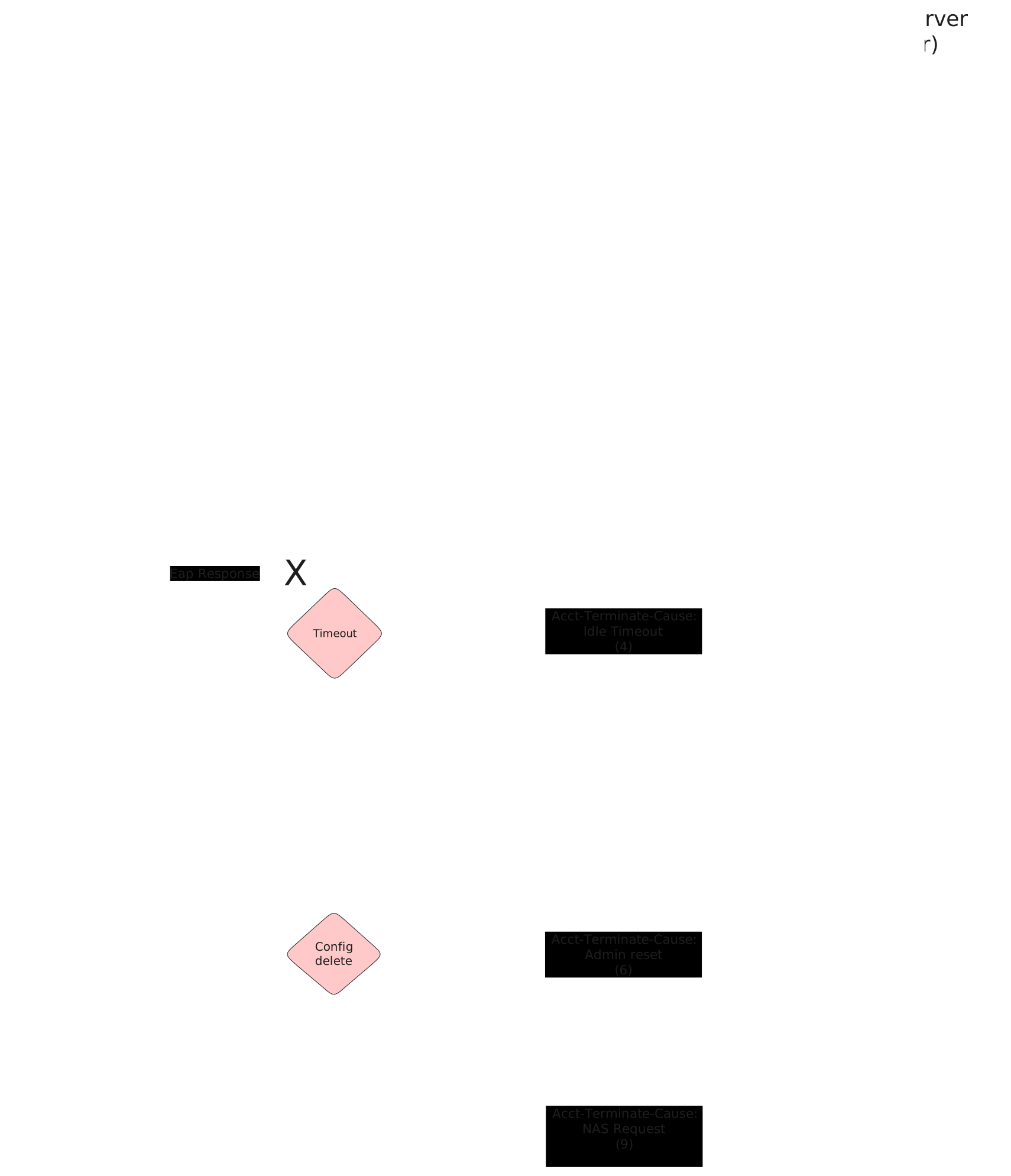
Test 802.1x User Request Cause
Description
This scenario shows how to stop an 802.1x session using
operational command supplicant disconnect.
Accounting RADIUS stop messages should contain the
following attribute: acct-terminate-cause=1.
Scenario
Step 1: Set the following configuration in DUT2 :
set interfaces ethernet eth0 address 192.168.200.1/24
set interfaces ethernet eth1 address 10.215.168.64/24
set interfaces ethernet eth1 traffic nat destination rule 1 address 192.168.200.2
set interfaces ethernet eth1 traffic nat source rule 1 address masquerade
set system login user admin authentication encrypted-password '$6$GSjsCj8gHLv$/VcqU6FLi6CT2Oxn0MJQ2C2tqnRDrYKNF8HIYWJp68nvXvPdFccDsT04.WtigUONbKYrgKg8d6rEs8PjljMkH0'
Step 2: Set the following configuration in DUT0 :
set interfaces ethernet eth0 address 192.168.200.2/24
set interfaces ethernet eth1 802.1x authenticator aaa accounting list1
set interfaces ethernet eth1 802.1x authenticator aaa authentication list1
set interfaces ethernet eth1 802.1x authenticator reauth-period 0
set interfaces ethernet eth1 address 192.168.100.1/24
set protocols static route 0.0.0.0/0 next-hop 192.168.200.1
set system aaa group radius radgroup1 server serv1
set system aaa list list1 method 1 group radius radgroup1
set system aaa server radius serv1 address 10.215.168.1
set system aaa server radius serv1 encrypted-key U2FsdGVkX1+gJtnGLAHzkd52cUUqee2LBsnfj9VIhlSU1/6sdw44lz1731siBs/w9Dnfqxqn+cG5xdF2WCz8Ow==
set system login user admin authentication encrypted-password '$6$GSjsCj8gHLv$/VcqU6FLi6CT2Oxn0MJQ2C2tqnRDrYKNF8HIYWJp68nvXvPdFccDsT04.WtigUONbKYrgKg8d6rEs8PjljMkH0'
Step 3: Ping IP address 10.215.168.1 from DUT0:
admin@DUT0$ ping 10.215.168.1 count 1 size 56 timeout 1Show output
PING 10.215.168.1 (10.215.168.1) 56(84) bytes of data.
64 bytes from 10.215.168.1: icmp_seq=1 ttl=63 time=0.852 ms

--- 10.215.168.1 ping statistics ---
1 packets transmitted, 1 received, 0% packet loss, time 0ms
rtt min/avg/max/mdev = 0.852/0.852/0.852/0.000 ms
Step 4: Set the following configuration in DUT1 :
set interfaces ethernet eth1 802.1x supplicant encrypted-password U2FsdGVkX18IO8D6VUpNAbHHDDKmXqpZNd1Ylsjiqgg=
set interfaces ethernet eth1 802.1x supplicant username testing
set interfaces ethernet eth1 address 192.168.100.2/24
set system login user admin authentication encrypted-password '$6$GSjsCj8gHLv$/VcqU6FLi6CT2Oxn0MJQ2C2tqnRDrYKNF8HIYWJp68nvXvPdFccDsT04.WtigUONbKYrgKg8d6rEs8PjljMkH0'
Step 5: Run command interfaces ethernet eth1 802.1x supplicant show status at DUT1 and check if output contains the following tokens:
AuthorizedShow output
---------------------------------------------------
        Field                      Value
---------------------------------------------------
EAP State                                   SUCCESS
EAP TLS Cipher          ECDHE-RSA-AES256-GCM-SHA384
EAP TLS Version                             TLSv1.2
PAE State                             AUTHENTICATED
Supplicant Port Status                   Authorized
WPA State                                 COMPLETED
Step 6: Run command interfaces ethernet eth1 802.1x supplicant show stats at DUT1 and check if output matches the following regular expressions:
Port Status\s+AuthorizedShow output
-------------------------------
       Field           Value
-------------------------------
EAPoL Frames (Rx)            11
EAPoL Frames (Tx)            11
Invalid Frames (Rx)           0
Logoff Frames (Tx)            0
Port Status          Authorized
Req Frames (Rx)               9
Req ID Frames (Rx)            1
Resp Frames (Tx)             10
Start Frames (Tx)             1
Step 7: Run command interfaces ethernet eth1 802.1x authenticator show stats at DUT0 and check if output matches the following regular expressions:
Authentication Successes\s+1Show output
---------------------------------
         Field             Value
---------------------------------
Access Challenges               9
Authentication Backend     RADIUS
Authentication Failures         0
Authentication Successes        1
EAPoL frames (Rx)              11
EAPoL frames (Tx)              11
Reauthenticate              FALSE
Reauthenticate Period           0
Session Time                    0
Session User Name         testing
Step 8: Ping IP address 192.168.100.1 from DUT1:
admin@DUT1$ ping 192.168.100.1 count 1 size 56 timeout 1Show output
PING 192.168.100.1 (192.168.100.1) 56(84) bytes of data.
64 bytes from 192.168.100.1: icmp_seq=1 ttl=64 time=0.368 ms

--- 192.168.100.1 ping statistics ---
1 packets transmitted, 1 received, 0% packet loss, time 0ms
rtt min/avg/max/mdev = 0.368/0.368/0.368/0.000 ms
Note
Start packet capture in DUT2 to filter RADIUS stop messages (e.g., traffic dump monitor interface eth0 detail filter "udp port 1813" packets 1).
Step 9: Run command interfaces ethernet eth1 802.1x supplicant disconnect at DUT1 and expect this output:
Show output
OK
Step 10: Run command interfaces ethernet eth1 802.1x authenticator show status at DUT0 and check if output contains the following tokens:
Current status: UnauthorizedShow output
Current status: Unauthorized
Note
Stop packet capture in DUT0 and expect
the following RADIUS messages:
Show output
 eth0, link-type EN10MB (Ethernet), snapshot length 262144 bytes
19:19:35.318445 de:ad:be:ef:6c:00 > de:ad:be:ef:6c:20, ethertype IPv4 (0x0800), length 195: (tos 0x0, ttl 64, id 12426, offset 0, flags [none], proto UDP (17), length 181)
    192.168.200.2.33854 > 10.215.168.1.1813: [bad udp cksum 0x3c36 -> 0xe8de!] RADIUS, length: 153
        Accounting-Request (4), id: 0x0c, Authenticator: 476252cd5726a4ff58b3e65a86287580
          Acct-Status-Type Attribute (40), length: 6, Value: Stop
            0x0000:  0000 0002
          Acct-Authentic Attribute (45), length: 6, Value: RADIUS
            0x0000:  0000 0001
          User-Name Attribute (1), length: 9, Value: testing
            0x0000:  7465 7374 696e 67
          Called-Station-Id Attribute (30), length: 20, Value: DE-AD-BE-EF-6C-01:
            0x0000:  4445 2d41 442d 4245 2d45 462d 3643 2d30
            0x0010:  313a
          Service-Type Attribute (6), length: 6, Value: Framed
            0x0000:  0000 0002
          Calling-Station-Id Attribute (31), length: 19, Value: DE-AD-BE-EF-6C-11
            0x0000:  4445 2d41 442d 4245 2d45 462d 3643 2d31
            0x0010:  31
          Acct-Session-Id Attribute (44), length: 18, Value: 3AEE164DEE2C2333
            0x0000:  3341 4545 3136 3444 4545 3243 3233 3333
          NAS-Port-Type Attribute (61), length: 6, Value: Ethernet
            0x0000:  0000 000f
          Connect-Info Attribute (77), length: 13, Value: Unsupported
            0x0000:  556e 7375 7070 6f72 7465 64
          NAS-Port-Id Attribute (87), length: 6, Value: eth1
            0x0000:  6574 6831
          Event-Timestamp Attribute (55), length: 6, Value: Wed Dec 17 19:19:35 2025
            0x0000:  6943 0247
          Acct-Delay-Time Attribute (41), length: 6, Value: 00 secs
            0x0000:  0000 0000
          Acct-Session-Time Attribute (46), length: 6, Value: 00 secs
            0x0000:  0000 0000
          Acct-Terminate-Cause Attribute (49), length: 6, Value: User Request
            0x0000:  0000 0001
1 packet captured
Test 802.1x Lost Carrier Cause
Description
This scenario shows how an 802.1x session is stopped
after a link down event in DUT0 eth1.
Accounting RADIUS stop messages should contain the
following attribute: acct-terminate-cause=2.
Scenario
Step 1: Set the following configuration in DUT2 :
set interfaces ethernet eth0 address 192.168.200.1/24
set interfaces ethernet eth1 address 10.215.168.64/24
set interfaces ethernet eth1 traffic nat destination rule 1 address 192.168.200.2
set interfaces ethernet eth1 traffic nat source rule 1 address masquerade
set system login user admin authentication encrypted-password '$6$GSjsCj8gHLv$/VcqU6FLi6CT2Oxn0MJQ2C2tqnRDrYKNF8HIYWJp68nvXvPdFccDsT04.WtigUONbKYrgKg8d6rEs8PjljMkH0'
Step 2: Set the following configuration in DUT0 :
set interfaces ethernet eth0 address 192.168.200.2/24
set interfaces ethernet eth1 802.1x authenticator aaa accounting list1
set interfaces ethernet eth1 802.1x authenticator aaa authentication list1
set interfaces ethernet eth1 802.1x authenticator coa client 10.215.168.1
set interfaces ethernet eth1 802.1x authenticator coa encrypted-secret U2FsdGVkX19BZQ+AATn0ZDgu+N3GYpYY7fSKxIYX7GY=
set interfaces ethernet eth1 802.1x authenticator reauth-period 0
set interfaces ethernet eth1 address 192.168.100.1/24
set protocols static route 0.0.0.0/0 next-hop 192.168.200.1
set system aaa group radius radgroup1 server serv1
set system aaa list list1 method 1 group radius radgroup1
set system aaa server radius serv1 address 10.215.168.1
set system aaa server radius serv1 encrypted-key U2FsdGVkX1/f9krHcpmoiEN7dMhG0kQg7EnQPoApzCdQ6GYKjJm4DiP6bmW1jGBSxPtqOnUr4Wqo/rX7sG9WVw==
set system login user admin authentication encrypted-password '$6$GSjsCj8gHLv$/VcqU6FLi6CT2Oxn0MJQ2C2tqnRDrYKNF8HIYWJp68nvXvPdFccDsT04.WtigUONbKYrgKg8d6rEs8PjljMkH0'
Step 3: Ping IP address 10.215.168.1 from DUT0:
admin@DUT0$ ping 10.215.168.1 count 1 size 56 timeout 1Show output
PING 10.215.168.1 (10.215.168.1) 56(84) bytes of data.
64 bytes from 10.215.168.1: icmp_seq=1 ttl=63 time=0.497 ms

--- 10.215.168.1 ping statistics ---
1 packets transmitted, 1 received, 0% packet loss, time 0ms
rtt min/avg/max/mdev = 0.497/0.497/0.497/0.000 ms
Step 4: Set the following configuration in DUT1 :
set interfaces ethernet eth1 802.1x supplicant encrypted-password U2FsdGVkX19hZ6fnaWn08ZH9E5r7pQQk81uVkgq1SY4=
set interfaces ethernet eth1 802.1x supplicant username testing
set interfaces ethernet eth1 address 192.168.100.2/24
set system login user admin authentication encrypted-password '$6$GSjsCj8gHLv$/VcqU6FLi6CT2Oxn0MJQ2C2tqnRDrYKNF8HIYWJp68nvXvPdFccDsT04.WtigUONbKYrgKg8d6rEs8PjljMkH0'
Step 5: Run command interfaces ethernet eth1 802.1x supplicant show status at DUT1 and check if output contains the following tokens:
AuthorizedShow output
---------------------------------------------------
        Field                      Value
---------------------------------------------------
EAP State                                   SUCCESS
EAP TLS Cipher          ECDHE-RSA-AES256-GCM-SHA384
EAP TLS Version                             TLSv1.2
PAE State                             AUTHENTICATED
Supplicant Port Status                   Authorized
WPA State                                 COMPLETED
Step 6: Run command interfaces ethernet eth1 802.1x supplicant show stats at DUT1 and check if output matches the following regular expressions:
Port Status\s+AuthorizedShow output
-------------------------------
       Field           Value
-------------------------------
EAPoL Frames (Rx)            11
EAPoL Frames (Tx)            11
Invalid Frames (Rx)           0
Logoff Frames (Tx)            0
Port Status          Authorized
Req Frames (Rx)               9
Req ID Frames (Rx)            1
Resp Frames (Tx)             10
Start Frames (Tx)             1
Step 7: Run command interfaces ethernet eth1 802.1x authenticator show stats at DUT0 and check if output matches the following regular expressions:
Authentication Successes\s+1Show output
---------------------------------
         Field             Value
---------------------------------
Access Challenges               9
Authentication Backend     RADIUS
Authentication Failures         0
Authentication Successes        1
EAPoL frames (Rx)              11
EAPoL frames (Tx)              11
Reauthenticate              FALSE
Reauthenticate Period           0
Session Time                    0
Session User Name         testing
Step 8: Ping IP address 192.168.100.1 from DUT1:
admin@DUT1$ ping 192.168.100.1 count 1 size 56 timeout 1Show output
PING 192.168.100.1 (192.168.100.1) 56(84) bytes of data.
64 bytes from 192.168.100.1: icmp_seq=1 ttl=64 time=0.430 ms

--- 192.168.100.1 ping statistics ---
1 packets transmitted, 1 received, 0% packet loss, time 0ms
rtt min/avg/max/mdev = 0.430/0.430/0.430/0.000 ms
Note
Start packet capture in DUT2 to filter RADIUS stop messages (e.g., traffic dump monitor interface eth0 detail filter "udp port 1813" packets 1).
Note
Remove the link between DUT0 and DUT1 to provoke a link-down event.
Step 9: Run command interfaces ethernet eth1 802.1x authenticator show status at DUT0 and expect this output:
Show output
Error: no supplicant found
  CLI Error: Command error
Note
Stop packet capture in DUT0 and expect
the following RADIUS messages:
Show output
 eth0, link-type EN10MB (Ethernet), snapshot length 262144 bytes
19:19:48.820128 de:ad:be:ef:6c:00 > de:ad:be:ef:6c:20, ethertype IPv4 (0x0800), length 195: (tos 0x0, ttl 64, id 41895, offset 0, flags [none], proto UDP (17), length 181)
    192.168.200.2.36359 > 10.215.168.1.1813: [bad udp cksum 0x3c36 -> 0xcad4!] RADIUS, length: 153
        Accounting-Request (4), id: 0x0c, Authenticator: c97071b6aa1d7512dc46b1f52189bc24
          Acct-Status-Type Attribute (40), length: 6, Value: Stop
            0x0000:  0000 0002
          Acct-Authentic Attribute (45), length: 6, Value: RADIUS
            0x0000:  0000 0001
          User-Name Attribute (1), length: 9, Value: testing
            0x0000:  7465 7374 696e 67
          Called-Station-Id Attribute (30), length: 20, Value: DE-AD-BE-EF-6C-01:
            0x0000:  4445 2d41 442d 4245 2d45 462d 3643 2d30
            0x0010:  313a
          Service-Type Attribute (6), length: 6, Value: Framed
            0x0000:  0000 0002
          Calling-Station-Id Attribute (31), length: 19, Value: DE-AD-BE-EF-6C-11
            0x0000:  4445 2d41 442d 4245 2d45 462d 3643 2d31
            0x0010:  31
          Acct-Session-Id Attribute (44), length: 18, Value: 233F96FF188F9BCE
            0x0000:  3233 3346 3936 4646 3138 3846 3942 4345
          NAS-Port-Type Attribute (61), length: 6, Value: Ethernet
            0x0000:  0000 000f
          Connect-Info Attribute (77), length: 13, Value: Unsupported
            0x0000:  556e 7375 7070 6f72 7465 64
          NAS-Port-Id Attribute (87), length: 6, Value: eth1
            0x0000:  6574 6831
          Event-Timestamp Attribute (55), length: 6, Value: Wed Dec 17 19:19:48 2025
            0x0000:  6943 0254
          Acct-Delay-Time Attribute (41), length: 6, Value: 00 secs
            0x0000:  0000 0000
          Acct-Session-Time Attribute (46), length: 6, Value: 01 secs
            0x0000:  0000 0001
          Acct-Terminate-Cause Attribute (49), length: 6, Value: Lost Carrier
            0x0000:  0000 0002
1 packet captured
Test 802.1x Idle Timeout Cause
Description
This scenario shows how an 802.1x session is stopped
after a reauthentication timeout.
Accounting RADIUS stop messages should contain the
following attribute: acct-terminate-cause=4.
Scenario
Step 1: Set the following configuration in DUT2 :
set interfaces ethernet eth0 address 192.168.200.1/24
set interfaces ethernet eth1 address 10.215.168.64/24
set interfaces ethernet eth1 traffic nat destination rule 1 address 192.168.200.2
set interfaces ethernet eth1 traffic nat source rule 1 address masquerade
set system login user admin authentication encrypted-password '$6$GSjsCj8gHLv$/VcqU6FLi6CT2Oxn0MJQ2C2tqnRDrYKNF8HIYWJp68nvXvPdFccDsT04.WtigUONbKYrgKg8d6rEs8PjljMkH0'
Step 2: Set the following configuration in DUT0 :
set interfaces ethernet eth0 address 192.168.200.2/24
set interfaces ethernet eth1 802.1x authenticator aaa accounting list1
set interfaces ethernet eth1 802.1x authenticator aaa authentication list1
set interfaces ethernet eth1 802.1x authenticator max-retransmissions 2
set interfaces ethernet eth1 802.1x authenticator reauth-period 15
set interfaces ethernet eth1 address 192.168.100.1/24
set protocols static route 0.0.0.0/0 next-hop 192.168.200.1
set system aaa group radius radgroup1 server serv1
set system aaa list list1 method 1 group radius radgroup1
set system aaa server radius serv1 address 10.215.168.1
set system aaa server radius serv1 encrypted-key U2FsdGVkX1+EDCeHHEvniEbumQffLXnbhxEroUMsPsGTPUEYCgYbwx0yV9qb73G6t+i/uC9YA57z84wn7k+MBw==
set system login user admin authentication encrypted-password '$6$GSjsCj8gHLv$/VcqU6FLi6CT2Oxn0MJQ2C2tqnRDrYKNF8HIYWJp68nvXvPdFccDsT04.WtigUONbKYrgKg8d6rEs8PjljMkH0'
Step 3: Ping IP address 10.215.168.1 from DUT0:
admin@DUT0$ ping 10.215.168.1 count 1 size 56 timeout 1Show output
PING 10.215.168.1 (10.215.168.1) 56(84) bytes of data.
64 bytes from 10.215.168.1: icmp_seq=1 ttl=63 time=0.391 ms

--- 10.215.168.1 ping statistics ---
1 packets transmitted, 1 received, 0% packet loss, time 0ms
rtt min/avg/max/mdev = 0.391/0.391/0.391/0.000 ms
Step 4: Set the following configuration in DUT1 :
set interfaces ethernet eth1 802.1x supplicant encrypted-password U2FsdGVkX1870dgGfxbxRBVcMHp2S+vV3u24aT9qZLc=
set interfaces ethernet eth1 802.1x supplicant username testing
set interfaces ethernet eth1 address 192.168.100.2/24
set system login user admin authentication encrypted-password '$6$GSjsCj8gHLv$/VcqU6FLi6CT2Oxn0MJQ2C2tqnRDrYKNF8HIYWJp68nvXvPdFccDsT04.WtigUONbKYrgKg8d6rEs8PjljMkH0'
Step 5: Run command interfaces ethernet eth1 802.1x supplicant show status at DUT1 and check if output contains the following tokens:
AuthorizedShow output
---------------------------------------------------
        Field                      Value
---------------------------------------------------
EAP State                                   SUCCESS
EAP TLS Cipher          ECDHE-RSA-AES256-GCM-SHA384
EAP TLS Version                             TLSv1.2
PAE State                             AUTHENTICATED
Supplicant Port Status                   Authorized
WPA State                                 COMPLETED
Step 6: Run command interfaces ethernet eth1 802.1x supplicant show stats at DUT1 and check if output matches the following regular expressions:
Port Status\s+AuthorizedShow output
-------------------------------
       Field           Value
-------------------------------
EAPoL Frames (Rx)            11
EAPoL Frames (Tx)            11
Invalid Frames (Rx)           0
Logoff Frames (Tx)            0
Port Status          Authorized
Req Frames (Rx)               9
Req ID Frames (Rx)            1
Resp Frames (Tx)             10
Start Frames (Tx)             1
Step 7: Run command interfaces ethernet eth1 802.1x authenticator show stats at DUT0 and check if output matches the following regular expressions:
Authentication Successes\s+1Show output
---------------------------------
         Field             Value
---------------------------------
Access Challenges               9
Authentication Backend     RADIUS
Authentication Failures         0
Authentication Successes        1
EAPoL frames (Rx)              11
EAPoL frames (Tx)              11
Reauthenticate               TRUE
Reauthenticate Period          15
Session Time                    0
Session User Name         testing
Step 8: Ping IP address 192.168.100.1 from DUT1:
admin@DUT1$ ping 192.168.100.1 count 1 size 56 timeout 1Show output
PING 192.168.100.1 (192.168.100.1) 56(84) bytes of data.
64 bytes from 192.168.100.1: icmp_seq=1 ttl=64 time=0.348 ms

--- 192.168.100.1 ping statistics ---
1 packets transmitted, 1 received, 0% packet loss, time 0ms
rtt min/avg/max/mdev = 0.348/0.348/0.348/0.000 ms
Note
Start packet capture in DUT2 to filter RADIUS stop messages (e.g., traffic dump monitor interface eth0 detail filter "udp port 1813" packets 1).
Note
Disable DUT1 interface or remove address configuration to prevent the device from responding EAP requests.
Step 9: Modify the following configuration lines in DUT1 :
set interfaces ethernet eth1 disable
Step 10: Run command interfaces ethernet eth1 802.1x authenticator show status at DUT0 and check if output contains the following tokens:
Current status: UnauthorizedShow output
Current status: Unauthorized
Note
Stop packet capture in DUT0 and expect
the following RADIUS messages:
Show output
 eth0, link-type EN10MB (Ethernet), snapshot length 262144 bytes
19:20:42.402275 de:ad:be:ef:6c:00 > de:ad:be:ef:6c:20, ethertype IPv4 (0x0800), length 195: (tos 0x0, ttl 64, id 42795, offset 0, flags [none], proto UDP (17), length 181)
    192.168.200.2.54223 > 10.215.168.1.1813: [bad udp cksum 0x3c36 -> 0x2eef!] RADIUS, length: 153
        Accounting-Request (4), id: 0x0c, Authenticator: 152d53159d8275914749c63188bb93fa
          Acct-Status-Type Attribute (40), length: 6, Value: Stop
            0x0000:  0000 0002
          Acct-Authentic Attribute (45), length: 6, Value: RADIUS
            0x0000:  0000 0001
          User-Name Attribute (1), length: 9, Value: testing
            0x0000:  7465 7374 696e 67
          Called-Station-Id Attribute (30), length: 20, Value: DE-AD-BE-EF-6C-01:
            0x0000:  4445 2d41 442d 4245 2d45 462d 3643 2d30
            0x0010:  313a
          Service-Type Attribute (6), length: 6, Value: Framed
            0x0000:  0000 0002
          Calling-Station-Id Attribute (31), length: 19, Value: DE-AD-BE-EF-6C-11
            0x0000:  4445 2d41 442d 4245 2d45 462d 3643 2d31
            0x0010:  31
          Acct-Session-Id Attribute (44), length: 18, Value: 4739F01BECF615FA
            0x0000:  3437 3339 4630 3142 4543 4636 3135 4641
          NAS-Port-Type Attribute (61), length: 6, Value: Ethernet
            0x0000:  0000 000f
          Connect-Info Attribute (77), length: 13, Value: Unsupported
            0x0000:  556e 7375 7070 6f72 7465 64
          NAS-Port-Id Attribute (87), length: 6, Value: eth1
            0x0000:  6574 6831
          Event-Timestamp Attribute (55), length: 6, Value: Wed Dec 17 19:20:42 2025
            0x0000:  6943 028a
          Acct-Delay-Time Attribute (41), length: 6, Value: 00 secs
            0x0000:  0000 0000
          Acct-Session-Time Attribute (46), length: 6, Value: 41 secs
            0x0000:  0000 0029
          Acct-Terminate-Cause Attribute (49), length: 6, Value: Idle Timeout
            0x0000:  0000 0004
1 packet captured
Test 802.1x Admin Reset Cause
Description
This scenario shows how to stop an 802.1x session using
operational command authenticator disassociate.
Accounting RADIUS stop messages should contain the
following attribute: acct-terminate-cause=6.
Scenario
Step 1: Set the following configuration in DUT2 :
set interfaces ethernet eth0 address 192.168.200.1/24
set interfaces ethernet eth1 address 10.215.168.64/24
set interfaces ethernet eth1 traffic nat destination rule 1 address 192.168.200.2
set interfaces ethernet eth1 traffic nat source rule 1 address masquerade
set system login user admin authentication encrypted-password '$6$GSjsCj8gHLv$/VcqU6FLi6CT2Oxn0MJQ2C2tqnRDrYKNF8HIYWJp68nvXvPdFccDsT04.WtigUONbKYrgKg8d6rEs8PjljMkH0'
Step 2: Set the following configuration in DUT0 :
set interfaces ethernet eth0 address 192.168.200.2/24
set interfaces ethernet eth1 802.1x authenticator aaa accounting list1
set interfaces ethernet eth1 802.1x authenticator aaa authentication list1
set interfaces ethernet eth1 802.1x authenticator reauth-period 0
set interfaces ethernet eth1 address 192.168.100.1/24
set protocols static route 0.0.0.0/0 next-hop 192.168.200.1
set system aaa group radius radgroup1 server serv1
set system aaa list list1 method 1 group radius radgroup1
set system aaa server radius serv1 address 10.215.168.1
set system aaa server radius serv1 encrypted-key U2FsdGVkX19rTagY1BAVaVw/U2koSZopeRgWSLOA6oO6LFdfqX0348PfGe7eYpNaTlJFpWzrGFsUyyPTkvbwyQ==
set system login user admin authentication encrypted-password '$6$GSjsCj8gHLv$/VcqU6FLi6CT2Oxn0MJQ2C2tqnRDrYKNF8HIYWJp68nvXvPdFccDsT04.WtigUONbKYrgKg8d6rEs8PjljMkH0'
Step 3: Ping IP address 10.215.168.1 from DUT0:
admin@DUT0$ ping 10.215.168.1 count 1 size 56 timeout 1Show output
PING 10.215.168.1 (10.215.168.1) 56(84) bytes of data.
64 bytes from 10.215.168.1: icmp_seq=1 ttl=63 time=0.431 ms

--- 10.215.168.1 ping statistics ---
1 packets transmitted, 1 received, 0% packet loss, time 0ms
rtt min/avg/max/mdev = 0.431/0.431/0.431/0.000 ms
Step 4: Set the following configuration in DUT1 :
set interfaces ethernet eth1 802.1x supplicant encrypted-password U2FsdGVkX18GHcxPYTsErM/3vYvFR18DFp2b93klabM=
set interfaces ethernet eth1 802.1x supplicant username testing
set interfaces ethernet eth1 address 192.168.100.2/24
set system login user admin authentication encrypted-password '$6$GSjsCj8gHLv$/VcqU6FLi6CT2Oxn0MJQ2C2tqnRDrYKNF8HIYWJp68nvXvPdFccDsT04.WtigUONbKYrgKg8d6rEs8PjljMkH0'
Step 5: Run command interfaces ethernet eth1 802.1x supplicant show status at DUT1 and check if output contains the following tokens:
AuthorizedShow output
---------------------------------------------------
        Field                      Value
---------------------------------------------------
EAP State                                   SUCCESS
EAP TLS Cipher          ECDHE-RSA-AES256-GCM-SHA384
EAP TLS Version                             TLSv1.2
PAE State                             AUTHENTICATED
Supplicant Port Status                   Authorized
WPA State                                 COMPLETED
Step 6: Run command interfaces ethernet eth1 802.1x supplicant show stats at DUT1 and check if output matches the following regular expressions:
Port Status\s+AuthorizedShow output
-------------------------------
       Field           Value
-------------------------------
EAPoL Frames (Rx)            11
EAPoL Frames (Tx)            11
Invalid Frames (Rx)           0
Logoff Frames (Tx)            0
Port Status          Authorized
Req Frames (Rx)               9
Req ID Frames (Rx)            1
Resp Frames (Tx)             10
Start Frames (Tx)             1
Step 7: Run command interfaces ethernet eth1 802.1x authenticator show stats at DUT0 and check if output matches the following regular expressions:
Authentication Successes\s+1Show output
---------------------------------
         Field             Value
---------------------------------
Access Challenges               9
Authentication Backend     RADIUS
Authentication Failures         0
Authentication Successes        1
EAPoL frames (Rx)              11
EAPoL frames (Tx)              11
Reauthenticate              FALSE
Reauthenticate Period           0
Session Time                    0
Session User Name         testing
Step 8: Ping IP address 192.168.100.1 from DUT1:
admin@DUT1$ ping 192.168.100.1 count 1 size 56 timeout 1Show output
PING 192.168.100.1 (192.168.100.1) 56(84) bytes of data.
64 bytes from 192.168.100.1: icmp_seq=1 ttl=64 time=0.324 ms

--- 192.168.100.1 ping statistics ---
1 packets transmitted, 1 received, 0% packet loss, time 0ms
rtt min/avg/max/mdev = 0.324/0.324/0.324/0.000 ms
Note
Start packet capture in DUT2 to filter RADIUS stop messages (e.g., traffic dump monitor interface eth0 detail filter "udp port 1813" packets 1).
Step 9: Run command interfaces ethernet eth1 802.1x authenticator disassociate at DUT0 and expect this output:
Show output
OK
Step 10: Run command interfaces ethernet eth1 802.1x authenticator show status at DUT0 and check if output contains the following tokens:
Current status: UnauthorizedShow output
Current status: Unauthorized
Note
Stop packet capture in DUT0 and expect
the following RADIUS messages:
Show output
 eth0, link-type EN10MB (Ethernet), snapshot length 262144 bytes
19:20:55.284753 de:ad:be:ef:6c:00 > de:ad:be:ef:6c:20, ethertype IPv4 (0x0800), length 195: (tos 0x0, ttl 64, id 56271, offset 0, flags [none], proto UDP (17), length 181)
    192.168.200.2.46706 > 10.215.168.1.1813: [bad udp cksum 0x3c36 -> 0xb1ea!] RADIUS, length: 153
        Accounting-Request (4), id: 0x0c, Authenticator: c0cd844a94dff445dc91f0e9b8ce194f
          Acct-Status-Type Attribute (40), length: 6, Value: Stop
            0x0000:  0000 0002
          Acct-Authentic Attribute (45), length: 6, Value: RADIUS
            0x0000:  0000 0001
          User-Name Attribute (1), length: 9, Value: testing
            0x0000:  7465 7374 696e 67
          Called-Station-Id Attribute (30), length: 20, Value: DE-AD-BE-EF-6C-01:
            0x0000:  4445 2d41 442d 4245 2d45 462d 3643 2d30
            0x0010:  313a
          Service-Type Attribute (6), length: 6, Value: Framed
            0x0000:  0000 0002
          Calling-Station-Id Attribute (31), length: 19, Value: DE-AD-BE-EF-6C-11
            0x0000:  4445 2d41 442d 4245 2d45 462d 3643 2d31
            0x0010:  31
          Acct-Session-Id Attribute (44), length: 18, Value: EF4C9A6D7693B735
            0x0000:  4546 3443 3941 3644 3736 3933 4237 3335
          NAS-Port-Type Attribute (61), length: 6, Value: Ethernet
            0x0000:  0000 000f
          Connect-Info Attribute (77), length: 13, Value: Unsupported
            0x0000:  556e 7375 7070 6f72 7465 64
          NAS-Port-Id Attribute (87), length: 6, Value: eth1
            0x0000:  6574 6831
          Event-Timestamp Attribute (55), length: 6, Value: Wed Dec 17 19:20:54 2025
            0x0000:  6943 0296
          Acct-Delay-Time Attribute (41), length: 6, Value: 00 secs
            0x0000:  0000 0000
          Acct-Session-Time Attribute (46), length: 6, Value: 00 secs
            0x0000:  0000 0000
          Acct-Terminate-Cause Attribute (49), length: 6, Value: Admin Reset
            0x0000:  0000 0006
1 packet captured
Test 802.1x NAS Request Cause
Description
This scenario shows how to stop an 802.1x session from
the authentication server using a CoA message.
Accounting RADIUS stop messages should contain the
following attribute: acct-terminate-cause=10.
Scenario
Step 1: Set the following configuration in DUT2 :
set interfaces ethernet eth0 address 192.168.200.1/24
set interfaces ethernet eth1 address 10.215.168.64/24
set interfaces ethernet eth1 traffic nat destination rule 1 address 192.168.200.2
set interfaces ethernet eth1 traffic nat source rule 1 address masquerade
set system login user admin authentication encrypted-password '$6$GSjsCj8gHLv$/VcqU6FLi6CT2Oxn0MJQ2C2tqnRDrYKNF8HIYWJp68nvXvPdFccDsT04.WtigUONbKYrgKg8d6rEs8PjljMkH0'
Step 2: Set the following configuration in DUT0 :
set interfaces ethernet eth0 address 192.168.200.2/24
set interfaces ethernet eth1 802.1x authenticator aaa accounting list1
set interfaces ethernet eth1 802.1x authenticator aaa authentication list1
set interfaces ethernet eth1 802.1x authenticator coa client 10.215.168.1
set interfaces ethernet eth1 802.1x authenticator coa encrypted-secret U2FsdGVkX1/jMwRHoUFCU+q77u69Q10UHsAdAR23DCU=
set interfaces ethernet eth1 802.1x authenticator reauth-period 0
set interfaces ethernet eth1 address 192.168.100.1/24
set protocols static route 0.0.0.0/0 next-hop 192.168.200.1
set system aaa group radius radgroup1 server serv1
set system aaa list list1 method 1 group radius radgroup1
set system aaa server radius serv1 address 10.215.168.1
set system aaa server radius serv1 encrypted-key U2FsdGVkX18X7Cd0Ull0GHoYHqcgIWw0vLXeplpYM1S1O8aeGj4yJ9wQWFDXTS2fGZ4rIjOlHz8LhAJMpMZxBg==
set system login user admin authentication encrypted-password '$6$GSjsCj8gHLv$/VcqU6FLi6CT2Oxn0MJQ2C2tqnRDrYKNF8HIYWJp68nvXvPdFccDsT04.WtigUONbKYrgKg8d6rEs8PjljMkH0'
Step 3: Ping IP address 10.215.168.1 from DUT0:
admin@DUT0$ ping 10.215.168.1 count 1 size 56 timeout 1Show output
PING 10.215.168.1 (10.215.168.1) 56(84) bytes of data.
64 bytes from 10.215.168.1: icmp_seq=1 ttl=63 time=0.499 ms

--- 10.215.168.1 ping statistics ---
1 packets transmitted, 1 received, 0% packet loss, time 0ms
rtt min/avg/max/mdev = 0.499/0.499/0.499/0.000 ms
Step 4: Set the following configuration in DUT1 :
set interfaces ethernet eth1 802.1x supplicant encrypted-password U2FsdGVkX18829Xu6booj2XhXe91LERSBe95umHSGBc=
set interfaces ethernet eth1 802.1x supplicant username testing
set interfaces ethernet eth1 address 192.168.100.2/24
set system login user admin authentication encrypted-password '$6$GSjsCj8gHLv$/VcqU6FLi6CT2Oxn0MJQ2C2tqnRDrYKNF8HIYWJp68nvXvPdFccDsT04.WtigUONbKYrgKg8d6rEs8PjljMkH0'
Step 5: Run command interfaces ethernet eth1 802.1x supplicant show status at DUT1 and check if output contains the following tokens:
AuthorizedShow output
---------------------------------------------------
        Field                      Value
---------------------------------------------------
EAP State                                   SUCCESS
EAP TLS Cipher          ECDHE-RSA-AES256-GCM-SHA384
EAP TLS Version                             TLSv1.2
PAE State                             AUTHENTICATED
Supplicant Port Status                   Authorized
WPA State                                 COMPLETED
Step 6: Run command interfaces ethernet eth1 802.1x supplicant show stats at DUT1 and check if output matches the following regular expressions:
Port Status\s+AuthorizedShow output
-------------------------------
       Field           Value
-------------------------------
EAPoL Frames (Rx)            11
EAPoL Frames (Tx)            11
Invalid Frames (Rx)           0
Logoff Frames (Tx)            0
Port Status          Authorized
Req Frames (Rx)               9
Req ID Frames (Rx)            1
Resp Frames (Tx)             10
Start Frames (Tx)             1
Step 7: Run command interfaces ethernet eth1 802.1x authenticator show stats at DUT0 and check if output matches the following regular expressions:
Authentication Successes\s+1Show output
---------------------------------
         Field             Value
---------------------------------
Access Challenges               9
Authentication Backend     RADIUS
Authentication Failures         0
Authentication Successes        1
EAPoL frames (Rx)              11
EAPoL frames (Tx)              11
Reauthenticate              FALSE
Reauthenticate Period           0
Session Time                    0
Session User Name         testing
Step 8: Ping IP address 192.168.100.1 from DUT1:
admin@DUT1$ ping 192.168.100.1 count 1 size 56 timeout 1Show output
PING 192.168.100.1 (192.168.100.1) 56(84) bytes of data.
64 bytes from 192.168.100.1: icmp_seq=1 ttl=64 time=0.361 ms

--- 192.168.100.1 ping statistics ---
1 packets transmitted, 1 received, 0% packet loss, time 0ms
rtt min/avg/max/mdev = 0.361/0.361/0.361/0.000 ms
Note
Start packet capture in DUT2 to filter RADIUS stop messages (e.g., traffic dump monitor interface eth0 detail filter "udp port 1813" packets 1).
Note
Send a CoA/Disconnect request from the RADIUS server
On Linux, the FreeRADIUS package includes the utility
radtest that can be used to send these messages:
Show output
$ cat /osdx-tests/utils/dot1x/auth.req
User-Name = "testing"
$ radclient -s -t 1 -r 1 10.215.168.64:3799 disconnect coa_secret -f /osdx-tests/utils/dot1x/auth.req
Sent Disconnect-Request Id 11 from 0.0.0.0:35147 to 10.215.168.64:3799 length 29
Received Disconnect-ACK Id 11 from 10.215.168.64:3799 to 10.215.168.1:35147 length 44
Packet summary:
      Accepted      : 1
      Rejected      : 0
      Lost          : 0
      Passed filter : 1
      Failed filter : 0
Step 9: Run command interfaces ethernet eth1 802.1x authenticator show status at DUT0 and check if output contains the following tokens:
Current status: UnauthorizedShow output
Current status: Unauthorized
Note
Stop packet capture in DUT0 and expect
the following RADIUS messages:
Show output
 eth0, link-type EN10MB (Ethernet), snapshot length 262144 bytes
19:21:07.335498 de:ad:be:ef:6c:00 > de:ad:be:ef:6c:20, ethertype IPv4 (0x0800), length 195: (tos 0x0, ttl 64, id 3132, offset 0, flags [none], proto UDP (17), length 181)
    192.168.200.2.59038 > 10.215.168.1.1813: [bad udp cksum 0x3c36 -> 0x0477!] RADIUS, length: 153
        Accounting-Request (4), id: 0x0c, Authenticator: 10d457c30ca298ccb1a02685fae5210d
          Acct-Status-Type Attribute (40), length: 6, Value: Stop
            0x0000:  0000 0002
          Acct-Authentic Attribute (45), length: 6, Value: RADIUS
            0x0000:  0000 0001
          User-Name Attribute (1), length: 9, Value: testing
            0x0000:  7465 7374 696e 67
          Called-Station-Id Attribute (30), length: 20, Value: DE-AD-BE-EF-6C-01:
            0x0000:  4445 2d41 442d 4245 2d45 462d 3643 2d30
            0x0010:  313a
          Service-Type Attribute (6), length: 6, Value: Framed
            0x0000:  0000 0002
          Calling-Station-Id Attribute (31), length: 19, Value: DE-AD-BE-EF-6C-11
            0x0000:  4445 2d41 442d 4245 2d45 462d 3643 2d31
            0x0010:  31
          Acct-Session-Id Attribute (44), length: 18, Value: 7C253F4B7B482386
            0x0000:  3743 3235 3346 3442 3742 3438 3233 3836
          NAS-Port-Type Attribute (61), length: 6, Value: Ethernet
            0x0000:  0000 000f
          Connect-Info Attribute (77), length: 13, Value: Unsupported
            0x0000:  556e 7375 7070 6f72 7465 64
          NAS-Port-Id Attribute (87), length: 6, Value: eth1
            0x0000:  6574 6831
          Event-Timestamp Attribute (55), length: 6, Value: Wed Dec 17 19:21:07 2025
            0x0000:  6943 02a3
          Acct-Delay-Time Attribute (41), length: 6, Value: 00 secs
            0x0000:  0000 0000
          Acct-Session-Time Attribute (46), length: 6, Value: 00 secs
            0x0000:  0000 0000
          Acct-Terminate-Cause Attribute (49), length: 6, Value: NAS Request
            0x0000:  0000 000a
1 packet captured