Radius Terminate Capture
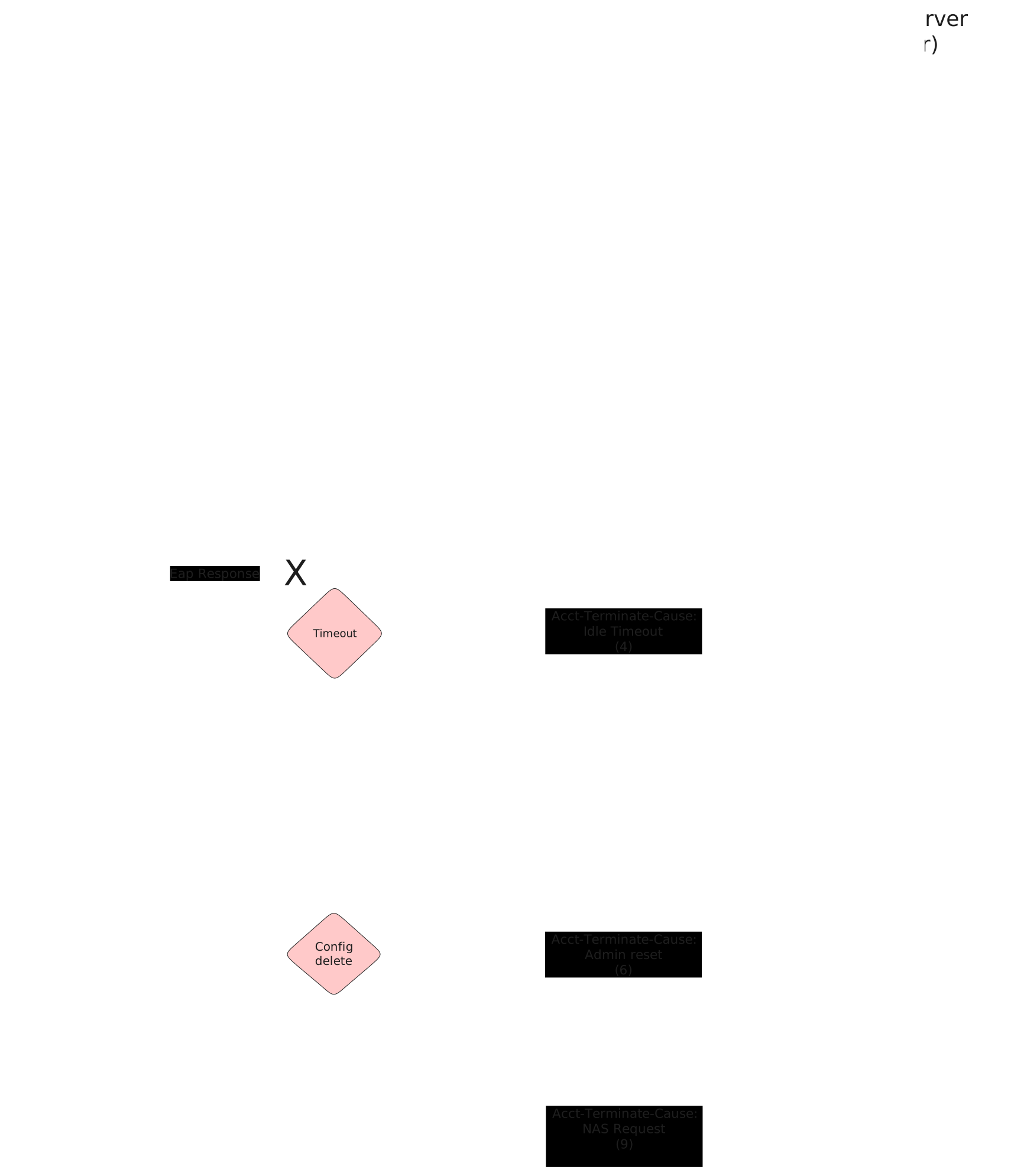
These scenarios show different acct-terminate-causes that are sent by OSDx devices when 802.1x sessions end.
Test 802.1x User Request Cause
Description
This scenario shows how to stop an 802.1x session using
operational command supplicant disconnect.
Accounting RADIUS stop messages should contain the
following attribute: acct-terminate-cause=1.
Scenario
Step 1: Set the following configuration in DUT2 :
set interfaces ethernet eth0 address 10.215.168.66/24
set interfaces ethernet eth0 traffic nat destination rule 1 address 192.168.200.2
set interfaces ethernet eth0 traffic nat source rule 1 address masquerade
set interfaces ethernet eth1 address 192.168.200.1/24
set system login user admin authentication encrypted-password '$6$GSjsCj8gHLv$/VcqU6FLi6CT2Oxn0MJQ2C2tqnRDrYKNF8HIYWJp68nvXvPdFccDsT04.WtigUONbKYrgKg8d6rEs8PjljMkH0'
Step 2: Ping IP address 10.215.168.1 from DUT2:
admin@DUT2$ ping 10.215.168.1 count 1 size 56 timeout 1Show output
PING 10.215.168.1 (10.215.168.1) 56(84) bytes of data.
64 bytes from 10.215.168.1: icmp_seq=1 ttl=64 time=0.619 ms

--- 10.215.168.1 ping statistics ---
1 packets transmitted, 1 received, 0% packet loss, time 0ms
rtt min/avg/max/mdev = 0.619/0.619/0.619/0.000 ms
Step 3: Set the following configuration in DUT0 :
set interfaces ethernet eth1 address 192.168.200.2/24
set interfaces ethernet eth2 address 192.168.100.1/24
set interfaces ethernet eth2 authenticator 802.1x max-retransmissions 2
set interfaces ethernet eth2 authenticator aaa accounting list1
set interfaces ethernet eth2 authenticator aaa authentication list1
set interfaces ethernet eth2 authenticator log-level debug
set interfaces ethernet eth2 authenticator mode only-802.1x
set interfaces ethernet eth2 authenticator quiet-period 60
set interfaces ethernet eth2 authenticator reauth-period 0
set protocols static route 0.0.0.0/0 next-hop 192.168.200.1
set system aaa group radius radgroup1 server serv1
set system aaa list list1 method 1 group radius radgroup1
set system aaa server radius serv1 address 10.215.168.1
set system aaa server radius serv1 encrypted-key U2FsdGVkX1+AzmzhNGbn98wJzR2zYW3h2J6bBf/wIDX6l7G0FwzRKxS1molc30hpj6TI6WaXSKiNf3KNqy/bmQ==
set system login user admin authentication encrypted-password '$6$GSjsCj8gHLv$/VcqU6FLi6CT2Oxn0MJQ2C2tqnRDrYKNF8HIYWJp68nvXvPdFccDsT04.WtigUONbKYrgKg8d6rEs8PjljMkH0'
Step 4: Ping IP address 10.215.168.1 from DUT0:
admin@DUT0$ ping 10.215.168.1 count 1 size 56 timeout 1Show output
PING 10.215.168.1 (10.215.168.1) 56(84) bytes of data.
64 bytes from 10.215.168.1: icmp_seq=1 ttl=63 time=0.823 ms

--- 10.215.168.1 ping statistics ---
1 packets transmitted, 1 received, 0% packet loss, time 0ms
rtt min/avg/max/mdev = 0.823/0.823/0.823/0.000 ms
Step 5: Set the following configuration in DUT1 :
set interfaces ethernet eth2 address 192.168.100.2/24
set interfaces ethernet eth2 supplicant encrypted-password U2FsdGVkX19BhnFecMM/2CyRxnIxQCaZ4X33ieyBdJ8=
set interfaces ethernet eth2 supplicant username testing
set system login user admin authentication encrypted-password '$6$GSjsCj8gHLv$/VcqU6FLi6CT2Oxn0MJQ2C2tqnRDrYKNF8HIYWJp68nvXvPdFccDsT04.WtigUONbKYrgKg8d6rEs8PjljMkH0'
Step 6: Run command interfaces ethernet eth2 supplicant show status at DUT1 and check if output contains the following tokens:
AuthorizedShow output
---------------------------------------------------
        Field                      Value
---------------------------------------------------
EAP State                                   SUCCESS
EAP TLS Cipher          ECDHE-RSA-AES256-GCM-SHA384
EAP TLS Version                             TLSv1.2
PAE State                             AUTHENTICATED
Supplicant Port Status                   Authorized
WPA State                                 COMPLETED
Step 7: Run command interfaces ethernet eth2 supplicant show stats at DUT1 and check if output matches the following regular expressions:
Port Status\s+AuthorizedShow output
-------------------------------
       Field           Value
-------------------------------
EAPoL Frames (Rx)            11
EAPoL Frames (Tx)            11
Invalid Frames (Rx)           0
Logoff Frames (Tx)            0
Port Status          Authorized
Req Frames (Rx)               9
Req ID Frames (Rx)            1
Resp Frames (Tx)             10
Start Frames (Tx)             1
Step 8: Run command interfaces ethernet eth2 authenticator show stats at DUT0 and check if output matches the following regular expressions:
Authentication Successes\s+1
Authentication Mode\s+802\.1X
Show output
---------------------------------------------
         Field                   Value
---------------------------------------------
Access Challenges                           9
Authentication Backend                 RADIUS
Authentication Failures                     0
Authentication Mode                    802.1X
Authentication Status     Authorized (802.1X)
Authentication Successes                    1
EAPoL frames (Rx)                          11
EAPoL frames (Tx)                          11
Quiet Period                               60
Reauthenticate                          FALSE
Reauthenticate Period                       0
Session Time                                0
Session User MAC            de:ad:be:ef:6c:12
Session User Name                     testing
Step 9: Ping IP address 192.168.100.1 from DUT1:
admin@DUT1$ ping 192.168.100.1 count 1 size 56 timeout 1Show output
PING 192.168.100.1 (192.168.100.1) 56(84) bytes of data.
64 bytes from 192.168.100.1: icmp_seq=1 ttl=64 time=0.498 ms

--- 192.168.100.1 ping statistics ---
1 packets transmitted, 1 received, 0% packet loss, time 0ms
rtt min/avg/max/mdev = 0.498/0.498/0.498/0.000 ms
Note
Start packet capture in DUT2 to filter RADIUS stop messages (e.g., traffic dump monitor interface eth0 detail filter "udp port 1813" packets 1).
Step 10: Run command interfaces ethernet eth2 supplicant disconnect at DUT1 and expect this output:
Show output
OK
Step 11: Run command interfaces ethernet eth2 authenticator show status at DUT0 and check if output contains the following tokens:
Current status: UnauthorizedShow output
Current status: Unauthorized
Note
Stop packet capture in DUT0 and expect
the following RADIUS messages:
Show output
 eth0, link-type EN10MB (Ethernet), snapshot length 262144 bytes
23:39:37.752638 de:ad:be:ef:6c:20 > fe:30:0e:bf:ec:84, ethertype IPv4 (0x0800), length 195: (tos 0x0, ttl 63, id 22432, offset 0, flags [none], proto UDP (17), length 181)
    10.215.168.66.40055 > 10.215.168.1.1813: [bad udp cksum 0x66a4 -> 0x9ead!] RADIUS, length: 153
        Accounting-Request (4), id: 0x0c, Authenticator: 514af06bad604167ef437be8c517d478
          Acct-Status-Type Attribute (40), length: 6, Value: Stop
            0x0000:  0000 0002
          Acct-Authentic Attribute (45), length: 6, Value: RADIUS
            0x0000:  0000 0001
          User-Name Attribute (1), length: 9, Value: testing
            0x0000:  7465 7374 696e 67
          Called-Station-Id Attribute (30), length: 20, Value: DE-AD-BE-EF-6C-02:
            0x0000:  4445 2d41 442d 4245 2d45 462d 3643 2d30
            0x0010:  323a
          Service-Type Attribute (6), length: 6, Value: Framed
            0x0000:  0000 0002
          Calling-Station-Id Attribute (31), length: 19, Value: DE-AD-BE-EF-6C-12
            0x0000:  4445 2d41 442d 4245 2d45 462d 3643 2d31
            0x0010:  32
          Acct-Session-Id Attribute (44), length: 18, Value: E69A7A6839DB6427
            0x0000:  4536 3941 3741 3638 3339 4442 3634 3237
          NAS-Port-Type Attribute (61), length: 6, Value: Ethernet
            0x0000:  0000 000f
          Connect-Info Attribute (77), length: 13, Value: Unsupported
            0x0000:  556e 7375 7070 6f72 7465 64
          NAS-Port-Id Attribute (87), length: 6, Value: eth2
            0x0000:  6574 6832
          Event-Timestamp Attribute (55), length: 6, Value: Thu Apr 16 23:39:38 2026
            0x0000:  69e1 733a
          Acct-Delay-Time Attribute (41), length: 6, Value: 00 secs
            0x0000:  0000 0000
          Acct-Session-Time Attribute (46), length: 6, Value: 00 secs
            0x0000:  0000 0000
          Acct-Terminate-Cause Attribute (49), length: 6, Value: User Request
            0x0000:  0000 0001
1 packet captured
Test 802.1x Lost Carrier Cause
Description
This scenario shows how an 802.1x session is stopped
after a link down event in DUT0 eth2.
Accounting RADIUS stop messages should contain the
following attribute: acct-terminate-cause=2.
Scenario
Step 1: Set the following configuration in DUT2 :
set interfaces ethernet eth0 address 10.215.168.66/24
set interfaces ethernet eth0 traffic nat destination rule 1 address 192.168.200.2
set interfaces ethernet eth0 traffic nat source rule 1 address masquerade
set interfaces ethernet eth1 address 192.168.200.1/24
set system login user admin authentication encrypted-password '$6$GSjsCj8gHLv$/VcqU6FLi6CT2Oxn0MJQ2C2tqnRDrYKNF8HIYWJp68nvXvPdFccDsT04.WtigUONbKYrgKg8d6rEs8PjljMkH0'
Step 2: Ping IP address 10.215.168.1 from DUT2:
admin@DUT2$ ping 10.215.168.1 count 1 size 56 timeout 1Show output
PING 10.215.168.1 (10.215.168.1) 56(84) bytes of data.
64 bytes from 10.215.168.1: icmp_seq=1 ttl=64 time=0.537 ms

--- 10.215.168.1 ping statistics ---
1 packets transmitted, 1 received, 0% packet loss, time 0ms
rtt min/avg/max/mdev = 0.537/0.537/0.537/0.000 ms
Step 3: Set the following configuration in DUT0 :
set interfaces ethernet eth1 address 192.168.200.2/24
set interfaces ethernet eth2 address 192.168.100.1/24
set interfaces ethernet eth2 authenticator 802.1x max-retransmissions 2
set interfaces ethernet eth2 authenticator aaa accounting list1
set interfaces ethernet eth2 authenticator aaa authentication list1
set interfaces ethernet eth2 authenticator coa client 10.215.168.1
set interfaces ethernet eth2 authenticator coa encrypted-secret U2FsdGVkX1+xNzUIq6e1ylaUbhXbAKnlr74/anZ3H0Q=
set interfaces ethernet eth2 authenticator log-level debug
set interfaces ethernet eth2 authenticator mode only-802.1x
set interfaces ethernet eth2 authenticator quiet-period 60
set interfaces ethernet eth2 authenticator reauth-period 0
set protocols static route 0.0.0.0/0 next-hop 192.168.200.1
set system aaa group radius radgroup1 server serv1
set system aaa list list1 method 1 group radius radgroup1
set system aaa server radius serv1 address 10.215.168.1
set system aaa server radius serv1 encrypted-key U2FsdGVkX1873UPzfm3GujxhyJJMCiFJs1bS6zhxNqgVjwPfyTiOIBGr5nbJNZw4vhIBPUh1k9f+p1Lbf+HKdg==
set system login user admin authentication encrypted-password '$6$GSjsCj8gHLv$/VcqU6FLi6CT2Oxn0MJQ2C2tqnRDrYKNF8HIYWJp68nvXvPdFccDsT04.WtigUONbKYrgKg8d6rEs8PjljMkH0'
Step 4: Ping IP address 10.215.168.1 from DUT0:
admin@DUT0$ ping 10.215.168.1 count 1 size 56 timeout 1Show output
PING 10.215.168.1 (10.215.168.1) 56(84) bytes of data.
64 bytes from 10.215.168.1: icmp_seq=1 ttl=63 time=0.422 ms

--- 10.215.168.1 ping statistics ---
1 packets transmitted, 1 received, 0% packet loss, time 0ms
rtt min/avg/max/mdev = 0.422/0.422/0.422/0.000 ms
Step 5: Set the following configuration in DUT1 :
set interfaces ethernet eth2 address 192.168.100.2/24
set interfaces ethernet eth2 supplicant encrypted-password U2FsdGVkX19vwH5qqdUuKvfk/367xKw2ZcpBgfy1AHE=
set interfaces ethernet eth2 supplicant username testing
set system login user admin authentication encrypted-password '$6$GSjsCj8gHLv$/VcqU6FLi6CT2Oxn0MJQ2C2tqnRDrYKNF8HIYWJp68nvXvPdFccDsT04.WtigUONbKYrgKg8d6rEs8PjljMkH0'
Step 6: Run command interfaces ethernet eth2 supplicant show status at DUT1 and check if output contains the following tokens:
AuthorizedShow output
---------------------------------------------------
        Field                      Value
---------------------------------------------------
EAP State                                   SUCCESS
EAP TLS Cipher          ECDHE-RSA-AES256-GCM-SHA384
EAP TLS Version                             TLSv1.2
PAE State                             AUTHENTICATED
Supplicant Port Status                   Authorized
WPA State                                 COMPLETED
Step 7: Run command interfaces ethernet eth2 supplicant show stats at DUT1 and check if output matches the following regular expressions:
Port Status\s+AuthorizedShow output
-------------------------------
       Field           Value
-------------------------------
EAPoL Frames (Rx)            11
EAPoL Frames (Tx)            11
Invalid Frames (Rx)           0
Logoff Frames (Tx)            0
Port Status          Authorized
Req Frames (Rx)               9
Req ID Frames (Rx)            1
Resp Frames (Tx)             10
Start Frames (Tx)             1
Step 8: Run command interfaces ethernet eth2 authenticator show stats at DUT0 and check if output matches the following regular expressions:
Authentication Successes\s+1
Authentication Mode\s+802\.1X
Show output
---------------------------------------------
         Field                   Value
---------------------------------------------
Access Challenges                           9
Authentication Backend                 RADIUS
Authentication Failures                     0
Authentication Mode                    802.1X
Authentication Status     Authorized (802.1X)
Authentication Successes                    1
EAPoL frames (Rx)                          11
EAPoL frames (Tx)                          11
Quiet Period                               60
Reauthenticate                          FALSE
Reauthenticate Period                       0
Session Time                                0
Session User MAC            de:ad:be:ef:6c:12
Session User Name                     testing
Step 9: Ping IP address 192.168.100.1 from DUT1:
admin@DUT1$ ping 192.168.100.1 count 1 size 56 timeout 1Show output
PING 192.168.100.1 (192.168.100.1) 56(84) bytes of data.
64 bytes from 192.168.100.1: icmp_seq=1 ttl=64 time=0.654 ms

--- 192.168.100.1 ping statistics ---
1 packets transmitted, 1 received, 0% packet loss, time 0ms
rtt min/avg/max/mdev = 0.654/0.654/0.654/0.000 ms
Note
Start packet capture in DUT2 to filter RADIUS stop messages (e.g., traffic dump monitor interface eth0 detail filter "udp port 1813" packets 1).
Note
Remove the link between DUT0 and DUT1 to provoke a link-down event.
Step 10: Run command interfaces ethernet eth2 authenticator show status at DUT0 and expect this output:
Show output
Error: no supplicant found
  CLI Error: Command error
Note
Stop packet capture in DUT0 and expect
the following RADIUS messages:
Show output
 eth0, link-type EN10MB (Ethernet), snapshot length 262144 bytes
23:40:00.967948 de:ad:be:ef:6c:20 > fe:30:0e:bf:ec:84, ethertype IPv4 (0x0800), length 195: (tos 0x0, ttl 63, id 60634, offset 0, flags [none], proto UDP (17), length 181)
    10.215.168.66.45765 > 10.215.168.1.1813: [bad udp cksum 0x66a4 -> 0x68e8!] RADIUS, length: 153
        Accounting-Request (4), id: 0x0c, Authenticator: f04b9399ccde987b1d1f0eb33a3ce840
          Acct-Status-Type Attribute (40), length: 6, Value: Stop
            0x0000:  0000 0002
          Acct-Authentic Attribute (45), length: 6, Value: RADIUS
            0x0000:  0000 0001
          User-Name Attribute (1), length: 9, Value: testing
            0x0000:  7465 7374 696e 67
          Called-Station-Id Attribute (30), length: 20, Value: DE-AD-BE-EF-6C-02:
            0x0000:  4445 2d41 442d 4245 2d45 462d 3643 2d30
            0x0010:  323a
          Service-Type Attribute (6), length: 6, Value: Framed
            0x0000:  0000 0002
          Calling-Station-Id Attribute (31), length: 19, Value: DE-AD-BE-EF-6C-12
            0x0000:  4445 2d41 442d 4245 2d45 462d 3643 2d31
            0x0010:  32
          Acct-Session-Id Attribute (44), length: 18, Value: AA6ED20C5A3D15BD
            0x0000:  4141 3645 4432 3043 3541 3344 3135 4244
          NAS-Port-Type Attribute (61), length: 6, Value: Ethernet
            0x0000:  0000 000f
          Connect-Info Attribute (77), length: 13, Value: Unsupported
            0x0000:  556e 7375 7070 6f72 7465 64
          NAS-Port-Id Attribute (87), length: 6, Value: eth2
            0x0000:  6574 6832
          Event-Timestamp Attribute (55), length: 6, Value: Thu Apr 16 23:40:00 2026
            0x0000:  69e1 7350
          Acct-Delay-Time Attribute (41), length: 6, Value: 00 secs
            0x0000:  0000 0000
          Acct-Session-Time Attribute (46), length: 6, Value: 10 secs
            0x0000:  0000 000a
          Acct-Terminate-Cause Attribute (49), length: 6, Value: Lost Carrier
            0x0000:  0000 0002
1 packet captured
Test MAB Lost Carrier Cause
Description
This scenario shows how a MAB-authenticated session is
stopped after a link-down event in DUT0 eth2.
Accounting RADIUS stop messages should contain the
following attribute: acct-terminate-cause=2.
Scenario
Step 1: Set the following configuration in DUT2 :
set interfaces ethernet eth0 address 10.215.168.66/24
set interfaces ethernet eth0 traffic nat destination rule 1 address 192.168.200.2
set interfaces ethernet eth0 traffic nat source rule 1 address masquerade
set interfaces ethernet eth1 address 192.168.200.1/24
set system login user admin authentication encrypted-password '$6$GSjsCj8gHLv$/VcqU6FLi6CT2Oxn0MJQ2C2tqnRDrYKNF8HIYWJp68nvXvPdFccDsT04.WtigUONbKYrgKg8d6rEs8PjljMkH0'
Step 2: Ping IP address 10.215.168.1 from DUT2:
admin@DUT2$ ping 10.215.168.1 count 1 size 56 timeout 1Show output
PING 10.215.168.1 (10.215.168.1) 56(84) bytes of data.
64 bytes from 10.215.168.1: icmp_seq=1 ttl=64 time=0.602 ms

--- 10.215.168.1 ping statistics ---
1 packets transmitted, 1 received, 0% packet loss, time 0ms
rtt min/avg/max/mdev = 0.602/0.602/0.602/0.000 ms
Step 3: Set the following configuration in DUT0 :
set interfaces ethernet eth1 address 192.168.200.2/24
set interfaces ethernet eth2 address 192.168.100.1/24
set interfaces ethernet eth2 authenticator aaa accounting list1
set interfaces ethernet eth2 authenticator aaa authentication list1
set interfaces ethernet eth2 authenticator coa client 10.215.168.1
set interfaces ethernet eth2 authenticator coa encrypted-secret U2FsdGVkX1+LQbk1vkPQaZbwYJNSkfrDeqCqK84ZISI=
set interfaces ethernet eth2 authenticator log-level debug
set interfaces ethernet eth2 authenticator mode only-MAB
set interfaces ethernet eth2 authenticator quiet-period 60
set interfaces ethernet eth2 authenticator reauth-period 0
set protocols static route 0.0.0.0/0 next-hop 192.168.200.1
set system aaa group radius radgroup1 server serv1
set system aaa list list1 method 1 group radius radgroup1
set system aaa server radius serv1 address 10.215.168.1
set system aaa server radius serv1 encrypted-key U2FsdGVkX1/fy5j5FRP1WolSjZNOmyKVGZ581ds+RW+u0EhzGkFFLCy7sOoQ3rz4Mypj4b73BL0IRugP67dICQ==
set system login user admin authentication encrypted-password '$6$GSjsCj8gHLv$/VcqU6FLi6CT2Oxn0MJQ2C2tqnRDrYKNF8HIYWJp68nvXvPdFccDsT04.WtigUONbKYrgKg8d6rEs8PjljMkH0'
Step 4: Ping IP address 10.215.168.1 from DUT0:
admin@DUT0$ ping 10.215.168.1 count 1 size 56 timeout 1Show output
PING 10.215.168.1 (10.215.168.1) 56(84) bytes of data.
64 bytes from 10.215.168.1: icmp_seq=1 ttl=63 time=0.529 ms

--- 10.215.168.1 ping statistics ---
1 packets transmitted, 1 received, 0% packet loss, time 0ms
rtt min/avg/max/mdev = 0.529/0.529/0.529/0.000 ms
Step 5: Set the following configuration in DUT1 :
set interfaces ethernet eth2 address 192.168.100.2/24
set system login user admin authentication encrypted-password '$6$GSjsCj8gHLv$/VcqU6FLi6CT2Oxn0MJQ2C2tqnRDrYKNF8HIYWJp68nvXvPdFccDsT04.WtigUONbKYrgKg8d6rEs8PjljMkH0'
Step 6: Ping IP address 192.168.100.1 from DUT1:
admin@DUT1$ ping 192.168.100.1 count 1 size 56 timeout 1Show output
PING 192.168.100.1 (192.168.100.1) 56(84) bytes of data.
64 bytes from 192.168.100.1: icmp_seq=1 ttl=64 time=0.937 ms

--- 192.168.100.1 ping statistics ---
1 packets transmitted, 1 received, 0% packet loss, time 0ms
rtt min/avg/max/mdev = 0.937/0.937/0.937/0.000 ms
Step 7: Run command interfaces ethernet eth2 authenticator show stats at DUT0 and check if output matches the following regular expressions:
Authentication Successes\s+1
Authentication Mode\s+MAB
Show output
-------------------------------------------
         Field                  Value
-------------------------------------------
Access Challenges                         0
Authentication Backend               RADIUS
Authentication Failures                   0
Authentication Mode                     MAB
Authentication Status      Authorized (MAB)
Authentication Successes                  1
EAPoL frames (Rx)                         0
EAPoL frames (Tx)                         0
Quiet Period                             60
Reauthenticate                        FALSE
Reauthenticate Period                     0
Session Time                              3
Session User MAC          de:ad:be:ef:6c:12
Session User Name                       N/A
Step 8: Ping IP address 192.168.100.1 from DUT1:
admin@DUT1$ ping 192.168.100.1 count 1 size 56 timeout 1Show output
PING 192.168.100.1 (192.168.100.1) 56(84) bytes of data.
64 bytes from 192.168.100.1: icmp_seq=1 ttl=64 time=0.260 ms

--- 192.168.100.1 ping statistics ---
1 packets transmitted, 1 received, 0% packet loss, time 0ms
rtt min/avg/max/mdev = 0.260/0.260/0.260/0.000 ms
Step 9: Ping IP address 192.168.100.1 from DUT1:
admin@DUT1$ ping 192.168.100.1 count 1 size 56 timeout 1Show output
PING 192.168.100.1 (192.168.100.1) 56(84) bytes of data.
64 bytes from 192.168.100.1: icmp_seq=1 ttl=64 time=0.501 ms

--- 192.168.100.1 ping statistics ---
1 packets transmitted, 1 received, 0% packet loss, time 0ms
rtt min/avg/max/mdev = 0.501/0.501/0.501/0.000 ms
Note
Start packet capture in DUT2 to filter RADIUS stop messages (e.g., traffic dump monitor interface eth0 detail filter "udp port 1813" packets 1).
Note
Remove the link between DUT0 and DUT1 to provoke a link-down event.
Step 10: Run command interfaces ethernet eth2 authenticator show status at DUT0 and expect this output:
Show output
Error: no supplicant found
  CLI Error: Command error
Note
Stop packet capture in DUT0 and expect
the following RADIUS messages:
Show output
 eth0, link-type EN10MB (Ethernet), snapshot length 262144 bytes
23:40:26.025983 de:ad:be:ef:6c:20 > fe:30:0e:bf:ec:84, ethertype IPv4 (0x0800), length 205: (tos 0x0, ttl 63, id 57198, offset 0, flags [none], proto UDP (17), length 191)
    10.215.168.66.34149 > 10.215.168.1.1813: [bad udp cksum 0x66ae -> 0x10b2!] RADIUS, length: 163
        Accounting-Request (4), id: 0x02, Authenticator: 90151abc185adf88394080e2ccb2832a
          Acct-Status-Type Attribute (40), length: 6, Value: Stop
            0x0000:  0000 0002
          Acct-Authentic Attribute (45), length: 6, Value: Local
            0x0000:  0000 0002
          User-Name Attribute (1), length: 19, Value: de:ad:be:ef:6c:12
            0x0000:  6465 3a61 643a 6265 3a65 663a 3663 3a31
            0x0010:  32
          Called-Station-Id Attribute (30), length: 20, Value: DE-AD-BE-EF-6C-02:
            0x0000:  4445 2d41 442d 4245 2d45 462d 3643 2d30
            0x0010:  323a
          Service-Type Attribute (6), length: 6, Value: Framed
            0x0000:  0000 0002
          Calling-Station-Id Attribute (31), length: 19, Value: DE-AD-BE-EF-6C-12
            0x0000:  4445 2d41 442d 4245 2d45 462d 3643 2d31
            0x0010:  32
          Acct-Session-Id Attribute (44), length: 18, Value: DD170E0696EDCD6E
            0x0000:  4444 3137 3045 3036 3936 4544 4344 3645
          NAS-Port-Type Attribute (61), length: 6, Value: Ethernet
            0x0000:  0000 000f
          Connect-Info Attribute (77), length: 13, Value: Unsupported
            0x0000:  556e 7375 7070 6f72 7465 64
          NAS-Port-Id Attribute (87), length: 6, Value: eth2
            0x0000:  6574 6832
          Event-Timestamp Attribute (55), length: 6, Value: Thu Apr 16 23:40:26 2026
            0x0000:  69e1 736a
          Acct-Delay-Time Attribute (41), length: 6, Value: 00 secs
            0x0000:  0000 0000
          Acct-Session-Time Attribute (46), length: 6, Value: 10 secs
            0x0000:  0000 000a
          Acct-Terminate-Cause Attribute (49), length: 6, Value: Lost Carrier
            0x0000:  0000 0002
1 packet captured
Test 802.1x Idle Timeout Cause
Description
This scenario shows how an 802.1x session is stopped
after a reauthentication timeout.
Accounting RADIUS stop messages should contain the
following attribute: acct-terminate-cause=4.
Scenario
Step 1: Set the following configuration in DUT2 :
set interfaces ethernet eth0 address 10.215.168.66/24
set interfaces ethernet eth0 traffic nat destination rule 1 address 192.168.200.2
set interfaces ethernet eth0 traffic nat source rule 1 address masquerade
set interfaces ethernet eth1 address 192.168.200.1/24
set system login user admin authentication encrypted-password '$6$GSjsCj8gHLv$/VcqU6FLi6CT2Oxn0MJQ2C2tqnRDrYKNF8HIYWJp68nvXvPdFccDsT04.WtigUONbKYrgKg8d6rEs8PjljMkH0'
Step 2: Ping IP address 10.215.168.1 from DUT2:
admin@DUT2$ ping 10.215.168.1 count 1 size 56 timeout 1Show output
PING 10.215.168.1 (10.215.168.1) 56(84) bytes of data.
64 bytes from 10.215.168.1: icmp_seq=1 ttl=64 time=0.693 ms

--- 10.215.168.1 ping statistics ---
1 packets transmitted, 1 received, 0% packet loss, time 0ms
rtt min/avg/max/mdev = 0.693/0.693/0.693/0.000 ms
Step 3: Set the following configuration in DUT0 :
set interfaces ethernet eth1 address 192.168.200.2/24
set interfaces ethernet eth2 address 192.168.100.1/24
set interfaces ethernet eth2 authenticator 802.1x max-retransmissions 2
set interfaces ethernet eth2 authenticator aaa accounting list1
set interfaces ethernet eth2 authenticator aaa authentication list1
set interfaces ethernet eth2 authenticator log-level debug
set interfaces ethernet eth2 authenticator mode only-802.1x
set interfaces ethernet eth2 authenticator quiet-period 60
set interfaces ethernet eth2 authenticator reauth-period 30
set protocols static route 0.0.0.0/0 next-hop 192.168.200.1
set system aaa group radius radgroup1 server serv1
set system aaa list list1 method 1 group radius radgroup1
set system aaa server radius serv1 address 10.215.168.1
set system aaa server radius serv1 encrypted-key U2FsdGVkX19rli1OHyR8Rv7tiR2QmjCrubzSYYirT7u3xghzNxgjzRBV+ogh14fckuTsKzCKr4vYlxKqCkrJuA==
set system login user admin authentication encrypted-password '$6$GSjsCj8gHLv$/VcqU6FLi6CT2Oxn0MJQ2C2tqnRDrYKNF8HIYWJp68nvXvPdFccDsT04.WtigUONbKYrgKg8d6rEs8PjljMkH0'
Step 4: Ping IP address 10.215.168.1 from DUT0:
admin@DUT0$ ping 10.215.168.1 count 1 size 56 timeout 1Show output
PING 10.215.168.1 (10.215.168.1) 56(84) bytes of data.
64 bytes from 10.215.168.1: icmp_seq=1 ttl=63 time=0.567 ms

--- 10.215.168.1 ping statistics ---
1 packets transmitted, 1 received, 0% packet loss, time 0ms
rtt min/avg/max/mdev = 0.567/0.567/0.567/0.000 ms
Step 5: Set the following configuration in DUT1 :
set interfaces ethernet eth2 address 192.168.100.2/24
set interfaces ethernet eth2 supplicant encrypted-password U2FsdGVkX1/opiEmkxRq3ycuQ1BwJGt5EIuAgj9FCfo=
set interfaces ethernet eth2 supplicant username testing
set system login user admin authentication encrypted-password '$6$GSjsCj8gHLv$/VcqU6FLi6CT2Oxn0MJQ2C2tqnRDrYKNF8HIYWJp68nvXvPdFccDsT04.WtigUONbKYrgKg8d6rEs8PjljMkH0'
Step 6: Run command interfaces ethernet eth2 supplicant show status at DUT1 and check if output contains the following tokens:
AuthorizedShow output
---------------------------------------------------
        Field                      Value
---------------------------------------------------
EAP State                                   SUCCESS
EAP TLS Cipher          ECDHE-RSA-AES256-GCM-SHA384
EAP TLS Version                             TLSv1.2
PAE State                             AUTHENTICATED
Supplicant Port Status                   Authorized
WPA State                                 COMPLETED
Step 7: Run command interfaces ethernet eth2 supplicant show stats at DUT1 and check if output matches the following regular expressions:
Port Status\s+AuthorizedShow output
-------------------------------
       Field           Value
-------------------------------
EAPoL Frames (Rx)            11
EAPoL Frames (Tx)            11
Invalid Frames (Rx)           0
Logoff Frames (Tx)            0
Port Status          Authorized
Req Frames (Rx)               9
Req ID Frames (Rx)            1
Resp Frames (Tx)             10
Start Frames (Tx)             1
Step 8: Run command interfaces ethernet eth2 authenticator show stats at DUT0 and check if output matches the following regular expressions:
Authentication Successes\s+1
Authentication Mode\s+802\.1X
Show output
---------------------------------------------
         Field                   Value
---------------------------------------------
Access Challenges                           9
Authentication Backend                 RADIUS
Authentication Failures                     0
Authentication Mode                    802.1X
Authentication Status     Authorized (802.1X)
Authentication Successes                    1
EAPoL frames (Rx)                          11
EAPoL frames (Tx)                          11
Quiet Period                               60
Reauthenticate                           TRUE
Reauthenticate Period                      30
Session Time                                0
Session User MAC            de:ad:be:ef:6c:12
Session User Name                     testing
Step 9: Ping IP address 192.168.100.1 from DUT1:
admin@DUT1$ ping 192.168.100.1 count 1 size 56 timeout 1Show output
PING 192.168.100.1 (192.168.100.1) 56(84) bytes of data.
64 bytes from 192.168.100.1: icmp_seq=1 ttl=64 time=0.873 ms

--- 192.168.100.1 ping statistics ---
1 packets transmitted, 1 received, 0% packet loss, time 0ms
rtt min/avg/max/mdev = 0.873/0.873/0.873/0.000 ms
Note
Start packet capture in DUT2 to filter RADIUS stop messages (e.g., traffic dump monitor interface eth0 detail filter "udp port 1813" packets 1).
Note
Disable DUT1 interface or remove address configuration to prevent the device from responding EAP requests.
Step 10: Modify the following configuration lines in DUT1 :
set interfaces ethernet eth2 disable
Step 11: Run command interfaces ethernet eth2 authenticator show status at DUT0 and check if output contains the following tokens:
Current status: UnauthorizedShow output
Current status: Unauthorized
Note
Stop packet capture in DUT0 and expect
the following RADIUS messages:
Show output
 eth0, link-type EN10MB (Ethernet), snapshot length 262144 bytes
23:41:30.258281 de:ad:be:ef:6c:20 > fe:30:0e:bf:ec:84, ethertype IPv4 (0x0800), length 195: (tos 0x0, ttl 63, id 59539, offset 0, flags [none], proto UDP (17), length 181)
    10.215.168.66.41553 > 10.215.168.1.1813: [bad udp cksum 0x66a4 -> 0x758f!] RADIUS, length: 153
        Accounting-Request (4), id: 0x0c, Authenticator: 47ae81ecf6ae110e3137f2b67a652be6
          Acct-Status-Type Attribute (40), length: 6, Value: Stop
            0x0000:  0000 0002
          Acct-Authentic Attribute (45), length: 6, Value: RADIUS
            0x0000:  0000 0001
          User-Name Attribute (1), length: 9, Value: testing
            0x0000:  7465 7374 696e 67
          Called-Station-Id Attribute (30), length: 20, Value: DE-AD-BE-EF-6C-02:
            0x0000:  4445 2d41 442d 4245 2d45 462d 3643 2d30
            0x0010:  323a
          Service-Type Attribute (6), length: 6, Value: Framed
            0x0000:  0000 0002
          Calling-Station-Id Attribute (31), length: 19, Value: DE-AD-BE-EF-6C-12
            0x0000:  4445 2d41 442d 4245 2d45 462d 3643 2d31
            0x0010:  32
          Acct-Session-Id Attribute (44), length: 18, Value: C18602F5356CF7BF
            0x0000:  4331 3836 3032 4635 3335 3643 4637 4246
          NAS-Port-Type Attribute (61), length: 6, Value: Ethernet
            0x0000:  0000 000f
          Connect-Info Attribute (77), length: 13, Value: Unsupported
            0x0000:  556e 7375 7070 6f72 7465 64
          NAS-Port-Id Attribute (87), length: 6, Value: eth2
            0x0000:  6574 6832
          Event-Timestamp Attribute (55), length: 6, Value: Thu Apr 16 23:41:29 2026
            0x0000:  69e1 73a9
          Acct-Delay-Time Attribute (41), length: 6, Value: 00 secs
            0x0000:  0000 0000
          Acct-Session-Time Attribute (46), length: 6, Value: 51 secs
            0x0000:  0000 0033
          Acct-Terminate-Cause Attribute (49), length: 6, Value: Idle Timeout
            0x0000:  0000 0004
1 packet captured
Test 802.1x Admin Reset Cause
Description
This scenario shows how to stop an 802.1x session using
operational command authenticator disassociate.
Accounting RADIUS stop messages should contain the
following attribute: acct-terminate-cause=6.
Scenario
Step 1: Set the following configuration in DUT2 :
set interfaces ethernet eth0 address 10.215.168.66/24
set interfaces ethernet eth0 traffic nat destination rule 1 address 192.168.200.2
set interfaces ethernet eth0 traffic nat source rule 1 address masquerade
set interfaces ethernet eth1 address 192.168.200.1/24
set system login user admin authentication encrypted-password '$6$GSjsCj8gHLv$/VcqU6FLi6CT2Oxn0MJQ2C2tqnRDrYKNF8HIYWJp68nvXvPdFccDsT04.WtigUONbKYrgKg8d6rEs8PjljMkH0'
Step 2: Ping IP address 10.215.168.1 from DUT2:
admin@DUT2$ ping 10.215.168.1 count 1 size 56 timeout 1Show output
PING 10.215.168.1 (10.215.168.1) 56(84) bytes of data.
64 bytes from 10.215.168.1: icmp_seq=1 ttl=64 time=0.629 ms

--- 10.215.168.1 ping statistics ---
1 packets transmitted, 1 received, 0% packet loss, time 0ms
rtt min/avg/max/mdev = 0.629/0.629/0.629/0.000 ms
Step 3: Set the following configuration in DUT0 :
set interfaces ethernet eth1 address 192.168.200.2/24
set interfaces ethernet eth2 address 192.168.100.1/24
set interfaces ethernet eth2 authenticator 802.1x max-retransmissions 2
set interfaces ethernet eth2 authenticator aaa accounting list1
set interfaces ethernet eth2 authenticator aaa authentication list1
set interfaces ethernet eth2 authenticator log-level debug
set interfaces ethernet eth2 authenticator mode only-802.1x
set interfaces ethernet eth2 authenticator quiet-period 60
set interfaces ethernet eth2 authenticator reauth-period 0
set protocols static route 0.0.0.0/0 next-hop 192.168.200.1
set system aaa group radius radgroup1 server serv1
set system aaa list list1 method 1 group radius radgroup1
set system aaa server radius serv1 address 10.215.168.1
set system aaa server radius serv1 encrypted-key U2FsdGVkX19mbiHABdCCzzhar2dgreBl9bwOOlztGG9rza62pPa+NZ6ptCBXJMAlNqlqFVL5Rcj1BWzF7pJnDQ==
set system login user admin authentication encrypted-password '$6$GSjsCj8gHLv$/VcqU6FLi6CT2Oxn0MJQ2C2tqnRDrYKNF8HIYWJp68nvXvPdFccDsT04.WtigUONbKYrgKg8d6rEs8PjljMkH0'
Step 4: Ping IP address 10.215.168.1 from DUT0:
admin@DUT0$ ping 10.215.168.1 count 1 size 56 timeout 1Show output
PING 10.215.168.1 (10.215.168.1) 56(84) bytes of data.
64 bytes from 10.215.168.1: icmp_seq=1 ttl=63 time=0.696 ms

--- 10.215.168.1 ping statistics ---
1 packets transmitted, 1 received, 0% packet loss, time 0ms
rtt min/avg/max/mdev = 0.696/0.696/0.696/0.000 ms
Step 5: Set the following configuration in DUT1 :
set interfaces ethernet eth2 address 192.168.100.2/24
set interfaces ethernet eth2 supplicant encrypted-password U2FsdGVkX18/O8ytcghKTiioBLCvRNL+Uga/L60758Y=
set interfaces ethernet eth2 supplicant username testing
set system login user admin authentication encrypted-password '$6$GSjsCj8gHLv$/VcqU6FLi6CT2Oxn0MJQ2C2tqnRDrYKNF8HIYWJp68nvXvPdFccDsT04.WtigUONbKYrgKg8d6rEs8PjljMkH0'
Step 6: Run command interfaces ethernet eth2 supplicant show status at DUT1 and check if output contains the following tokens:
AuthorizedShow output
---------------------------------------------------
        Field                      Value
---------------------------------------------------
EAP State                                   SUCCESS
EAP TLS Cipher          ECDHE-RSA-AES256-GCM-SHA384
EAP TLS Version                             TLSv1.2
PAE State                             AUTHENTICATED
Supplicant Port Status                   Authorized
WPA State                                 COMPLETED
Step 7: Run command interfaces ethernet eth2 supplicant show stats at DUT1 and check if output matches the following regular expressions:
Port Status\s+AuthorizedShow output
-------------------------------
       Field           Value
-------------------------------
EAPoL Frames (Rx)            11
EAPoL Frames (Tx)            11
Invalid Frames (Rx)           0
Logoff Frames (Tx)            0
Port Status          Authorized
Req Frames (Rx)               9
Req ID Frames (Rx)            1
Resp Frames (Tx)             10
Start Frames (Tx)             1
Step 8: Run command interfaces ethernet eth2 authenticator show stats at DUT0 and check if output matches the following regular expressions:
Authentication Successes\s+1
Authentication Mode\s+802\.1X
Show output
---------------------------------------------
         Field                   Value
---------------------------------------------
Access Challenges                           9
Authentication Backend                 RADIUS
Authentication Failures                     0
Authentication Mode                    802.1X
Authentication Status     Authorized (802.1X)
Authentication Successes                    1
EAPoL frames (Rx)                          11
EAPoL frames (Tx)                          11
Quiet Period                               60
Reauthenticate                          FALSE
Reauthenticate Period                       0
Session Time                                0
Session User MAC            de:ad:be:ef:6c:12
Session User Name                     testing
Step 9: Ping IP address 192.168.100.1 from DUT1:
admin@DUT1$ ping 192.168.100.1 count 1 size 56 timeout 1Show output
PING 192.168.100.1 (192.168.100.1) 56(84) bytes of data.
64 bytes from 192.168.100.1: icmp_seq=1 ttl=64 time=0.467 ms

--- 192.168.100.1 ping statistics ---
1 packets transmitted, 1 received, 0% packet loss, time 0ms
rtt min/avg/max/mdev = 0.467/0.467/0.467/0.000 ms
Note
Start packet capture in DUT2 to filter RADIUS stop messages (e.g., traffic dump monitor interface eth0 detail filter "udp port 1813" packets 1).
Step 10: Run command interfaces ethernet eth2 authenticator disassociate at DUT0 and expect this output:
Show output
OK
Step 11: Run command interfaces ethernet eth2 authenticator show status at DUT0 and check if output contains the following tokens:
Current status: UnauthorizedShow output
Current status: Unauthorized
Note
Stop packet capture in DUT0 and expect
the following RADIUS messages:
Show output
 eth0, link-type EN10MB (Ethernet), snapshot length 262144 bytes
23:41:44.957985 de:ad:be:ef:6c:20 > fe:30:0e:bf:ec:84, ethertype IPv4 (0x0800), length 195: (tos 0x0, ttl 63, id 12093, offset 0, flags [none], proto UDP (17), length 181)
    10.215.168.66.46559 > 10.215.168.1.1813: [bad udp cksum 0x66a4 -> 0x4509!] RADIUS, length: 153
        Accounting-Request (4), id: 0x0c, Authenticator: fe86df3e08db3f06093d3480e6ca9327
          Acct-Status-Type Attribute (40), length: 6, Value: Stop
            0x0000:  0000 0002
          Acct-Authentic Attribute (45), length: 6, Value: RADIUS
            0x0000:  0000 0001
          User-Name Attribute (1), length: 9, Value: testing
            0x0000:  7465 7374 696e 67
          Called-Station-Id Attribute (30), length: 20, Value: DE-AD-BE-EF-6C-02:
            0x0000:  4445 2d41 442d 4245 2d45 462d 3643 2d30
            0x0010:  323a
          Service-Type Attribute (6), length: 6, Value: Framed
            0x0000:  0000 0002
          Calling-Station-Id Attribute (31), length: 19, Value: DE-AD-BE-EF-6C-12
            0x0000:  4445 2d41 442d 4245 2d45 462d 3643 2d31
            0x0010:  32
          Acct-Session-Id Attribute (44), length: 18, Value: 8FC06CEF05BDFE19
            0x0000:  3846 4330 3643 4546 3035 4244 4645 3139
          NAS-Port-Type Attribute (61), length: 6, Value: Ethernet
            0x0000:  0000 000f
          Connect-Info Attribute (77), length: 13, Value: Unsupported
            0x0000:  556e 7375 7070 6f72 7465 64
          NAS-Port-Id Attribute (87), length: 6, Value: eth2
            0x0000:  6574 6832
          Event-Timestamp Attribute (55), length: 6, Value: Thu Apr 16 23:41:44 2026
            0x0000:  69e1 73b8
          Acct-Delay-Time Attribute (41), length: 6, Value: 00 secs
            0x0000:  0000 0000
          Acct-Session-Time Attribute (46), length: 6, Value: 00 secs
            0x0000:  0000 0000
          Acct-Terminate-Cause Attribute (49), length: 6, Value: Admin Reset
            0x0000:  0000 0006
1 packet captured
Test MAB Admin Reset Cause
Description
This scenario shows how to stop a MAB authenticated session
using operational command authenticator disassociate.
Accounting RADIUS stop messages should contain the
following attribute: acct-terminate-cause=6.
Scenario
Step 1: Set the following configuration in DUT2 :
set interfaces ethernet eth0 address 10.215.168.66/24
set interfaces ethernet eth0 traffic nat destination rule 1 address 192.168.200.2
set interfaces ethernet eth0 traffic nat source rule 1 address masquerade
set interfaces ethernet eth1 address 192.168.200.1/24
set system login user admin authentication encrypted-password '$6$GSjsCj8gHLv$/VcqU6FLi6CT2Oxn0MJQ2C2tqnRDrYKNF8HIYWJp68nvXvPdFccDsT04.WtigUONbKYrgKg8d6rEs8PjljMkH0'
Step 2: Ping IP address 10.215.168.1 from DUT2:
admin@DUT2$ ping 10.215.168.1 count 1 size 56 timeout 1Show output
PING 10.215.168.1 (10.215.168.1) 56(84) bytes of data.
64 bytes from 10.215.168.1: icmp_seq=1 ttl=64 time=0.228 ms

--- 10.215.168.1 ping statistics ---
1 packets transmitted, 1 received, 0% packet loss, time 0ms
rtt min/avg/max/mdev = 0.228/0.228/0.228/0.000 ms
Step 3: Set the following configuration in DUT0 :
set interfaces ethernet eth1 address 192.168.200.2/24
set interfaces ethernet eth2 address 192.168.100.1/24
set interfaces ethernet eth2 authenticator aaa accounting list1
set interfaces ethernet eth2 authenticator aaa authentication list1
set interfaces ethernet eth2 authenticator log-level debug
set interfaces ethernet eth2 authenticator mode only-MAB
set interfaces ethernet eth2 authenticator quiet-period 60
set interfaces ethernet eth2 authenticator reauth-period 0
set protocols static route 0.0.0.0/0 next-hop 192.168.200.1
set system aaa group radius radgroup1 server serv1
set system aaa list list1 method 1 group radius radgroup1
set system aaa server radius serv1 address 10.215.168.1
set system aaa server radius serv1 encrypted-key U2FsdGVkX1/boe3JkF1fEyvwfSni3wTPyba1++RTszn9Pnvrs/c3fs5DqfkkspD5XmF0GuE1MbDuy0DsrOhZ/g==
set system login user admin authentication encrypted-password '$6$GSjsCj8gHLv$/VcqU6FLi6CT2Oxn0MJQ2C2tqnRDrYKNF8HIYWJp68nvXvPdFccDsT04.WtigUONbKYrgKg8d6rEs8PjljMkH0'
Step 4: Ping IP address 10.215.168.1 from DUT0:
admin@DUT0$ ping 10.215.168.1 count 1 size 56 timeout 1Show output
PING 10.215.168.1 (10.215.168.1) 56(84) bytes of data.
64 bytes from 10.215.168.1: icmp_seq=1 ttl=63 time=0.497 ms

--- 10.215.168.1 ping statistics ---
1 packets transmitted, 1 received, 0% packet loss, time 0ms
rtt min/avg/max/mdev = 0.497/0.497/0.497/0.000 ms
Step 5: Set the following configuration in DUT1 :
set interfaces ethernet eth2 address 192.168.100.2/24
set system login user admin authentication encrypted-password '$6$GSjsCj8gHLv$/VcqU6FLi6CT2Oxn0MJQ2C2tqnRDrYKNF8HIYWJp68nvXvPdFccDsT04.WtigUONbKYrgKg8d6rEs8PjljMkH0'
Step 6: Ping IP address 192.168.100.1 from DUT1:
admin@DUT1$ ping 192.168.100.1 count 1 size 56 timeout 1Show output
PING 192.168.100.1 (192.168.100.1) 56(84) bytes of data.
64 bytes from 192.168.100.1: icmp_seq=1 ttl=64 time=0.648 ms

--- 192.168.100.1 ping statistics ---
1 packets transmitted, 1 received, 0% packet loss, time 0ms
rtt min/avg/max/mdev = 0.648/0.648/0.648/0.000 ms
Note
Start packet capture in DUT2 to filter RADIUS stop messages (e.g., traffic dump monitor interface eth0 detail filter "udp port 1813" packets 1).
Step 7: Run command interfaces ethernet eth2 authenticator disassociate at DUT0 and expect this output:
Show output
OK
Step 8: Run command interfaces ethernet eth2 authenticator show status at DUT0 and check if output contains the following tokens:
Current status: UnauthorizedShow output
Current status: Unauthorized
Note
Stop packet capture in DUT0 and expect
the following RADIUS messages:
Show output
 eth0, link-type EN10MB (Ethernet), snapshot length 262144 bytes
23:42:00.239337 de:ad:be:ef:6c:20 > fe:30:0e:bf:ec:84, ethertype IPv4 (0x0800), length 205: (tos 0x0, ttl 63, id 16327, offset 0, flags [none], proto UDP (17), length 191)
    10.215.168.66.36831 > 10.215.168.1.1813: [bad udp cksum 0x66ae -> 0xf98e!] RADIUS, length: 163
        Accounting-Request (4), id: 0x02, Authenticator: 76bed9c20f185cee4b4718264c1cdc67
          Acct-Status-Type Attribute (40), length: 6, Value: Stop
            0x0000:  0000 0002
          Acct-Authentic Attribute (45), length: 6, Value: Local
            0x0000:  0000 0002
          User-Name Attribute (1), length: 19, Value: de:ad:be:ef:6c:12
            0x0000:  6465 3a61 643a 6265 3a65 663a 3663 3a31
            0x0010:  32
          Called-Station-Id Attribute (30), length: 20, Value: DE-AD-BE-EF-6C-02:
            0x0000:  4445 2d41 442d 4245 2d45 462d 3643 2d30
            0x0010:  323a
          Service-Type Attribute (6), length: 6, Value: Framed
            0x0000:  0000 0002
          Calling-Station-Id Attribute (31), length: 19, Value: DE-AD-BE-EF-6C-12
            0x0000:  4445 2d41 442d 4245 2d45 462d 3643 2d31
            0x0010:  32
          Acct-Session-Id Attribute (44), length: 18, Value: 308FFEE88CE301AC
            0x0000:  3330 3846 4645 4538 3843 4533 3031 4143
          NAS-Port-Type Attribute (61), length: 6, Value: Ethernet
            0x0000:  0000 000f
          Connect-Info Attribute (77), length: 13, Value: Unsupported
            0x0000:  556e 7375 7070 6f72 7465 64
          NAS-Port-Id Attribute (87), length: 6, Value: eth2
            0x0000:  6574 6832
          Event-Timestamp Attribute (55), length: 6, Value: Thu Apr 16 23:42:00 2026
            0x0000:  69e1 73c8
          Acct-Delay-Time Attribute (41), length: 6, Value: 00 secs
            0x0000:  0000 0000
          Acct-Session-Time Attribute (46), length: 6, Value: 01 secs
            0x0000:  0000 0001
          Acct-Terminate-Cause Attribute (49), length: 6, Value: Admin Reset
            0x0000:  0000 0006
1 packet captured
Test 802.1x Admin Restart Cause
Description
This scenario shows how to restart an 802.1x session using
operational command authenticator restart.
Accounting RADIUS stop messages should contain the
following attribute: acct-terminate-cause=6.
Scenario
Step 1: Set the following configuration in DUT2 :
set interfaces ethernet eth0 address 10.215.168.66/24
set interfaces ethernet eth0 traffic nat destination rule 1 address 192.168.200.2
set interfaces ethernet eth0 traffic nat source rule 1 address masquerade
set interfaces ethernet eth1 address 192.168.200.1/24
set system login user admin authentication encrypted-password '$6$GSjsCj8gHLv$/VcqU6FLi6CT2Oxn0MJQ2C2tqnRDrYKNF8HIYWJp68nvXvPdFccDsT04.WtigUONbKYrgKg8d6rEs8PjljMkH0'
Step 2: Ping IP address 10.215.168.1 from DUT2:
admin@DUT2$ ping 10.215.168.1 count 1 size 56 timeout 1Show output
PING 10.215.168.1 (10.215.168.1) 56(84) bytes of data.
64 bytes from 10.215.168.1: icmp_seq=1 ttl=64 time=0.766 ms

--- 10.215.168.1 ping statistics ---
1 packets transmitted, 1 received, 0% packet loss, time 0ms
rtt min/avg/max/mdev = 0.766/0.766/0.766/0.000 ms
Step 3: Set the following configuration in DUT0 :
set interfaces ethernet eth1 address 192.168.200.2/24
set interfaces ethernet eth2 address 192.168.100.1/24
set interfaces ethernet eth2 authenticator 802.1x max-retransmissions 2
set interfaces ethernet eth2 authenticator aaa accounting list1
set interfaces ethernet eth2 authenticator aaa authentication list1
set interfaces ethernet eth2 authenticator log-level debug
set interfaces ethernet eth2 authenticator mode only-802.1x
set interfaces ethernet eth2 authenticator quiet-period 60
set interfaces ethernet eth2 authenticator reauth-period 0
set protocols static route 0.0.0.0/0 next-hop 192.168.200.1
set system aaa group radius radgroup1 server serv1
set system aaa list list1 method 1 group radius radgroup1
set system aaa server radius serv1 address 10.215.168.1
set system aaa server radius serv1 encrypted-key U2FsdGVkX19kvaodL8VH6zRTU3eXdQ0ENTenxEHrWEXyf2kfdcJ/B9r8eLaxkQD/a9u0lT2lIR/imCu5lkzM2g==
set system login user admin authentication encrypted-password '$6$GSjsCj8gHLv$/VcqU6FLi6CT2Oxn0MJQ2C2tqnRDrYKNF8HIYWJp68nvXvPdFccDsT04.WtigUONbKYrgKg8d6rEs8PjljMkH0'
Step 4: Ping IP address 10.215.168.1 from DUT0:
admin@DUT0$ ping 10.215.168.1 count 1 size 56 timeout 1Show output
PING 10.215.168.1 (10.215.168.1) 56(84) bytes of data.
64 bytes from 10.215.168.1: icmp_seq=1 ttl=63 time=0.576 ms

--- 10.215.168.1 ping statistics ---
1 packets transmitted, 1 received, 0% packet loss, time 0ms
rtt min/avg/max/mdev = 0.576/0.576/0.576/0.000 ms
Step 5: Set the following configuration in DUT1 :
set interfaces ethernet eth2 address 192.168.100.2/24
set interfaces ethernet eth2 supplicant encrypted-password U2FsdGVkX18mjmNw4CouP9VZqBGEnS8EiH8rjt5ZiEM=
set interfaces ethernet eth2 supplicant username testing
set system login user admin authentication encrypted-password '$6$GSjsCj8gHLv$/VcqU6FLi6CT2Oxn0MJQ2C2tqnRDrYKNF8HIYWJp68nvXvPdFccDsT04.WtigUONbKYrgKg8d6rEs8PjljMkH0'
Step 6: Run command interfaces ethernet eth2 supplicant show status at DUT1 and check if output contains the following tokens:
AuthorizedShow output
---------------------------------------------------
        Field                      Value
---------------------------------------------------
EAP State                                   SUCCESS
EAP TLS Cipher          ECDHE-RSA-AES256-GCM-SHA384
EAP TLS Version                             TLSv1.2
PAE State                             AUTHENTICATED
Supplicant Port Status                   Authorized
WPA State                                 COMPLETED
Step 7: Run command interfaces ethernet eth2 supplicant show stats at DUT1 and check if output matches the following regular expressions:
Port Status\s+AuthorizedShow output
-------------------------------
       Field           Value
-------------------------------
EAPoL Frames (Rx)            11
EAPoL Frames (Tx)            11
Invalid Frames (Rx)           0
Logoff Frames (Tx)            0
Port Status          Authorized
Req Frames (Rx)               9
Req ID Frames (Rx)            1
Resp Frames (Tx)             10
Start Frames (Tx)             1
Step 8: Run command interfaces ethernet eth2 authenticator show stats at DUT0 and check if output matches the following regular expressions:
Authentication Successes\s+1
Authentication Mode\s+802\.1X
Show output
---------------------------------------------
         Field                   Value
---------------------------------------------
Access Challenges                           9
Authentication Backend                 RADIUS
Authentication Failures                     0
Authentication Mode                    802.1X
Authentication Status     Authorized (802.1X)
Authentication Successes                    1
EAPoL frames (Rx)                          11
EAPoL frames (Tx)                          11
Quiet Period                               60
Reauthenticate                          FALSE
Reauthenticate Period                       0
Session Time                                0
Session User MAC            de:ad:be:ef:6c:12
Session User Name                     testing
Step 9: Ping IP address 192.168.100.1 from DUT1:
admin@DUT1$ ping 192.168.100.1 count 1 size 56 timeout 1Show output
PING 192.168.100.1 (192.168.100.1) 56(84) bytes of data.
64 bytes from 192.168.100.1: icmp_seq=1 ttl=64 time=0.349 ms

--- 192.168.100.1 ping statistics ---
1 packets transmitted, 1 received, 0% packet loss, time 0ms
rtt min/avg/max/mdev = 0.349/0.349/0.349/0.000 ms
Note
Start packet capture in DUT2 to filter RADIUS stop messages (e.g., traffic dump monitor interface eth0 detail filter "udp port 1813" packets 1).
Step 10: Run command interfaces ethernet eth2 authenticator restart at DUT0 and expect this output:
Step 11: Run command interfaces ethernet eth2 authenticator show status at DUT0 and expect this output:
Show output
Error: no supplicant found
  CLI Error: Command error
Note
Stop packet capture in DUT0 and expect
the following RADIUS messages:
Show output
 eth0, link-type EN10MB (Ethernet), snapshot length 262144 bytes
23:42:12.318627 de:ad:be:ef:6c:20 > fe:30:0e:bf:ec:84, ethertype IPv4 (0x0800), length 195: (tos 0x0, ttl 63, id 13752, offset 0, flags [none], proto UDP (17), length 181)
    10.215.168.66.44891 > 10.215.168.1.1813: [bad udp cksum 0x66a4 -> 0x6a03!] RADIUS, length: 153
        Accounting-Request (4), id: 0x0c, Authenticator: 37f2220e14f6e9a7464abf3b932ca5a7
          Acct-Status-Type Attribute (40), length: 6, Value: Stop
            0x0000:  0000 0002
          Acct-Authentic Attribute (45), length: 6, Value: RADIUS
            0x0000:  0000 0001
          User-Name Attribute (1), length: 9, Value: testing
            0x0000:  7465 7374 696e 67
          Called-Station-Id Attribute (30), length: 20, Value: DE-AD-BE-EF-6C-02:
            0x0000:  4445 2d41 442d 4245 2d45 462d 3643 2d30
            0x0010:  323a
          Service-Type Attribute (6), length: 6, Value: Framed
            0x0000:  0000 0002
          Calling-Station-Id Attribute (31), length: 19, Value: DE-AD-BE-EF-6C-12
            0x0000:  4445 2d41 442d 4245 2d45 462d 3643 2d31
            0x0010:  32
          Acct-Session-Id Attribute (44), length: 18, Value: DE08BC9F40A5E1BB
            0x0000:  4445 3038 4243 3946 3430 4135 4531 4242
          NAS-Port-Type Attribute (61), length: 6, Value: Ethernet
            0x0000:  0000 000f
          Connect-Info Attribute (77), length: 13, Value: Unsupported
            0x0000:  556e 7375 7070 6f72 7465 64
          NAS-Port-Id Attribute (87), length: 6, Value: eth2
            0x0000:  6574 6832
          Event-Timestamp Attribute (55), length: 6, Value: Thu Apr 16 23:42:12 2026
            0x0000:  69e1 73d4
          Acct-Delay-Time Attribute (41), length: 6, Value: 00 secs
            0x0000:  0000 0000
          Acct-Session-Time Attribute (46), length: 6, Value: 00 secs
            0x0000:  0000 0000
          Acct-Terminate-Cause Attribute (49), length: 6, Value: Admin Reset
            0x0000:  0000 0006
1 packet captured
Test MAB Admin Restart Cause
Description
This scenario shows how to restart a MAB authenticated session
using operational command authenticator restart.
Accounting RADIUS stop messages should contain the
following attribute: acct-terminate-cause=6.
Scenario
Step 1: Set the following configuration in DUT2 :
set interfaces ethernet eth0 address 10.215.168.66/24
set interfaces ethernet eth0 traffic nat destination rule 1 address 192.168.200.2
set interfaces ethernet eth0 traffic nat source rule 1 address masquerade
set interfaces ethernet eth1 address 192.168.200.1/24
set system login user admin authentication encrypted-password '$6$GSjsCj8gHLv$/VcqU6FLi6CT2Oxn0MJQ2C2tqnRDrYKNF8HIYWJp68nvXvPdFccDsT04.WtigUONbKYrgKg8d6rEs8PjljMkH0'
Step 2: Ping IP address 10.215.168.1 from DUT2:
admin@DUT2$ ping 10.215.168.1 count 1 size 56 timeout 1Show output
PING 10.215.168.1 (10.215.168.1) 56(84) bytes of data.
64 bytes from 10.215.168.1: icmp_seq=1 ttl=64 time=0.643 ms

--- 10.215.168.1 ping statistics ---
1 packets transmitted, 1 received, 0% packet loss, time 0ms
rtt min/avg/max/mdev = 0.643/0.643/0.643/0.000 ms
Step 3: Set the following configuration in DUT0 :
set interfaces ethernet eth1 address 192.168.200.2/24
set interfaces ethernet eth2 address 192.168.100.1/24
set interfaces ethernet eth2 authenticator aaa accounting list1
set interfaces ethernet eth2 authenticator aaa authentication list1
set interfaces ethernet eth2 authenticator log-level debug
set interfaces ethernet eth2 authenticator mode only-MAB
set interfaces ethernet eth2 authenticator quiet-period 60
set interfaces ethernet eth2 authenticator reauth-period 0
set protocols static route 0.0.0.0/0 next-hop 192.168.200.1
set system aaa group radius radgroup1 server serv1
set system aaa list list1 method 1 group radius radgroup1
set system aaa server radius serv1 address 10.215.168.1
set system aaa server radius serv1 encrypted-key U2FsdGVkX1/AUeZKLqZA1QT9m3WbSTD7PxAuM6iBIs1ZZhAMEanYpDWQcH2GHj/X7oTx6lOviEyTl6V2OigCPg==
set system login user admin authentication encrypted-password '$6$GSjsCj8gHLv$/VcqU6FLi6CT2Oxn0MJQ2C2tqnRDrYKNF8HIYWJp68nvXvPdFccDsT04.WtigUONbKYrgKg8d6rEs8PjljMkH0'
Step 4: Ping IP address 10.215.168.1 from DUT0:
admin@DUT0$ ping 10.215.168.1 count 1 size 56 timeout 1Show output
PING 10.215.168.1 (10.215.168.1) 56(84) bytes of data.
64 bytes from 10.215.168.1: icmp_seq=1 ttl=63 time=0.720 ms

--- 10.215.168.1 ping statistics ---
1 packets transmitted, 1 received, 0% packet loss, time 0ms
rtt min/avg/max/mdev = 0.720/0.720/0.720/0.000 ms
Step 5: Set the following configuration in DUT1 :
set interfaces ethernet eth2 address 192.168.100.2/24
set system login user admin authentication encrypted-password '$6$GSjsCj8gHLv$/VcqU6FLi6CT2Oxn0MJQ2C2tqnRDrYKNF8HIYWJp68nvXvPdFccDsT04.WtigUONbKYrgKg8d6rEs8PjljMkH0'
Step 6: Ping IP address 192.168.100.1 from DUT1:
admin@DUT1$ ping 192.168.100.1 count 1 size 56 timeout 1Show output
PING 192.168.100.1 (192.168.100.1) 56(84) bytes of data.
64 bytes from 192.168.100.1: icmp_seq=1 ttl=64 time=0.277 ms

--- 192.168.100.1 ping statistics ---
1 packets transmitted, 1 received, 0% packet loss, time 0ms
rtt min/avg/max/mdev = 0.277/0.277/0.277/0.000 ms
Note
Start packet capture in DUT2 to filter RADIUS stop messages (e.g., traffic dump monitor interface eth0 detail filter "udp port 1813" packets 1).
Step 7: Run command interfaces ethernet eth2 authenticator restart at DUT0 and expect this output:
Step 8: Run command interfaces ethernet eth2 authenticator show status at DUT0 and expect this output:
Show output
Error: no supplicant found
  CLI Error: Command error
Note
Stop packet capture in DUT0 and expect
the following RADIUS messages:
Show output
 eth0, link-type EN10MB (Ethernet), snapshot length 262144 bytes
23:42:28.235679 de:ad:be:ef:6c:20 > fe:30:0e:bf:ec:84, ethertype IPv4 (0x0800), length 205: (tos 0x0, ttl 63, id 22770, offset 0, flags [none], proto UDP (17), length 191)
    10.215.168.66.52066 > 10.215.168.1.1813: [bad udp cksum 0x66ae -> 0x7153!] RADIUS, length: 163
        Accounting-Request (4), id: 0x02, Authenticator: b3a28b3c34c35eb3a3c4bcb4b56b86ed
          Acct-Status-Type Attribute (40), length: 6, Value: Stop
            0x0000:  0000 0002
          Acct-Authentic Attribute (45), length: 6, Value: Local
            0x0000:  0000 0002
          User-Name Attribute (1), length: 19, Value: de:ad:be:ef:6c:12
            0x0000:  6465 3a61 643a 6265 3a65 663a 3663 3a31
            0x0010:  32
          Called-Station-Id Attribute (30), length: 20, Value: DE-AD-BE-EF-6C-02:
            0x0000:  4445 2d41 442d 4245 2d45 462d 3643 2d30
            0x0010:  323a
          Service-Type Attribute (6), length: 6, Value: Framed
            0x0000:  0000 0002
          Calling-Station-Id Attribute (31), length: 19, Value: DE-AD-BE-EF-6C-12
            0x0000:  4445 2d41 442d 4245 2d45 462d 3643 2d31
            0x0010:  32
          Acct-Session-Id Attribute (44), length: 18, Value: E459BCEEDE880AA3
            0x0000:  4534 3539 4243 4545 4445 3838 3041 4133
          NAS-Port-Type Attribute (61), length: 6, Value: Ethernet
            0x0000:  0000 000f
          Connect-Info Attribute (77), length: 13, Value: Unsupported
            0x0000:  556e 7375 7070 6f72 7465 64
          NAS-Port-Id Attribute (87), length: 6, Value: eth2
            0x0000:  6574 6832
          Event-Timestamp Attribute (55), length: 6, Value: Thu Apr 16 23:42:28 2026
            0x0000:  69e1 73e4
          Acct-Delay-Time Attribute (41), length: 6, Value: 00 secs
            0x0000:  0000 0000
          Acct-Session-Time Attribute (46), length: 6, Value: 01 secs
            0x0000:  0000 0001
          Acct-Terminate-Cause Attribute (49), length: 6, Value: Admin Reset
            0x0000:  0000 0006
1 packet captured
Test 802.1x NAS Request Cause
Description
This scenario shows how to stop an 802.1x session from
the authentication server using a CoA message.
Accounting RADIUS stop messages should contain the
following attribute: acct-terminate-cause=10.
Scenario
Step 1: Set the following configuration in DUT2 :
set interfaces ethernet eth0 address 10.215.168.66/24
set interfaces ethernet eth0 traffic nat destination rule 1 address 192.168.200.2
set interfaces ethernet eth0 traffic nat source rule 1 address masquerade
set interfaces ethernet eth1 address 192.168.200.1/24
set system login user admin authentication encrypted-password '$6$GSjsCj8gHLv$/VcqU6FLi6CT2Oxn0MJQ2C2tqnRDrYKNF8HIYWJp68nvXvPdFccDsT04.WtigUONbKYrgKg8d6rEs8PjljMkH0'
Step 2: Ping IP address 10.215.168.1 from DUT2:
admin@DUT2$ ping 10.215.168.1 count 1 size 56 timeout 1Show output
PING 10.215.168.1 (10.215.168.1) 56(84) bytes of data.
64 bytes from 10.215.168.1: icmp_seq=1 ttl=64 time=0.401 ms

--- 10.215.168.1 ping statistics ---
1 packets transmitted, 1 received, 0% packet loss, time 0ms
rtt min/avg/max/mdev = 0.401/0.401/0.401/0.000 ms
Step 3: Set the following configuration in DUT0 :
set interfaces ethernet eth1 address 192.168.200.2/24
set interfaces ethernet eth2 address 192.168.100.1/24
set interfaces ethernet eth2 authenticator 802.1x max-retransmissions 2
set interfaces ethernet eth2 authenticator aaa accounting list1
set interfaces ethernet eth2 authenticator aaa authentication list1
set interfaces ethernet eth2 authenticator coa client 10.215.168.1
set interfaces ethernet eth2 authenticator coa encrypted-secret U2FsdGVkX18Zxbez/pAI7xajH1fQHpRyWfAS+XFoGBI=
set interfaces ethernet eth2 authenticator log-level debug
set interfaces ethernet eth2 authenticator mode only-802.1x
set interfaces ethernet eth2 authenticator quiet-period 60
set interfaces ethernet eth2 authenticator reauth-period 0
set protocols static route 0.0.0.0/0 next-hop 192.168.200.1
set system aaa group radius radgroup1 server serv1
set system aaa list list1 method 1 group radius radgroup1
set system aaa server radius serv1 address 10.215.168.1
set system aaa server radius serv1 encrypted-key U2FsdGVkX1+W4gGrqnBvd0GoyFsh5Fj4RRZPu/Zv4rG37YxdyWj8diQwCelaFRotrMurXZ1LkD54m2Mt7fqMhQ==
set system login user admin authentication encrypted-password '$6$GSjsCj8gHLv$/VcqU6FLi6CT2Oxn0MJQ2C2tqnRDrYKNF8HIYWJp68nvXvPdFccDsT04.WtigUONbKYrgKg8d6rEs8PjljMkH0'
Step 4: Ping IP address 10.215.168.1 from DUT0:
admin@DUT0$ ping 10.215.168.1 count 1 size 56 timeout 1Show output
PING 10.215.168.1 (10.215.168.1) 56(84) bytes of data.
64 bytes from 10.215.168.1: icmp_seq=1 ttl=63 time=0.732 ms

--- 10.215.168.1 ping statistics ---
1 packets transmitted, 1 received, 0% packet loss, time 0ms
rtt min/avg/max/mdev = 0.732/0.732/0.732/0.000 ms
Step 5: Set the following configuration in DUT1 :
set interfaces ethernet eth2 address 192.168.100.2/24
set interfaces ethernet eth2 supplicant encrypted-password U2FsdGVkX18BhKN7WcEmXvQp8V6qcxQHukNfcRmeyhA=
set interfaces ethernet eth2 supplicant username testing
set system login user admin authentication encrypted-password '$6$GSjsCj8gHLv$/VcqU6FLi6CT2Oxn0MJQ2C2tqnRDrYKNF8HIYWJp68nvXvPdFccDsT04.WtigUONbKYrgKg8d6rEs8PjljMkH0'
Step 6: Run command interfaces ethernet eth2 supplicant show status at DUT1 and check if output contains the following tokens:
AuthorizedShow output
---------------------------------------------------
        Field                      Value
---------------------------------------------------
EAP State                                   SUCCESS
EAP TLS Cipher          ECDHE-RSA-AES256-GCM-SHA384
EAP TLS Version                             TLSv1.2
PAE State                             AUTHENTICATED
Supplicant Port Status                   Authorized
WPA State                                 COMPLETED
Step 7: Run command interfaces ethernet eth2 supplicant show stats at DUT1 and check if output matches the following regular expressions:
Port Status\s+AuthorizedShow output
-------------------------------
       Field           Value
-------------------------------
EAPoL Frames (Rx)            11
EAPoL Frames (Tx)            11
Invalid Frames (Rx)           0
Logoff Frames (Tx)            0
Port Status          Authorized
Req Frames (Rx)               9
Req ID Frames (Rx)            1
Resp Frames (Tx)             10
Start Frames (Tx)             1
Step 8: Run command interfaces ethernet eth2 authenticator show stats at DUT0 and check if output matches the following regular expressions:
Authentication Successes\s+1
Authentication Mode\s+802\.1X
Show output
---------------------------------------------
         Field                   Value
---------------------------------------------
Access Challenges                           9
Authentication Backend                 RADIUS
Authentication Failures                     0
Authentication Mode                    802.1X
Authentication Status     Authorized (802.1X)
Authentication Successes                    1
EAPoL frames (Rx)                          11
EAPoL frames (Tx)                          11
Quiet Period                               60
Reauthenticate                          FALSE
Reauthenticate Period                       0
Session Time                                0
Session User MAC            de:ad:be:ef:6c:12
Session User Name                     testing
Step 9: Ping IP address 192.168.100.1 from DUT1:
admin@DUT1$ ping 192.168.100.1 count 1 size 56 timeout 1Show output
PING 192.168.100.1 (192.168.100.1) 56(84) bytes of data.
64 bytes from 192.168.100.1: icmp_seq=1 ttl=64 time=0.776 ms

--- 192.168.100.1 ping statistics ---
1 packets transmitted, 1 received, 0% packet loss, time 0ms
rtt min/avg/max/mdev = 0.776/0.776/0.776/0.000 ms
Note
Start packet capture in DUT2 to filter RADIUS stop messages (e.g., traffic dump monitor interface eth0 detail filter "udp port 1813" packets 1).
Note
Send a CoA/Disconnect request from the RADIUS server
On Linux, the FreeRADIUS package includes the
radtest utility, which can be used to send these messages:
Show output
$ cat /osdx-tests/utils/dot1x/auth_dot1x.req
User-Name = "testing"
$ radclient -s -t 1 -r 1 10.215.168.66:3799 disconnect coa_secret -f /osdx-tests/utils/dot1x/auth_dot1x.req
Sent Disconnect-Request Id 167 from 0.0.0.0:58080 to 10.215.168.66:3799 length 29
Received Disconnect-ACK Id 167 from 10.215.168.66:3799 to 10.215.168.1:58080 length 44
Packet summary:
      Accepted      : 1
      Rejected      : 0
      Lost          : 0
      Passed filter : 1
      Failed filter : 0
Step 10: Run command interfaces ethernet eth2 authenticator show status at DUT0 and check if output contains the following tokens:
Current status: UnauthorizedShow output
Current status: Unauthorized
Note
Stop packet capture in DUT0 and expect
the following RADIUS messages:
Show output
 eth0, link-type EN10MB (Ethernet), snapshot length 262144 bytes
23:42:42.121829 de:ad:be:ef:6c:20 > fe:30:0e:bf:ec:84, ethertype IPv4 (0x0800), length 195: (tos 0x0, ttl 63, id 44423, offset 0, flags [none], proto UDP (17), length 181)
    10.215.168.66.36135 > 10.215.168.1.1813: [bad udp cksum 0x66a4 -> 0x33a2!] RADIUS, length: 153
        Accounting-Request (4), id: 0x0c, Authenticator: a86e47f2caa18fa5886e7980260672fe
          Acct-Status-Type Attribute (40), length: 6, Value: Stop
            0x0000:  0000 0002
          Acct-Authentic Attribute (45), length: 6, Value: RADIUS
            0x0000:  0000 0001
          User-Name Attribute (1), length: 9, Value: testing
            0x0000:  7465 7374 696e 67
          Called-Station-Id Attribute (30), length: 20, Value: DE-AD-BE-EF-6C-02:
            0x0000:  4445 2d41 442d 4245 2d45 462d 3643 2d30
            0x0010:  323a
          Service-Type Attribute (6), length: 6, Value: Framed
            0x0000:  0000 0002
          Calling-Station-Id Attribute (31), length: 19, Value: DE-AD-BE-EF-6C-12
            0x0000:  4445 2d41 442d 4245 2d45 462d 3643 2d31
            0x0010:  32
          Acct-Session-Id Attribute (44), length: 18, Value: 3F188A41E3B97BE2
            0x0000:  3346 3138 3841 3431 4533 4239 3742 4532
          NAS-Port-Type Attribute (61), length: 6, Value: Ethernet
            0x0000:  0000 000f
          Connect-Info Attribute (77), length: 13, Value: Unsupported
            0x0000:  556e 7375 7070 6f72 7465 64
          NAS-Port-Id Attribute (87), length: 6, Value: eth2
            0x0000:  6574 6832
          Event-Timestamp Attribute (55), length: 6, Value: Thu Apr 16 23:42:42 2026
            0x0000:  69e1 73f2
          Acct-Delay-Time Attribute (41), length: 6, Value: 00 secs
            0x0000:  0000 0000
          Acct-Session-Time Attribute (46), length: 6, Value: 00 secs
            0x0000:  0000 0000
          Acct-Terminate-Cause Attribute (49), length: 6, Value: NAS Request
            0x0000:  0000 000a
1 packet captured
Test MAB NAS Request Cause
Description
This scenario shows how to stop a MAB-authenticated session
from the authentication server using a CoA message.
Accounting RADIUS stop messages should contain the
following attribute: acct-terminate-cause=10.
Scenario
Step 1: Set the following configuration in DUT2 :
set interfaces ethernet eth0 address 10.215.168.66/24
set interfaces ethernet eth0 traffic nat destination rule 1 address 192.168.200.2
set interfaces ethernet eth0 traffic nat source rule 1 address masquerade
set interfaces ethernet eth1 address 192.168.200.1/24
set system login user admin authentication encrypted-password '$6$GSjsCj8gHLv$/VcqU6FLi6CT2Oxn0MJQ2C2tqnRDrYKNF8HIYWJp68nvXvPdFccDsT04.WtigUONbKYrgKg8d6rEs8PjljMkH0'
Step 2: Ping IP address 10.215.168.1 from DUT2:
admin@DUT2$ ping 10.215.168.1 count 1 size 56 timeout 1Show output
PING 10.215.168.1 (10.215.168.1) 56(84) bytes of data.
64 bytes from 10.215.168.1: icmp_seq=1 ttl=64 time=0.504 ms

--- 10.215.168.1 ping statistics ---
1 packets transmitted, 1 received, 0% packet loss, time 0ms
rtt min/avg/max/mdev = 0.504/0.504/0.504/0.000 ms
Step 3: Set the following configuration in DUT0 :
set interfaces ethernet eth1 address 192.168.200.2/24
set interfaces ethernet eth2 address 192.168.100.1/24
set interfaces ethernet eth2 authenticator aaa accounting list1
set interfaces ethernet eth2 authenticator aaa authentication list1
set interfaces ethernet eth2 authenticator coa client 10.215.168.1
set interfaces ethernet eth2 authenticator coa encrypted-secret U2FsdGVkX19vhTFnp0p3xmHxcYOFwIt2qBYN5krZ1/c=
set interfaces ethernet eth2 authenticator log-level debug
set interfaces ethernet eth2 authenticator mode only-MAB
set interfaces ethernet eth2 authenticator quiet-period 60
set interfaces ethernet eth2 authenticator reauth-period 0
set protocols static route 0.0.0.0/0 next-hop 192.168.200.1
set system aaa group radius radgroup1 server serv1
set system aaa list list1 method 1 group radius radgroup1
set system aaa server radius serv1 address 10.215.168.1
set system aaa server radius serv1 encrypted-key U2FsdGVkX1+CUcnIiju8S0Y1BWMfWMHWhJGbWgoXoMIIANEVqjL8jS/fD8ctbBTJAs35Qlr3Qy2xMW9zlY2DhQ==
set system login user admin authentication encrypted-password '$6$GSjsCj8gHLv$/VcqU6FLi6CT2Oxn0MJQ2C2tqnRDrYKNF8HIYWJp68nvXvPdFccDsT04.WtigUONbKYrgKg8d6rEs8PjljMkH0'
Step 4: Ping IP address 10.215.168.1 from DUT0:
admin@DUT0$ ping 10.215.168.1 count 1 size 56 timeout 1Show output
PING 10.215.168.1 (10.215.168.1) 56(84) bytes of data.
64 bytes from 10.215.168.1: icmp_seq=1 ttl=63 time=3.91 ms

--- 10.215.168.1 ping statistics ---
1 packets transmitted, 1 received, 0% packet loss, time 0ms
rtt min/avg/max/mdev = 3.905/3.905/3.905/0.000 ms
Step 5: Set the following configuration in DUT1 :
set interfaces ethernet eth2 address 192.168.100.2/24
set system login user admin authentication encrypted-password '$6$GSjsCj8gHLv$/VcqU6FLi6CT2Oxn0MJQ2C2tqnRDrYKNF8HIYWJp68nvXvPdFccDsT04.WtigUONbKYrgKg8d6rEs8PjljMkH0'
Step 6: Ping IP address 192.168.100.1 from DUT1:
admin@DUT1$ ping 192.168.100.1 count 1 size 56 timeout 1Show output
PING 192.168.100.1 (192.168.100.1) 56(84) bytes of data.
64 bytes from 192.168.100.1: icmp_seq=1 ttl=64 time=0.555 ms

--- 192.168.100.1 ping statistics ---
1 packets transmitted, 1 received, 0% packet loss, time 0ms
rtt min/avg/max/mdev = 0.555/0.555/0.555/0.000 ms
Note
Start packet capture in DUT2 to filter RADIUS stop messages (e.g., traffic dump monitor interface eth0 detail filter "udp port 1813" packets 1).
Note
Send a CoA/Disconnect request from the RADIUS server
On Linux, the FreeRADIUS package includes the
radtest utility, which can be used to send these messages:
Show output
$ cat /osdx-tests/utils/dot1x/auth_mab.req
User-Name = "de:ad:be:ef:6c:12"
$ radclient -s -t 1 -r 1 10.215.168.66:3799 disconnect coa_secret -f /osdx-tests/utils/dot1x/auth_mab.req
Sent Disconnect-Request Id 175 from 0.0.0.0:45175 to 10.215.168.66:3799 length 39
Received Disconnect-ACK Id 175 from 10.215.168.66:3799 to 10.215.168.1:45175 length 44
Packet summary:
      Accepted      : 1
      Rejected      : 0
      Lost          : 0
      Passed filter : 1
      Failed filter : 0
Step 7: Run command interfaces ethernet eth2 authenticator show status at DUT0 and check if output contains the following tokens:
Current status: UnauthorizedShow output
Current status: Unauthorized
Note
Stop packet capture in DUT0 and expect
the following RADIUS messages:
Show output
 eth0, link-type EN10MB (Ethernet), snapshot length 262144 bytes
23:42:58.656968 de:ad:be:ef:6c:20 > fe:30:0e:bf:ec:84, ethertype IPv4 (0x0800), length 205: (tos 0x0, ttl 63, id 37027, offset 0, flags [none], proto UDP (17), length 191)
    10.215.168.66.42065 > 10.215.168.1.1813: [bad udp cksum 0x66ae -> 0x1314!] RADIUS, length: 163
        Accounting-Request (4), id: 0x02, Authenticator: 782e04884c530d99d2757de986465357
          Acct-Status-Type Attribute (40), length: 6, Value: Stop
            0x0000:  0000 0002
          Acct-Authentic Attribute (45), length: 6, Value: Local
            0x0000:  0000 0002
          User-Name Attribute (1), length: 19, Value: de:ad:be:ef:6c:12
            0x0000:  6465 3a61 643a 6265 3a65 663a 3663 3a31
            0x0010:  32
          Called-Station-Id Attribute (30), length: 20, Value: DE-AD-BE-EF-6C-02:
            0x0000:  4445 2d41 442d 4245 2d45 462d 3643 2d30
            0x0010:  323a
          Service-Type Attribute (6), length: 6, Value: Framed
            0x0000:  0000 0002
          Calling-Station-Id Attribute (31), length: 19, Value: DE-AD-BE-EF-6C-12
            0x0000:  4445 2d41 442d 4245 2d45 462d 3643 2d31
            0x0010:  32
          Acct-Session-Id Attribute (44), length: 18, Value: 6B541139B2CA5775
            0x0000:  3642 3534 3131 3339 4232 4341 3537 3735
          NAS-Port-Type Attribute (61), length: 6, Value: Ethernet
            0x0000:  0000 000f
          Connect-Info Attribute (77), length: 13, Value: Unsupported
            0x0000:  556e 7375 7070 6f72 7465 64
          NAS-Port-Id Attribute (87), length: 6, Value: eth2
            0x0000:  6574 6832
          Event-Timestamp Attribute (55), length: 6, Value: Thu Apr 16 23:42:58 2026
            0x0000:  69e1 7402
          Acct-Delay-Time Attribute (41), length: 6, Value: 00 secs
            0x0000:  0000 0000
          Acct-Session-Time Attribute (46), length: 6, Value: 01 secs
            0x0000:  0000 0001
          Acct-Terminate-Cause Attribute (49), length: 6, Value: NAS Request
            0x0000:  0000 000a
1 packet captured