Radius Terminate Capture
These scenarios show different acct-terminate-causes that are sent by OSDx devices when 802.1x sessions end.
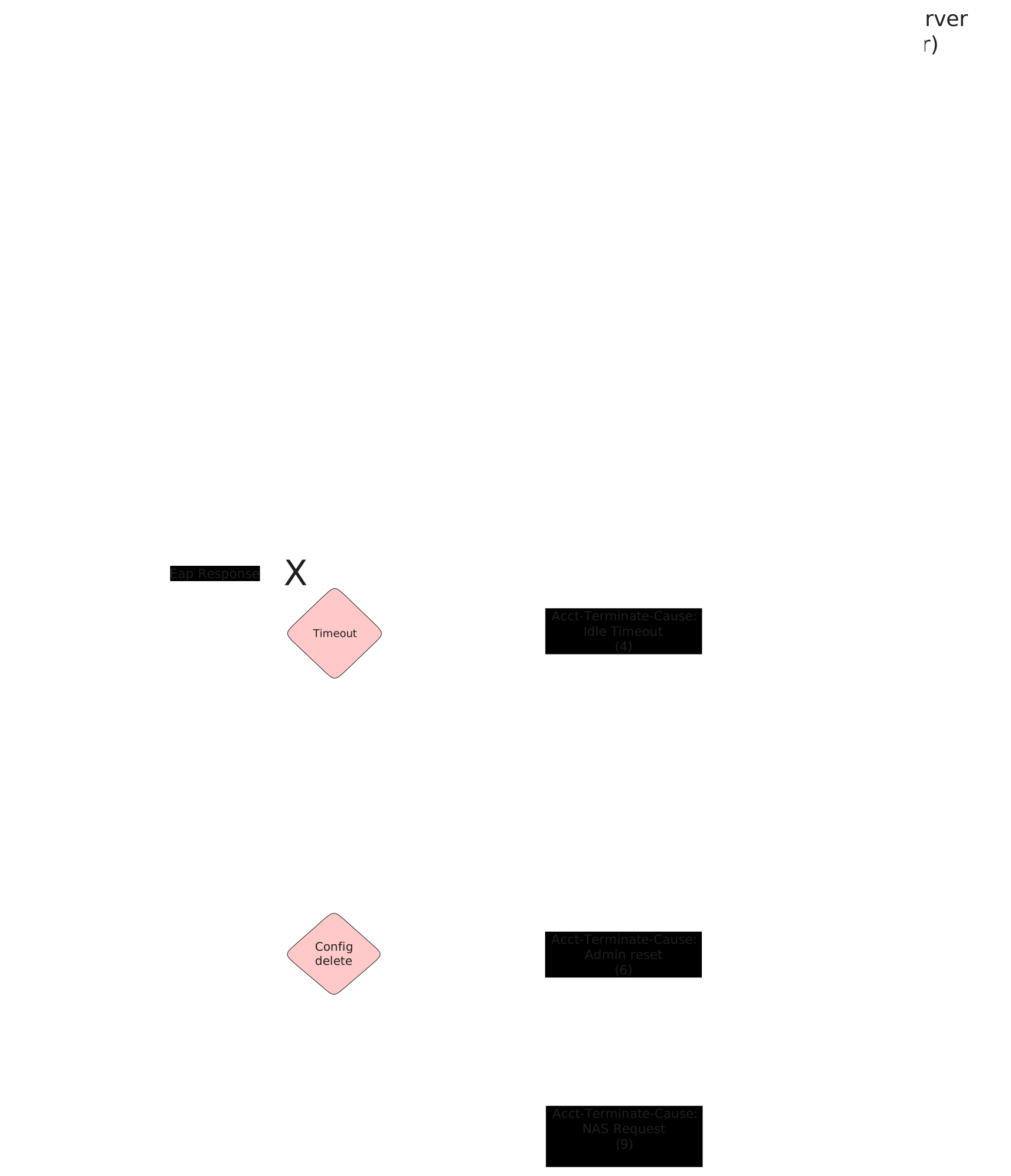
Test 802.1x User Request Cause
Description
This scenario shows how to stop an 802.1x session using
operational command supplicant disconnect.
Accounting RADIUS stop messages should contain the
following attribute: acct-terminate-cause=1.
Scenario
Step 1: Set the following configuration in DUT2 :
set interfaces ethernet eth0 address 10.215.168.66/24
set interfaces ethernet eth0 traffic nat destination rule 1 address 192.168.200.2
set interfaces ethernet eth0 traffic nat source rule 1 address masquerade
set interfaces ethernet eth1 address 192.168.200.1/24
set system login user admin authentication encrypted-password '$6$GSjsCj8gHLv$/VcqU6FLi6CT2Oxn0MJQ2C2tqnRDrYKNF8HIYWJp68nvXvPdFccDsT04.WtigUONbKYrgKg8d6rEs8PjljMkH0'
Step 2: Ping IP address 10.215.168.1 from DUT2:
admin@DUT2$ ping 10.215.168.1 count 1 size 56 timeout 1Show output
PING 10.215.168.1 (10.215.168.1) 56(84) bytes of data.
64 bytes from 10.215.168.1: icmp_seq=1 ttl=64 time=0.542 ms

--- 10.215.168.1 ping statistics ---
1 packets transmitted, 1 received, 0% packet loss, time 0ms
rtt min/avg/max/mdev = 0.542/0.542/0.542/0.000 ms
Step 3: Set the following configuration in DUT0 :
set interfaces ethernet eth1 address 192.168.200.2/24
set interfaces ethernet eth2 address 192.168.100.1/24
set interfaces ethernet eth2 authenticator 802.1x max-retransmissions 2
set interfaces ethernet eth2 authenticator aaa accounting list1
set interfaces ethernet eth2 authenticator aaa authentication list1
set interfaces ethernet eth2 authenticator log-level debug
set interfaces ethernet eth2 authenticator mode only-802.1x
set interfaces ethernet eth2 authenticator quiet-period 60
set interfaces ethernet eth2 authenticator reauth-period 0
set protocols static route 0.0.0.0/0 next-hop 192.168.200.1
set system aaa group radius radgroup1 server serv1
set system aaa list list1 method 1 group radius radgroup1
set system aaa server radius serv1 address 10.215.168.1
set system aaa server radius serv1 encrypted-key U2FsdGVkX197nqG/MFOg7l1Cxp8QEEcmVEFdpNnWrrldsyuBd7t1AeipDW3oYF4mbOaHcuwPih1N2mnO89RyKg==
set system login user admin authentication encrypted-password '$6$GSjsCj8gHLv$/VcqU6FLi6CT2Oxn0MJQ2C2tqnRDrYKNF8HIYWJp68nvXvPdFccDsT04.WtigUONbKYrgKg8d6rEs8PjljMkH0'
Step 4: Ping IP address 10.215.168.1 from DUT0:
admin@DUT0$ ping 10.215.168.1 count 1 size 56 timeout 1Show output
PING 10.215.168.1 (10.215.168.1) 56(84) bytes of data.
64 bytes from 10.215.168.1: icmp_seq=1 ttl=63 time=0.621 ms

--- 10.215.168.1 ping statistics ---
1 packets transmitted, 1 received, 0% packet loss, time 0ms
rtt min/avg/max/mdev = 0.621/0.621/0.621/0.000 ms
Step 5: Set the following configuration in DUT1 :
set interfaces ethernet eth2 address 192.168.100.2/24
set interfaces ethernet eth2 supplicant encrypted-password U2FsdGVkX1+LISKrUG1TcJoMZxlHRJVgqITgRz3IAik=
set interfaces ethernet eth2 supplicant username testing
set system login user admin authentication encrypted-password '$6$GSjsCj8gHLv$/VcqU6FLi6CT2Oxn0MJQ2C2tqnRDrYKNF8HIYWJp68nvXvPdFccDsT04.WtigUONbKYrgKg8d6rEs8PjljMkH0'
Step 6: Run command interfaces ethernet eth2 supplicant show status at DUT1 and check if output contains the following tokens:
AuthorizedShow output
---------------------------------------------------
        Field                      Value
---------------------------------------------------
EAP State                                   SUCCESS
EAP TLS Cipher          ECDHE-RSA-AES256-GCM-SHA384
EAP TLS Version                             TLSv1.2
PAE State                             AUTHENTICATED
Supplicant Port Status                   Authorized
WPA State                                 COMPLETED
Step 7: Run command interfaces ethernet eth2 supplicant show stats at DUT1 and check if output matches the following regular expressions:
Port Status\s+AuthorizedShow output
-------------------------------
       Field           Value
-------------------------------
EAPoL Frames (Rx)            11
EAPoL Frames (Tx)            11
Invalid Frames (Rx)           0
Logoff Frames (Tx)            0
Port Status          Authorized
Req Frames (Rx)               9
Req ID Frames (Rx)            1
Resp Frames (Tx)             10
Start Frames (Tx)             1
Step 8: Run command interfaces ethernet eth2 authenticator show stats at DUT0 and check if output matches the following regular expressions:
Authentication Successes\s+1
Authentication Mode\s+802\.1X
Show output
---------------------------------------------
         Field                   Value
---------------------------------------------
Access Challenges                           9
Authentication Backend                 RADIUS
Authentication Failures                     0
Authentication Mode                    802.1X
Authentication Status     Authorized (802.1X)
Authentication Successes                    1
EAPoL frames (Rx)                          11
EAPoL frames (Tx)                          11
Quiet Period                               60
Reauthenticate                          FALSE
Reauthenticate Period                       0
Session Time                                0
Session User MAC            de:ad:be:ef:6c:12
Session User Name                     testing
Step 9: Ping IP address 192.168.100.1 from DUT1:
admin@DUT1$ ping 192.168.100.1 count 1 size 56 timeout 1Show output
PING 192.168.100.1 (192.168.100.1) 56(84) bytes of data.
64 bytes from 192.168.100.1: icmp_seq=1 ttl=64 time=0.364 ms

--- 192.168.100.1 ping statistics ---
1 packets transmitted, 1 received, 0% packet loss, time 0ms
rtt min/avg/max/mdev = 0.364/0.364/0.364/0.000 ms
Note
Start packet capture in DUT2 to filter RADIUS stop messages (e.g., traffic dump monitor interface eth0 detail filter "udp port 1813" packets 1).
Step 10: Run command interfaces ethernet eth2 supplicant disconnect at DUT1 and expect this output:
Show output
OK
Step 11: Run command interfaces ethernet eth2 authenticator show status at DUT0 and check if output contains the following tokens:
Current status: UnauthorizedShow output
Current status: Unauthorized
Note
Stop packet capture in DUT0 and expect
the following RADIUS messages:
Show output
 eth0, link-type EN10MB (Ethernet), snapshot length 262144 bytes
07:28:26.737410 de:ad:be:ef:6c:20 > fe:31:78:cf:ef:81, ethertype IPv4 (0x0800), length 195: (tos 0x0, ttl 63, id 59538, offset 0, flags [none], proto UDP (17), length 181)
    10.215.168.66.44067 > 10.215.168.1.1813: [bad udp cksum 0x66a4 -> 0x7c51!] RADIUS, length: 153
        Accounting-Request (4), id: 0x0c, Authenticator: 68c932c12f0f0dfc2bdf5797df17f666
          Acct-Status-Type Attribute (40), length: 6, Value: Stop
            0x0000:  0000 0002
          Acct-Authentic Attribute (45), length: 6, Value: RADIUS
            0x0000:  0000 0001
          User-Name Attribute (1), length: 9, Value: testing
            0x0000:  7465 7374 696e 67
          Called-Station-Id Attribute (30), length: 20, Value: DE-AD-BE-EF-6C-02:
            0x0000:  4445 2d41 442d 4245 2d45 462d 3643 2d30
            0x0010:  323a
          Service-Type Attribute (6), length: 6, Value: Framed
            0x0000:  0000 0002
          Calling-Station-Id Attribute (31), length: 19, Value: DE-AD-BE-EF-6C-12
            0x0000:  4445 2d41 442d 4245 2d45 462d 3643 2d31
            0x0010:  32
          Acct-Session-Id Attribute (44), length: 18, Value: 421F88AFB2CD3A5A
            0x0000:  3432 3146 3838 4146 4232 4344 3341 3541
          NAS-Port-Type Attribute (61), length: 6, Value: Ethernet
            0x0000:  0000 000f
          Connect-Info Attribute (77), length: 13, Value: Unsupported
            0x0000:  556e 7375 7070 6f72 7465 64
          NAS-Port-Id Attribute (87), length: 6, Value: eth2
            0x0000:  6574 6832
          Event-Timestamp Attribute (55), length: 6, Value: Thu Feb 19 07:28:26 2026
            0x0000:  6996 bb9a
          Acct-Delay-Time Attribute (41), length: 6, Value: 00 secs
            0x0000:  0000 0000
          Acct-Session-Time Attribute (46), length: 6, Value: 00 secs
            0x0000:  0000 0000
          Acct-Terminate-Cause Attribute (49), length: 6, Value: User Request
            0x0000:  0000 0001
1 packet captured
Test 802.1x Lost Carrier Cause
Description
This scenario shows how an 802.1x session is stopped
after a link down event in DUT0 eth2.
Accounting RADIUS stop messages should contain the
following attribute: acct-terminate-cause=2.
Scenario
Step 1: Set the following configuration in DUT2 :
set interfaces ethernet eth0 address 10.215.168.66/24
set interfaces ethernet eth0 traffic nat destination rule 1 address 192.168.200.2
set interfaces ethernet eth0 traffic nat source rule 1 address masquerade
set interfaces ethernet eth1 address 192.168.200.1/24
set system login user admin authentication encrypted-password '$6$GSjsCj8gHLv$/VcqU6FLi6CT2Oxn0MJQ2C2tqnRDrYKNF8HIYWJp68nvXvPdFccDsT04.WtigUONbKYrgKg8d6rEs8PjljMkH0'
Step 2: Ping IP address 10.215.168.1 from DUT2:
admin@DUT2$ ping 10.215.168.1 count 1 size 56 timeout 1Show output
PING 10.215.168.1 (10.215.168.1) 56(84) bytes of data.
64 bytes from 10.215.168.1: icmp_seq=1 ttl=64 time=0.582 ms

--- 10.215.168.1 ping statistics ---
1 packets transmitted, 1 received, 0% packet loss, time 0ms
rtt min/avg/max/mdev = 0.582/0.582/0.582/0.000 ms
Step 3: Set the following configuration in DUT0 :
set interfaces ethernet eth1 address 192.168.200.2/24
set interfaces ethernet eth2 address 192.168.100.1/24
set interfaces ethernet eth2 authenticator 802.1x max-retransmissions 2
set interfaces ethernet eth2 authenticator aaa accounting list1
set interfaces ethernet eth2 authenticator aaa authentication list1
set interfaces ethernet eth2 authenticator coa client 10.215.168.1
set interfaces ethernet eth2 authenticator coa encrypted-secret U2FsdGVkX18fOLIg56MzUBkgU71h1J4PrkFK4vMvIHw=
set interfaces ethernet eth2 authenticator log-level debug
set interfaces ethernet eth2 authenticator mode only-802.1x
set interfaces ethernet eth2 authenticator quiet-period 60
set interfaces ethernet eth2 authenticator reauth-period 0
set protocols static route 0.0.0.0/0 next-hop 192.168.200.1
set system aaa group radius radgroup1 server serv1
set system aaa list list1 method 1 group radius radgroup1
set system aaa server radius serv1 address 10.215.168.1
set system aaa server radius serv1 encrypted-key U2FsdGVkX194Kjs5cGaG0SqAsaAHxtj6AaaGtBCcYRxX/LtkGJyoVq+WC0gmpwcWtBtD0EtviJk8d79DQhMkcg==
set system login user admin authentication encrypted-password '$6$GSjsCj8gHLv$/VcqU6FLi6CT2Oxn0MJQ2C2tqnRDrYKNF8HIYWJp68nvXvPdFccDsT04.WtigUONbKYrgKg8d6rEs8PjljMkH0'
Step 4: Ping IP address 10.215.168.1 from DUT0:
admin@DUT0$ ping 10.215.168.1 count 1 size 56 timeout 1Show output
PING 10.215.168.1 (10.215.168.1) 56(84) bytes of data.
64 bytes from 10.215.168.1: icmp_seq=1 ttl=63 time=0.385 ms

--- 10.215.168.1 ping statistics ---
1 packets transmitted, 1 received, 0% packet loss, time 0ms
rtt min/avg/max/mdev = 0.385/0.385/0.385/0.000 ms
Step 5: Set the following configuration in DUT1 :
set interfaces ethernet eth2 address 192.168.100.2/24
set interfaces ethernet eth2 supplicant encrypted-password U2FsdGVkX19SEeDPI82CXeq/fPVnePkeV6TS7oQupjk=
set interfaces ethernet eth2 supplicant username testing
set system login user admin authentication encrypted-password '$6$GSjsCj8gHLv$/VcqU6FLi6CT2Oxn0MJQ2C2tqnRDrYKNF8HIYWJp68nvXvPdFccDsT04.WtigUONbKYrgKg8d6rEs8PjljMkH0'
Step 6: Run command interfaces ethernet eth2 supplicant show status at DUT1 and check if output contains the following tokens:
AuthorizedShow output
---------------------------------------------------
        Field                      Value
---------------------------------------------------
EAP State                                   SUCCESS
EAP TLS Cipher          ECDHE-RSA-AES256-GCM-SHA384
EAP TLS Version                             TLSv1.2
PAE State                             AUTHENTICATED
Supplicant Port Status                   Authorized
WPA State                                 COMPLETED
Step 7: Run command interfaces ethernet eth2 supplicant show stats at DUT1 and check if output matches the following regular expressions:
Port Status\s+AuthorizedShow output
-------------------------------
       Field           Value
-------------------------------
EAPoL Frames (Rx)            11
EAPoL Frames (Tx)            11
Invalid Frames (Rx)           0
Logoff Frames (Tx)            0
Port Status          Authorized
Req Frames (Rx)               9
Req ID Frames (Rx)            1
Resp Frames (Tx)             10
Start Frames (Tx)             1
Step 8: Run command interfaces ethernet eth2 authenticator show stats at DUT0 and check if output matches the following regular expressions:
Authentication Successes\s+1
Authentication Mode\s+802\.1X
Show output
---------------------------------------------
         Field                   Value
---------------------------------------------
Access Challenges                           9
Authentication Backend                 RADIUS
Authentication Failures                     0
Authentication Mode                    802.1X
Authentication Status     Authorized (802.1X)
Authentication Successes                    1
EAPoL frames (Rx)                          11
EAPoL frames (Tx)                          11
Quiet Period                               60
Reauthenticate                          FALSE
Reauthenticate Period                       0
Session Time                                0
Session User MAC            de:ad:be:ef:6c:12
Session User Name                     testing
Step 9: Ping IP address 192.168.100.1 from DUT1:
admin@DUT1$ ping 192.168.100.1 count 1 size 56 timeout 1Show output
PING 192.168.100.1 (192.168.100.1) 56(84) bytes of data.
64 bytes from 192.168.100.1: icmp_seq=1 ttl=64 time=0.311 ms

--- 192.168.100.1 ping statistics ---
1 packets transmitted, 1 received, 0% packet loss, time 0ms
rtt min/avg/max/mdev = 0.311/0.311/0.311/0.000 ms
Note
Start packet capture in DUT2 to filter RADIUS stop messages (e.g., traffic dump monitor interface eth0 detail filter "udp port 1813" packets 1).
Note
Remove the link between DUT0 and DUT1 to provoke a link-down event.
Step 10: Run command interfaces ethernet eth2 authenticator show status at DUT0 and expect this output:
Show output
Error: no supplicant found
  CLI Error: Command error
Note
Stop packet capture in DUT0 and expect
the following RADIUS messages:
Show output
 eth0, link-type EN10MB (Ethernet), snapshot length 262144 bytes
07:28:45.571897 de:ad:be:ef:6c:20 > fe:31:78:cf:ef:81, ethertype IPv4 (0x0800), length 195: (tos 0x0, ttl 63, id 41609, offset 0, flags [none], proto UDP (17), length 181)
    10.215.168.66.41113 > 10.215.168.1.1813: [bad udp cksum 0x66a4 -> 0xac72!] RADIUS, length: 153
        Accounting-Request (4), id: 0x0c, Authenticator: edd05d6fd9247d6c3d2bc42d0f52548f
          Acct-Status-Type Attribute (40), length: 6, Value: Stop
            0x0000:  0000 0002
          Acct-Authentic Attribute (45), length: 6, Value: RADIUS
            0x0000:  0000 0001
          User-Name Attribute (1), length: 9, Value: testing
            0x0000:  7465 7374 696e 67
          Called-Station-Id Attribute (30), length: 20, Value: DE-AD-BE-EF-6C-02:
            0x0000:  4445 2d41 442d 4245 2d45 462d 3643 2d30
            0x0010:  323a
          Service-Type Attribute (6), length: 6, Value: Framed
            0x0000:  0000 0002
          Calling-Station-Id Attribute (31), length: 19, Value: DE-AD-BE-EF-6C-12
            0x0000:  4445 2d41 442d 4245 2d45 462d 3643 2d31
            0x0010:  32
          Acct-Session-Id Attribute (44), length: 18, Value: AE7AC8057F240594
            0x0000:  4145 3741 4338 3035 3746 3234 3035 3934
          NAS-Port-Type Attribute (61), length: 6, Value: Ethernet
            0x0000:  0000 000f
          Connect-Info Attribute (77), length: 13, Value: Unsupported
            0x0000:  556e 7375 7070 6f72 7465 64
          NAS-Port-Id Attribute (87), length: 6, Value: eth2
            0x0000:  6574 6832
          Event-Timestamp Attribute (55), length: 6, Value: Thu Feb 19 07:28:45 2026
            0x0000:  6996 bbad
          Acct-Delay-Time Attribute (41), length: 6, Value: 00 secs
            0x0000:  0000 0000
          Acct-Session-Time Attribute (46), length: 6, Value: 00 secs
            0x0000:  0000 0000
          Acct-Terminate-Cause Attribute (49), length: 6, Value: Lost Carrier
            0x0000:  0000 0002
1 packet captured
Test MAB Lost Carrier Cause
Description
This scenario shows how a MAB authenticated session is
stopped after a link down event in DUT0 eth2.
Accounting RADIUS stop messages should contain the
following attribute: acct-terminate-cause=2.
Scenario
Step 1: Set the following configuration in DUT2 :
set interfaces ethernet eth0 address 10.215.168.66/24
set interfaces ethernet eth0 traffic nat destination rule 1 address 192.168.200.2
set interfaces ethernet eth0 traffic nat source rule 1 address masquerade
set interfaces ethernet eth1 address 192.168.200.1/24
set system login user admin authentication encrypted-password '$6$GSjsCj8gHLv$/VcqU6FLi6CT2Oxn0MJQ2C2tqnRDrYKNF8HIYWJp68nvXvPdFccDsT04.WtigUONbKYrgKg8d6rEs8PjljMkH0'
Step 2: Ping IP address 10.215.168.1 from DUT2:
admin@DUT2$ ping 10.215.168.1 count 1 size 56 timeout 1Show output
PING 10.215.168.1 (10.215.168.1) 56(84) bytes of data.
64 bytes from 10.215.168.1: icmp_seq=1 ttl=64 time=0.645 ms

--- 10.215.168.1 ping statistics ---
1 packets transmitted, 1 received, 0% packet loss, time 0ms
rtt min/avg/max/mdev = 0.645/0.645/0.645/0.000 ms
Step 3: Set the following configuration in DUT0 :
set interfaces ethernet eth1 address 192.168.200.2/24
set interfaces ethernet eth2 address 192.168.100.1/24
set interfaces ethernet eth2 authenticator aaa accounting list1
set interfaces ethernet eth2 authenticator aaa authentication list1
set interfaces ethernet eth2 authenticator coa client 10.215.168.1
set interfaces ethernet eth2 authenticator coa encrypted-secret U2FsdGVkX1+slGngVwFB2nASnwcgBmZWLi5rTen/wGw=
set interfaces ethernet eth2 authenticator log-level debug
set interfaces ethernet eth2 authenticator mode only-MAB
set interfaces ethernet eth2 authenticator quiet-period 60
set interfaces ethernet eth2 authenticator reauth-period 0
set protocols static route 0.0.0.0/0 next-hop 192.168.200.1
set system aaa group radius radgroup1 server serv1
set system aaa list list1 method 1 group radius radgroup1
set system aaa server radius serv1 address 10.215.168.1
set system aaa server radius serv1 encrypted-key U2FsdGVkX1/Gr2311KB4emuY5IizwbBaxZ2Trd7MJoRNr/X5lefVpAXgPLx6BYJlzsefr1TvzS6olUv9gs3ipA==
set system login user admin authentication encrypted-password '$6$GSjsCj8gHLv$/VcqU6FLi6CT2Oxn0MJQ2C2tqnRDrYKNF8HIYWJp68nvXvPdFccDsT04.WtigUONbKYrgKg8d6rEs8PjljMkH0'
Step 4: Ping IP address 10.215.168.1 from DUT0:
admin@DUT0$ ping 10.215.168.1 count 1 size 56 timeout 1Show output
PING 10.215.168.1 (10.215.168.1) 56(84) bytes of data.
64 bytes from 10.215.168.1: icmp_seq=1 ttl=63 time=0.439 ms

--- 10.215.168.1 ping statistics ---
1 packets transmitted, 1 received, 0% packet loss, time 0ms
rtt min/avg/max/mdev = 0.439/0.439/0.439/0.000 ms
Step 5: Set the following configuration in DUT1 :
set interfaces ethernet eth2 address 192.168.100.2/24
set system login user admin authentication encrypted-password '$6$GSjsCj8gHLv$/VcqU6FLi6CT2Oxn0MJQ2C2tqnRDrYKNF8HIYWJp68nvXvPdFccDsT04.WtigUONbKYrgKg8d6rEs8PjljMkH0'
Step 6: Ping IP address 192.168.100.1 from DUT1:
admin@DUT1$ ping 192.168.100.1 count 1 size 56 timeout 1Show output
PING 192.168.100.1 (192.168.100.1) 56(84) bytes of data.
64 bytes from 192.168.100.1: icmp_seq=1 ttl=64 time=0.340 ms

--- 192.168.100.1 ping statistics ---
1 packets transmitted, 1 received, 0% packet loss, time 0ms
rtt min/avg/max/mdev = 0.340/0.340/0.340/0.000 ms
Step 7: Run command interfaces ethernet eth2 authenticator show stats at DUT0 and check if output matches the following regular expressions:
Authentication Successes\s+1
Authentication Mode\s+MAB
Show output
-------------------------------------------
         Field                  Value
-------------------------------------------
Access Challenges                         0
Authentication Backend               RADIUS
Authentication Failures                   0
Authentication Mode                     MAB
Authentication Status      Authorized (MAB)
Authentication Successes                  1
EAPoL frames (Rx)                         0
EAPoL frames (Tx)                         0
Quiet Period                             60
Reauthenticate                        FALSE
Reauthenticate Period                     0
Session Time                              3
Session User MAC          de:ad:be:ef:6c:12
Session User Name                       N/A
Step 8: Ping IP address 192.168.100.1 from DUT1:
admin@DUT1$ ping 192.168.100.1 count 1 size 56 timeout 1Show output
PING 192.168.100.1 (192.168.100.1) 56(84) bytes of data.
64 bytes from 192.168.100.1: icmp_seq=1 ttl=64 time=0.265 ms

--- 192.168.100.1 ping statistics ---
1 packets transmitted, 1 received, 0% packet loss, time 0ms
rtt min/avg/max/mdev = 0.265/0.265/0.265/0.000 ms
Step 9: Ping IP address 192.168.100.1 from DUT1:
admin@DUT1$ ping 192.168.100.1 count 1 size 56 timeout 1Show output
PING 192.168.100.1 (192.168.100.1) 56(84) bytes of data.
64 bytes from 192.168.100.1: icmp_seq=1 ttl=64 time=0.219 ms

--- 192.168.100.1 ping statistics ---
1 packets transmitted, 1 received, 0% packet loss, time 0ms
rtt min/avg/max/mdev = 0.219/0.219/0.219/0.000 ms
Note
Start packet capture in DUT2 to filter RADIUS stop messages (e.g., traffic dump monitor interface eth0 detail filter "udp port 1813" packets 1).
Note
Remove the link between DUT0 and DUT1 to provoke a link-down event.
Step 10: Run command interfaces ethernet eth2 authenticator show status at DUT0 and expect this output:
Show output
Error: no supplicant found
  CLI Error: Command error
Note
Stop packet capture in DUT0 and expect
the following RADIUS messages:
Show output
 eth0, link-type EN10MB (Ethernet), snapshot length 262144 bytes
07:29:08.299438 de:ad:be:ef:6c:20 > fe:31:78:cf:ef:81, ethertype IPv4 (0x0800), length 205: (tos 0x0, ttl 63, id 45388, offset 0, flags [none], proto UDP (17), length 191)
    10.215.168.66.48950 > 10.215.168.1.1813: [bad udp cksum 0x66ae -> 0x4a0b!] RADIUS, length: 163
        Accounting-Request (4), id: 0x02, Authenticator: 752d6471af2496df32383f4a44c35197
          Acct-Status-Type Attribute (40), length: 6, Value: Stop
            0x0000:  0000 0002
          Acct-Authentic Attribute (45), length: 6, Value: Local
            0x0000:  0000 0002
          User-Name Attribute (1), length: 19, Value: de:ad:be:ef:6c:12
            0x0000:  6465 3a61 643a 6265 3a65 663a 3663 3a31
            0x0010:  32
          Called-Station-Id Attribute (30), length: 20, Value: DE-AD-BE-EF-6C-02:
            0x0000:  4445 2d41 442d 4245 2d45 462d 3643 2d30
            0x0010:  323a
          Service-Type Attribute (6), length: 6, Value: Framed
            0x0000:  0000 0002
          Calling-Station-Id Attribute (31), length: 19, Value: DE-AD-BE-EF-6C-12
            0x0000:  4445 2d41 442d 4245 2d45 462d 3643 2d31
            0x0010:  32
          Acct-Session-Id Attribute (44), length: 18, Value: 8311A7AE0FC530D0
            0x0000:  3833 3131 4137 4145 3046 4335 3330 4430
          NAS-Port-Type Attribute (61), length: 6, Value: Ethernet
            0x0000:  0000 000f
          Connect-Info Attribute (77), length: 13, Value: Unsupported
            0x0000:  556e 7375 7070 6f72 7465 64
          NAS-Port-Id Attribute (87), length: 6, Value: eth2
            0x0000:  6574 6832
          Event-Timestamp Attribute (55), length: 6, Value: Thu Feb 19 07:29:08 2026
            0x0000:  6996 bbc4
          Acct-Delay-Time Attribute (41), length: 6, Value: 00 secs
            0x0000:  0000 0000
          Acct-Session-Time Attribute (46), length: 6, Value: 04 secs
            0x0000:  0000 0004
          Acct-Terminate-Cause Attribute (49), length: 6, Value: Lost Carrier
            0x0000:  0000 0002
1 packet captured
Test 802.1x Idle Timeout Cause
Description
This scenario shows how an 802.1x session is stopped
after a reauthentication timeout.
Accounting RADIUS stop messages should contain the
following attribute: acct-terminate-cause=4.
Scenario
Step 1: Set the following configuration in DUT2 :
set interfaces ethernet eth0 address 10.215.168.66/24
set interfaces ethernet eth0 traffic nat destination rule 1 address 192.168.200.2
set interfaces ethernet eth0 traffic nat source rule 1 address masquerade
set interfaces ethernet eth1 address 192.168.200.1/24
set system login user admin authentication encrypted-password '$6$GSjsCj8gHLv$/VcqU6FLi6CT2Oxn0MJQ2C2tqnRDrYKNF8HIYWJp68nvXvPdFccDsT04.WtigUONbKYrgKg8d6rEs8PjljMkH0'
Step 2: Ping IP address 10.215.168.1 from DUT2:
admin@DUT2$ ping 10.215.168.1 count 1 size 56 timeout 1Show output
PING 10.215.168.1 (10.215.168.1) 56(84) bytes of data.
64 bytes from 10.215.168.1: icmp_seq=1 ttl=64 time=0.186 ms

--- 10.215.168.1 ping statistics ---
1 packets transmitted, 1 received, 0% packet loss, time 0ms
rtt min/avg/max/mdev = 0.186/0.186/0.186/0.000 ms
Step 3: Set the following configuration in DUT0 :
set interfaces ethernet eth1 address 192.168.200.2/24
set interfaces ethernet eth2 address 192.168.100.1/24
set interfaces ethernet eth2 authenticator 802.1x max-retransmissions 2
set interfaces ethernet eth2 authenticator aaa accounting list1
set interfaces ethernet eth2 authenticator aaa authentication list1
set interfaces ethernet eth2 authenticator log-level debug
set interfaces ethernet eth2 authenticator mode only-802.1x
set interfaces ethernet eth2 authenticator quiet-period 60
set interfaces ethernet eth2 authenticator reauth-period 30
set protocols static route 0.0.0.0/0 next-hop 192.168.200.1
set system aaa group radius radgroup1 server serv1
set system aaa list list1 method 1 group radius radgroup1
set system aaa server radius serv1 address 10.215.168.1
set system aaa server radius serv1 encrypted-key U2FsdGVkX19vP0R3gU3gbhgwYtpn3Em+dMYV+/oBIStWKEV174xIAY3gkPb3imJxDeqcBfxmbcMcLlAjmbPx5A==
set system login user admin authentication encrypted-password '$6$GSjsCj8gHLv$/VcqU6FLi6CT2Oxn0MJQ2C2tqnRDrYKNF8HIYWJp68nvXvPdFccDsT04.WtigUONbKYrgKg8d6rEs8PjljMkH0'
Step 4: Ping IP address 10.215.168.1 from DUT0:
admin@DUT0$ ping 10.215.168.1 count 1 size 56 timeout 1Show output
PING 10.215.168.1 (10.215.168.1) 56(84) bytes of data.
64 bytes from 10.215.168.1: icmp_seq=1 ttl=63 time=0.789 ms

--- 10.215.168.1 ping statistics ---
1 packets transmitted, 1 received, 0% packet loss, time 0ms
rtt min/avg/max/mdev = 0.789/0.789/0.789/0.000 ms
Step 5: Set the following configuration in DUT1 :
set interfaces ethernet eth2 address 192.168.100.2/24
set interfaces ethernet eth2 supplicant encrypted-password U2FsdGVkX191Qkj1CSg9Wa5AQUiwity/Og0RUzaZO/I=
set interfaces ethernet eth2 supplicant username testing
set system login user admin authentication encrypted-password '$6$GSjsCj8gHLv$/VcqU6FLi6CT2Oxn0MJQ2C2tqnRDrYKNF8HIYWJp68nvXvPdFccDsT04.WtigUONbKYrgKg8d6rEs8PjljMkH0'
Step 6: Run command interfaces ethernet eth2 supplicant show status at DUT1 and check if output contains the following tokens:
AuthorizedShow output
---------------------------------------------------
        Field                      Value
---------------------------------------------------
EAP State                                   SUCCESS
EAP TLS Cipher          ECDHE-RSA-AES256-GCM-SHA384
EAP TLS Version                             TLSv1.2
PAE State                             AUTHENTICATED
Supplicant Port Status                   Authorized
WPA State                                 COMPLETED
Step 7: Run command interfaces ethernet eth2 supplicant show stats at DUT1 and check if output matches the following regular expressions:
Port Status\s+AuthorizedShow output
-------------------------------
       Field           Value
-------------------------------
EAPoL Frames (Rx)            11
EAPoL Frames (Tx)            11
Invalid Frames (Rx)           0
Logoff Frames (Tx)            0
Port Status          Authorized
Req Frames (Rx)               9
Req ID Frames (Rx)            1
Resp Frames (Tx)             10
Start Frames (Tx)             1
Step 8: Run command interfaces ethernet eth2 authenticator show stats at DUT0 and check if output matches the following regular expressions:
Authentication Successes\s+1
Authentication Mode\s+802\.1X
Show output
---------------------------------------------
         Field                   Value
---------------------------------------------
Access Challenges                           9
Authentication Backend                 RADIUS
Authentication Failures                     0
Authentication Mode                    802.1X
Authentication Status     Authorized (802.1X)
Authentication Successes                    1
EAPoL frames (Rx)                          11
EAPoL frames (Tx)                          11
Quiet Period                               60
Reauthenticate                           TRUE
Reauthenticate Period                      30
Session Time                                0
Session User MAC            de:ad:be:ef:6c:12
Session User Name                     testing
Step 9: Ping IP address 192.168.100.1 from DUT1:
admin@DUT1$ ping 192.168.100.1 count 1 size 56 timeout 1Show output
PING 192.168.100.1 (192.168.100.1) 56(84) bytes of data.
64 bytes from 192.168.100.1: icmp_seq=1 ttl=64 time=0.346 ms

--- 192.168.100.1 ping statistics ---
1 packets transmitted, 1 received, 0% packet loss, time 0ms
rtt min/avg/max/mdev = 0.346/0.346/0.346/0.000 ms
Note
Start packet capture in DUT2 to filter RADIUS stop messages (e.g., traffic dump monitor interface eth0 detail filter "udp port 1813" packets 1).
Note
Disable DUT1 interface or remove address configuration to prevent the device from responding EAP requests.
Step 10: Modify the following configuration lines in DUT1 :
set interfaces ethernet eth2 disable
Step 11: Run command interfaces ethernet eth2 authenticator show status at DUT0 and check if output contains the following tokens:
Current status: UnauthorizedShow output
Current status: Unauthorized
Note
Stop packet capture in DUT0 and expect
the following RADIUS messages:
Show output
 eth0, link-type EN10MB (Ethernet), snapshot length 262144 bytes
07:30:15.941704 de:ad:be:ef:6c:20 > fe:31:78:cf:ef:81, ethertype IPv4 (0x0800), length 195: (tos 0x0, ttl 63, id 38030, offset 0, flags [none], proto UDP (17), length 181)
    10.215.168.66.54023 > 10.215.168.1.1813: [bad udp cksum 0x66a4 -> 0xd1c9!] RADIUS, length: 153
        Accounting-Request (4), id: 0x0c, Authenticator: 9aabc26c7ad2ae9b897ca7dbd95b75f3
          Acct-Status-Type Attribute (40), length: 6, Value: Stop
            0x0000:  0000 0002
          Acct-Authentic Attribute (45), length: 6, Value: RADIUS
            0x0000:  0000 0001
          User-Name Attribute (1), length: 9, Value: testing
            0x0000:  7465 7374 696e 67
          Called-Station-Id Attribute (30), length: 20, Value: DE-AD-BE-EF-6C-02:
            0x0000:  4445 2d41 442d 4245 2d45 462d 3643 2d30
            0x0010:  323a
          Service-Type Attribute (6), length: 6, Value: Framed
            0x0000:  0000 0002
          Calling-Station-Id Attribute (31), length: 19, Value: DE-AD-BE-EF-6C-12
            0x0000:  4445 2d41 442d 4245 2d45 462d 3643 2d31
            0x0010:  32
          Acct-Session-Id Attribute (44), length: 18, Value: AA0FEDDF5420C31F
            0x0000:  4141 3046 4544 4446 3534 3230 4333 3146
          NAS-Port-Type Attribute (61), length: 6, Value: Ethernet
            0x0000:  0000 000f
          Connect-Info Attribute (77), length: 13, Value: Unsupported
            0x0000:  556e 7375 7070 6f72 7465 64
          NAS-Port-Id Attribute (87), length: 6, Value: eth2
            0x0000:  6574 6832
          Event-Timestamp Attribute (55), length: 6, Value: Thu Feb 19 07:30:16 2026
            0x0000:  6996 bc08
          Acct-Delay-Time Attribute (41), length: 6, Value: 00 secs
            0x0000:  0000 0000
          Acct-Session-Time Attribute (46), length: 6, Value: 51 secs
            0x0000:  0000 0033
          Acct-Terminate-Cause Attribute (49), length: 6, Value: Idle Timeout
            0x0000:  0000 0004
1 packet captured
Test 802.1x Admin Reset Cause
Description
This scenario shows how to stop an 802.1x session using
operational command authenticator disassociate.
Accounting RADIUS stop messages should contain the
following attribute: acct-terminate-cause=6.
Scenario
Step 1: Set the following configuration in DUT2 :
set interfaces ethernet eth0 address 10.215.168.66/24
set interfaces ethernet eth0 traffic nat destination rule 1 address 192.168.200.2
set interfaces ethernet eth0 traffic nat source rule 1 address masquerade
set interfaces ethernet eth1 address 192.168.200.1/24
set system login user admin authentication encrypted-password '$6$GSjsCj8gHLv$/VcqU6FLi6CT2Oxn0MJQ2C2tqnRDrYKNF8HIYWJp68nvXvPdFccDsT04.WtigUONbKYrgKg8d6rEs8PjljMkH0'
Step 2: Ping IP address 10.215.168.1 from DUT2:
admin@DUT2$ ping 10.215.168.1 count 1 size 56 timeout 1Show output
PING 10.215.168.1 (10.215.168.1) 56(84) bytes of data.
64 bytes from 10.215.168.1: icmp_seq=1 ttl=64 time=0.149 ms

--- 10.215.168.1 ping statistics ---
1 packets transmitted, 1 received, 0% packet loss, time 0ms
rtt min/avg/max/mdev = 0.149/0.149/0.149/0.000 ms
Step 3: Set the following configuration in DUT0 :
set interfaces ethernet eth1 address 192.168.200.2/24
set interfaces ethernet eth2 address 192.168.100.1/24
set interfaces ethernet eth2 authenticator 802.1x max-retransmissions 2
set interfaces ethernet eth2 authenticator aaa accounting list1
set interfaces ethernet eth2 authenticator aaa authentication list1
set interfaces ethernet eth2 authenticator log-level debug
set interfaces ethernet eth2 authenticator mode only-802.1x
set interfaces ethernet eth2 authenticator quiet-period 60
set interfaces ethernet eth2 authenticator reauth-period 0
set protocols static route 0.0.0.0/0 next-hop 192.168.200.1
set system aaa group radius radgroup1 server serv1
set system aaa list list1 method 1 group radius radgroup1
set system aaa server radius serv1 address 10.215.168.1
set system aaa server radius serv1 encrypted-key U2FsdGVkX19DreLiRtO7veUnJRLEOnfIkpfUSq8VUrupqxMn6aAVnG2dhny1KHR2Ydb/x9upercJtHtfnOxbCQ==
set system login user admin authentication encrypted-password '$6$GSjsCj8gHLv$/VcqU6FLi6CT2Oxn0MJQ2C2tqnRDrYKNF8HIYWJp68nvXvPdFccDsT04.WtigUONbKYrgKg8d6rEs8PjljMkH0'
Step 4: Ping IP address 10.215.168.1 from DUT0:
admin@DUT0$ ping 10.215.168.1 count 1 size 56 timeout 1Show output
PING 10.215.168.1 (10.215.168.1) 56(84) bytes of data.
64 bytes from 10.215.168.1: icmp_seq=1 ttl=63 time=0.376 ms

--- 10.215.168.1 ping statistics ---
1 packets transmitted, 1 received, 0% packet loss, time 0ms
rtt min/avg/max/mdev = 0.376/0.376/0.376/0.000 ms
Step 5: Set the following configuration in DUT1 :
set interfaces ethernet eth2 address 192.168.100.2/24
set interfaces ethernet eth2 supplicant encrypted-password U2FsdGVkX1+FUJ3yABVBvhq3qB5t6fubtr/DubM7MkI=
set interfaces ethernet eth2 supplicant username testing
set system login user admin authentication encrypted-password '$6$GSjsCj8gHLv$/VcqU6FLi6CT2Oxn0MJQ2C2tqnRDrYKNF8HIYWJp68nvXvPdFccDsT04.WtigUONbKYrgKg8d6rEs8PjljMkH0'
Step 6: Run command interfaces ethernet eth2 supplicant show status at DUT1 and check if output contains the following tokens:
AuthorizedShow output
---------------------------------------------------
        Field                      Value
---------------------------------------------------
EAP State                                   SUCCESS
EAP TLS Cipher          ECDHE-RSA-AES256-GCM-SHA384
EAP TLS Version                             TLSv1.2
PAE State                             AUTHENTICATED
Supplicant Port Status                   Authorized
WPA State                                 COMPLETED
Step 7: Run command interfaces ethernet eth2 supplicant show stats at DUT1 and check if output matches the following regular expressions:
Port Status\s+AuthorizedShow output
-------------------------------
       Field           Value
-------------------------------
EAPoL Frames (Rx)            11
EAPoL Frames (Tx)            11
Invalid Frames (Rx)           0
Logoff Frames (Tx)            0
Port Status          Authorized
Req Frames (Rx)               9
Req ID Frames (Rx)            1
Resp Frames (Tx)             10
Start Frames (Tx)             1
Step 8: Run command interfaces ethernet eth2 authenticator show stats at DUT0 and check if output matches the following regular expressions:
Authentication Successes\s+1
Authentication Mode\s+802\.1X
Show output
---------------------------------------------
         Field                   Value
---------------------------------------------
Access Challenges                           9
Authentication Backend                 RADIUS
Authentication Failures                     0
Authentication Mode                    802.1X
Authentication Status     Authorized (802.1X)
Authentication Successes                    1
EAPoL frames (Rx)                          11
EAPoL frames (Tx)                          11
Quiet Period                               60
Reauthenticate                          FALSE
Reauthenticate Period                       0
Session Time                                0
Session User MAC            de:ad:be:ef:6c:12
Session User Name                     testing
Step 9: Ping IP address 192.168.100.1 from DUT1:
admin@DUT1$ ping 192.168.100.1 count 1 size 56 timeout 1Show output
PING 192.168.100.1 (192.168.100.1) 56(84) bytes of data.
64 bytes from 192.168.100.1: icmp_seq=1 ttl=64 time=0.327 ms

--- 192.168.100.1 ping statistics ---
1 packets transmitted, 1 received, 0% packet loss, time 0ms
rtt min/avg/max/mdev = 0.327/0.327/0.327/0.000 ms
Note
Start packet capture in DUT2 to filter RADIUS stop messages (e.g., traffic dump monitor interface eth0 detail filter "udp port 1813" packets 1).
Step 10: Run command interfaces ethernet eth2 authenticator disassociate at DUT0 and expect this output:
Show output
OK
Step 11: Run command interfaces ethernet eth2 authenticator show status at DUT0 and check if output contains the following tokens:
Current status: UnauthorizedShow output
Current status: Unauthorized
Note
Stop packet capture in DUT0 and expect
the following RADIUS messages:
Show output
 eth0, link-type EN10MB (Ethernet), snapshot length 262144 bytes
07:30:29.134106 de:ad:be:ef:6c:20 > fe:31:78:cf:ef:81, ethertype IPv4 (0x0800), length 195: (tos 0x0, ttl 63, id 55512, offset 0, flags [none], proto UDP (17), length 181)
    10.215.168.66.38632 > 10.215.168.1.1813: [bad udp cksum 0x66a4 -> 0xcdc3!] RADIUS, length: 153
        Accounting-Request (4), id: 0x0c, Authenticator: 95ae8d401799260c885e5a13cd45420d
          Acct-Status-Type Attribute (40), length: 6, Value: Stop
            0x0000:  0000 0002
          Acct-Authentic Attribute (45), length: 6, Value: RADIUS
            0x0000:  0000 0001
          User-Name Attribute (1), length: 9, Value: testing
            0x0000:  7465 7374 696e 67
          Called-Station-Id Attribute (30), length: 20, Value: DE-AD-BE-EF-6C-02:
            0x0000:  4445 2d41 442d 4245 2d45 462d 3643 2d30
            0x0010:  323a
          Service-Type Attribute (6), length: 6, Value: Framed
            0x0000:  0000 0002
          Calling-Station-Id Attribute (31), length: 19, Value: DE-AD-BE-EF-6C-12
            0x0000:  4445 2d41 442d 4245 2d45 462d 3643 2d31
            0x0010:  32
          Acct-Session-Id Attribute (44), length: 18, Value: ED9757FCEFC75E81
            0x0000:  4544 3937 3537 4643 4546 4337 3545 3831
          NAS-Port-Type Attribute (61), length: 6, Value: Ethernet
            0x0000:  0000 000f
          Connect-Info Attribute (77), length: 13, Value: Unsupported
            0x0000:  556e 7375 7070 6f72 7465 64
          NAS-Port-Id Attribute (87), length: 6, Value: eth2
            0x0000:  6574 6832
          Event-Timestamp Attribute (55), length: 6, Value: Thu Feb 19 07:30:29 2026
            0x0000:  6996 bc15
          Acct-Delay-Time Attribute (41), length: 6, Value: 00 secs
            0x0000:  0000 0000
          Acct-Session-Time Attribute (46), length: 6, Value: 00 secs
            0x0000:  0000 0000
          Acct-Terminate-Cause Attribute (49), length: 6, Value: Admin Reset
            0x0000:  0000 0006
1 packet captured
Test MAB Admin Reset Cause
Description
This scenario shows how to stop a MAB authenticated session
using operational command authenticator disassociate.
Accounting RADIUS stop messages should contain the
following attribute: acct-terminate-cause=6.
Scenario
Step 1: Set the following configuration in DUT2 :
set interfaces ethernet eth0 address 10.215.168.66/24
set interfaces ethernet eth0 traffic nat destination rule 1 address 192.168.200.2
set interfaces ethernet eth0 traffic nat source rule 1 address masquerade
set interfaces ethernet eth1 address 192.168.200.1/24
set system login user admin authentication encrypted-password '$6$GSjsCj8gHLv$/VcqU6FLi6CT2Oxn0MJQ2C2tqnRDrYKNF8HIYWJp68nvXvPdFccDsT04.WtigUONbKYrgKg8d6rEs8PjljMkH0'
Step 2: Ping IP address 10.215.168.1 from DUT2:
admin@DUT2$ ping 10.215.168.1 count 1 size 56 timeout 1Show output
PING 10.215.168.1 (10.215.168.1) 56(84) bytes of data.
64 bytes from 10.215.168.1: icmp_seq=1 ttl=64 time=0.184 ms

--- 10.215.168.1 ping statistics ---
1 packets transmitted, 1 received, 0% packet loss, time 0ms
rtt min/avg/max/mdev = 0.184/0.184/0.184/0.000 ms
Step 3: Set the following configuration in DUT0 :
set interfaces ethernet eth1 address 192.168.200.2/24
set interfaces ethernet eth2 address 192.168.100.1/24
set interfaces ethernet eth2 authenticator aaa accounting list1
set interfaces ethernet eth2 authenticator aaa authentication list1
set interfaces ethernet eth2 authenticator log-level debug
set interfaces ethernet eth2 authenticator mode only-MAB
set interfaces ethernet eth2 authenticator quiet-period 60
set interfaces ethernet eth2 authenticator reauth-period 0
set protocols static route 0.0.0.0/0 next-hop 192.168.200.1
set system aaa group radius radgroup1 server serv1
set system aaa list list1 method 1 group radius radgroup1
set system aaa server radius serv1 address 10.215.168.1
set system aaa server radius serv1 encrypted-key U2FsdGVkX1/Isn+b4jf7s2uyHKtG3Ei4dJ9GC6gf8I3gBVa/AZbb+qhQwpxR2TWShHFA5vD4TU5Vf5x9aHcLMw==
set system login user admin authentication encrypted-password '$6$GSjsCj8gHLv$/VcqU6FLi6CT2Oxn0MJQ2C2tqnRDrYKNF8HIYWJp68nvXvPdFccDsT04.WtigUONbKYrgKg8d6rEs8PjljMkH0'
Step 4: Ping IP address 10.215.168.1 from DUT0:
admin@DUT0$ ping 10.215.168.1 count 1 size 56 timeout 1Show output
PING 10.215.168.1 (10.215.168.1) 56(84) bytes of data.
64 bytes from 10.215.168.1: icmp_seq=1 ttl=63 time=0.333 ms

--- 10.215.168.1 ping statistics ---
1 packets transmitted, 1 received, 0% packet loss, time 0ms
rtt min/avg/max/mdev = 0.333/0.333/0.333/0.000 ms
Step 5: Set the following configuration in DUT1 :
set interfaces ethernet eth2 address 192.168.100.2/24
set system login user admin authentication encrypted-password '$6$GSjsCj8gHLv$/VcqU6FLi6CT2Oxn0MJQ2C2tqnRDrYKNF8HIYWJp68nvXvPdFccDsT04.WtigUONbKYrgKg8d6rEs8PjljMkH0'
Step 6: Ping IP address 192.168.100.1 from DUT1:
admin@DUT1$ ping 192.168.100.1 count 1 size 56 timeout 1Show output
PING 192.168.100.1 (192.168.100.1) 56(84) bytes of data.
64 bytes from 192.168.100.1: icmp_seq=1 ttl=64 time=0.216 ms

--- 192.168.100.1 ping statistics ---
1 packets transmitted, 1 received, 0% packet loss, time 0ms
rtt min/avg/max/mdev = 0.216/0.216/0.216/0.000 ms
Note
Start packet capture in DUT2 to filter RADIUS stop messages (e.g., traffic dump monitor interface eth0 detail filter "udp port 1813" packets 1).
Step 7: Run command interfaces ethernet eth2 authenticator disassociate at DUT0 and expect this output:
Show output
OK
Step 8: Run command interfaces ethernet eth2 authenticator show status at DUT0 and check if output contains the following tokens:
Current status: UnauthorizedShow output
Current status: Unauthorized
Note
Stop packet capture in DUT0 and expect
the following RADIUS messages:
Show output
 eth0, link-type EN10MB (Ethernet), snapshot length 262144 bytes
07:30:43.304765 de:ad:be:ef:6c:20 > fe:31:78:cf:ef:81, ethertype IPv4 (0x0800), length 205: (tos 0x0, ttl 63, id 5390, offset 0, flags [none], proto UDP (17), length 191)
    10.215.168.66.54323 > 10.215.168.1.1813: [bad udp cksum 0x66ae -> 0x0a60!] RADIUS, length: 163
        Accounting-Request (4), id: 0x02, Authenticator: 86a4939fb265d6e424ab0f33c69f7713
          Acct-Status-Type Attribute (40), length: 6, Value: Stop
            0x0000:  0000 0002
          Acct-Authentic Attribute (45), length: 6, Value: Local
            0x0000:  0000 0002
          User-Name Attribute (1), length: 19, Value: de:ad:be:ef:6c:12
            0x0000:  6465 3a61 643a 6265 3a65 663a 3663 3a31
            0x0010:  32
          Called-Station-Id Attribute (30), length: 20, Value: DE-AD-BE-EF-6C-02:
            0x0000:  4445 2d41 442d 4245 2d45 462d 3643 2d30
            0x0010:  323a
          Service-Type Attribute (6), length: 6, Value: Framed
            0x0000:  0000 0002
          Calling-Station-Id Attribute (31), length: 19, Value: DE-AD-BE-EF-6C-12
            0x0000:  4445 2d41 442d 4245 2d45 462d 3643 2d31
            0x0010:  32
          Acct-Session-Id Attribute (44), length: 18, Value: C233540A4F94349A
            0x0000:  4332 3333 3534 3041 3446 3934 3334 3941
          NAS-Port-Type Attribute (61), length: 6, Value: Ethernet
            0x0000:  0000 000f
          Connect-Info Attribute (77), length: 13, Value: Unsupported
            0x0000:  556e 7375 7070 6f72 7465 64
          NAS-Port-Id Attribute (87), length: 6, Value: eth2
            0x0000:  6574 6832
          Event-Timestamp Attribute (55), length: 6, Value: Thu Feb 19 07:30:42 2026
            0x0000:  6996 bc22
          Acct-Delay-Time Attribute (41), length: 6, Value: 00 secs
            0x0000:  0000 0000
          Acct-Session-Time Attribute (46), length: 6, Value: 00 secs
            0x0000:  0000 0000
          Acct-Terminate-Cause Attribute (49), length: 6, Value: Admin Reset
            0x0000:  0000 0006
1 packet captured
Test 802.1x Admin Restart Cause
Description
This scenario shows how to restart an 802.1x session using
operational command authenticator restart.
Accounting RADIUS stop messages should contain the
following attribute: acct-terminate-cause=6.
Scenario
Step 1: Set the following configuration in DUT2 :
set interfaces ethernet eth0 address 10.215.168.66/24
set interfaces ethernet eth0 traffic nat destination rule 1 address 192.168.200.2
set interfaces ethernet eth0 traffic nat source rule 1 address masquerade
set interfaces ethernet eth1 address 192.168.200.1/24
set system login user admin authentication encrypted-password '$6$GSjsCj8gHLv$/VcqU6FLi6CT2Oxn0MJQ2C2tqnRDrYKNF8HIYWJp68nvXvPdFccDsT04.WtigUONbKYrgKg8d6rEs8PjljMkH0'
Step 2: Ping IP address 10.215.168.1 from DUT2:
admin@DUT2$ ping 10.215.168.1 count 1 size 56 timeout 1Show output
PING 10.215.168.1 (10.215.168.1) 56(84) bytes of data.
64 bytes from 10.215.168.1: icmp_seq=1 ttl=64 time=0.175 ms

--- 10.215.168.1 ping statistics ---
1 packets transmitted, 1 received, 0% packet loss, time 0ms
rtt min/avg/max/mdev = 0.175/0.175/0.175/0.000 ms
Step 3: Set the following configuration in DUT0 :
set interfaces ethernet eth1 address 192.168.200.2/24
set interfaces ethernet eth2 address 192.168.100.1/24
set interfaces ethernet eth2 authenticator 802.1x max-retransmissions 2
set interfaces ethernet eth2 authenticator aaa accounting list1
set interfaces ethernet eth2 authenticator aaa authentication list1
set interfaces ethernet eth2 authenticator log-level debug
set interfaces ethernet eth2 authenticator mode only-802.1x
set interfaces ethernet eth2 authenticator quiet-period 60
set interfaces ethernet eth2 authenticator reauth-period 0
set protocols static route 0.0.0.0/0 next-hop 192.168.200.1
set system aaa group radius radgroup1 server serv1
set system aaa list list1 method 1 group radius radgroup1
set system aaa server radius serv1 address 10.215.168.1
set system aaa server radius serv1 encrypted-key U2FsdGVkX19GQh6DuFSAxlcfjZ3+KLlltFEJwHEGJc34TDQFv7exxTwrRgrylr3AMSS/qlrrpmasOz8IWKzEIw==
set system login user admin authentication encrypted-password '$6$GSjsCj8gHLv$/VcqU6FLi6CT2Oxn0MJQ2C2tqnRDrYKNF8HIYWJp68nvXvPdFccDsT04.WtigUONbKYrgKg8d6rEs8PjljMkH0'
Step 4: Ping IP address 10.215.168.1 from DUT0:
admin@DUT0$ ping 10.215.168.1 count 1 size 56 timeout 1Show output
PING 10.215.168.1 (10.215.168.1) 56(84) bytes of data.
64 bytes from 10.215.168.1: icmp_seq=1 ttl=63 time=0.523 ms

--- 10.215.168.1 ping statistics ---
1 packets transmitted, 1 received, 0% packet loss, time 0ms
rtt min/avg/max/mdev = 0.523/0.523/0.523/0.000 ms
Step 5: Set the following configuration in DUT1 :
set interfaces ethernet eth2 address 192.168.100.2/24
set interfaces ethernet eth2 supplicant encrypted-password U2FsdGVkX1+HefUkpoc2QSCrWDGZgbesWcTxbRBcYZo=
set interfaces ethernet eth2 supplicant username testing
set system login user admin authentication encrypted-password '$6$GSjsCj8gHLv$/VcqU6FLi6CT2Oxn0MJQ2C2tqnRDrYKNF8HIYWJp68nvXvPdFccDsT04.WtigUONbKYrgKg8d6rEs8PjljMkH0'
Step 6: Run command interfaces ethernet eth2 supplicant show status at DUT1 and check if output contains the following tokens:
AuthorizedShow output
---------------------------------------------------
        Field                      Value
---------------------------------------------------
EAP State                                   SUCCESS
EAP TLS Cipher          ECDHE-RSA-AES256-GCM-SHA384
EAP TLS Version                             TLSv1.2
PAE State                             AUTHENTICATED
Supplicant Port Status                   Authorized
WPA State                                 COMPLETED
Step 7: Run command interfaces ethernet eth2 supplicant show stats at DUT1 and check if output matches the following regular expressions:
Port Status\s+AuthorizedShow output
-------------------------------
       Field           Value
-------------------------------
EAPoL Frames (Rx)            11
EAPoL Frames (Tx)            11
Invalid Frames (Rx)           0
Logoff Frames (Tx)            0
Port Status          Authorized
Req Frames (Rx)               9
Req ID Frames (Rx)            1
Resp Frames (Tx)             10
Start Frames (Tx)             1
Step 8: Run command interfaces ethernet eth2 authenticator show stats at DUT0 and check if output matches the following regular expressions:
Authentication Successes\s+1
Authentication Mode\s+802\.1X
Show output
---------------------------------------------
         Field                   Value
---------------------------------------------
Access Challenges                           9
Authentication Backend                 RADIUS
Authentication Failures                     0
Authentication Mode                    802.1X
Authentication Status     Authorized (802.1X)
Authentication Successes                    1
EAPoL frames (Rx)                          11
EAPoL frames (Tx)                          11
Quiet Period                               60
Reauthenticate                          FALSE
Reauthenticate Period                       0
Session Time                                0
Session User MAC            de:ad:be:ef:6c:12
Session User Name                     testing
Step 9: Ping IP address 192.168.100.1 from DUT1:
admin@DUT1$ ping 192.168.100.1 count 1 size 56 timeout 1Show output
PING 192.168.100.1 (192.168.100.1) 56(84) bytes of data.
64 bytes from 192.168.100.1: icmp_seq=1 ttl=64 time=0.337 ms

--- 192.168.100.1 ping statistics ---
1 packets transmitted, 1 received, 0% packet loss, time 0ms
rtt min/avg/max/mdev = 0.337/0.337/0.337/0.000 ms
Note
Start packet capture in DUT2 to filter RADIUS stop messages (e.g., traffic dump monitor interface eth0 detail filter "udp port 1813" packets 1).
Step 10: Run command interfaces ethernet eth2 authenticator restart at DUT0 and expect this output:
Step 11: Run command interfaces ethernet eth2 authenticator show status at DUT0 and expect this output:
Show output
Error: no supplicant found
  CLI Error: Command error
Note
Stop packet capture in DUT0 and expect
the following RADIUS messages:
Show output
 eth0, link-type EN10MB (Ethernet), snapshot length 262144 bytes
07:30:55.358081 de:ad:be:ef:6c:20 > fe:31:78:cf:ef:81, ethertype IPv4 (0x0800), length 195: (tos 0x0, ttl 63, id 15484, offset 0, flags [none], proto UDP (17), length 181)
    10.215.168.66.35312 > 10.215.168.1.1813: [bad udp cksum 0x66a4 -> 0x8331!] RADIUS, length: 153
        Accounting-Request (4), id: 0x0c, Authenticator: 4c7e7819e82faad76768b38b73a3ccd6
          Acct-Status-Type Attribute (40), length: 6, Value: Stop
            0x0000:  0000 0002
          Acct-Authentic Attribute (45), length: 6, Value: RADIUS
            0x0000:  0000 0001
          User-Name Attribute (1), length: 9, Value: testing
            0x0000:  7465 7374 696e 67
          Called-Station-Id Attribute (30), length: 20, Value: DE-AD-BE-EF-6C-02:
            0x0000:  4445 2d41 442d 4245 2d45 462d 3643 2d30
            0x0010:  323a
          Service-Type Attribute (6), length: 6, Value: Framed
            0x0000:  0000 0002
          Calling-Station-Id Attribute (31), length: 19, Value: DE-AD-BE-EF-6C-12
            0x0000:  4445 2d41 442d 4245 2d45 462d 3643 2d31
            0x0010:  32
          Acct-Session-Id Attribute (44), length: 18, Value: 4765FD71D38C3067
            0x0000:  3437 3635 4644 3731 4433 3843 3330 3637
          NAS-Port-Type Attribute (61), length: 6, Value: Ethernet
            0x0000:  0000 000f
          Connect-Info Attribute (77), length: 13, Value: Unsupported
            0x0000:  556e 7375 7070 6f72 7465 64
          NAS-Port-Id Attribute (87), length: 6, Value: eth2
            0x0000:  6574 6832
          Event-Timestamp Attribute (55), length: 6, Value: Thu Feb 19 07:30:54 2026
            0x0000:  6996 bc2e
          Acct-Delay-Time Attribute (41), length: 6, Value: 00 secs
            0x0000:  0000 0000
          Acct-Session-Time Attribute (46), length: 6, Value: 00 secs
            0x0000:  0000 0000
          Acct-Terminate-Cause Attribute (49), length: 6, Value: Admin Reset
            0x0000:  0000 0006
1 packet captured
Test MAB Admin Restart Cause
Description
This scenario shows how to restart a MAB authenticated session
using operational command authenticator restart.
Accounting RADIUS stop messages should contain the
following attribute: acct-terminate-cause=6.
Scenario
Step 1: Set the following configuration in DUT2 :
set interfaces ethernet eth0 address 10.215.168.66/24
set interfaces ethernet eth0 traffic nat destination rule 1 address 192.168.200.2
set interfaces ethernet eth0 traffic nat source rule 1 address masquerade
set interfaces ethernet eth1 address 192.168.200.1/24
set system login user admin authentication encrypted-password '$6$GSjsCj8gHLv$/VcqU6FLi6CT2Oxn0MJQ2C2tqnRDrYKNF8HIYWJp68nvXvPdFccDsT04.WtigUONbKYrgKg8d6rEs8PjljMkH0'
Step 2: Ping IP address 10.215.168.1 from DUT2:
admin@DUT2$ ping 10.215.168.1 count 1 size 56 timeout 1Show output
PING 10.215.168.1 (10.215.168.1) 56(84) bytes of data.
64 bytes from 10.215.168.1: icmp_seq=1 ttl=64 time=0.226 ms

--- 10.215.168.1 ping statistics ---
1 packets transmitted, 1 received, 0% packet loss, time 0ms
rtt min/avg/max/mdev = 0.226/0.226/0.226/0.000 ms
Step 3: Set the following configuration in DUT0 :
set interfaces ethernet eth1 address 192.168.200.2/24
set interfaces ethernet eth2 address 192.168.100.1/24
set interfaces ethernet eth2 authenticator aaa accounting list1
set interfaces ethernet eth2 authenticator aaa authentication list1
set interfaces ethernet eth2 authenticator log-level debug
set interfaces ethernet eth2 authenticator mode only-MAB
set interfaces ethernet eth2 authenticator quiet-period 60
set interfaces ethernet eth2 authenticator reauth-period 0
set protocols static route 0.0.0.0/0 next-hop 192.168.200.1
set system aaa group radius radgroup1 server serv1
set system aaa list list1 method 1 group radius radgroup1
set system aaa server radius serv1 address 10.215.168.1
set system aaa server radius serv1 encrypted-key U2FsdGVkX19ZIYl1V2PnPQ62dkyeGe2eRJOXzMl1Ih3V6HxsjG6kzWWqcDGJGOk+vuzVMT4ped53JNBDnq+ggw==
set system login user admin authentication encrypted-password '$6$GSjsCj8gHLv$/VcqU6FLi6CT2Oxn0MJQ2C2tqnRDrYKNF8HIYWJp68nvXvPdFccDsT04.WtigUONbKYrgKg8d6rEs8PjljMkH0'
Step 4: Ping IP address 10.215.168.1 from DUT0:
admin@DUT0$ ping 10.215.168.1 count 1 size 56 timeout 1Show output
PING 10.215.168.1 (10.215.168.1) 56(84) bytes of data.
64 bytes from 10.215.168.1: icmp_seq=1 ttl=63 time=0.360 ms

--- 10.215.168.1 ping statistics ---
1 packets transmitted, 1 received, 0% packet loss, time 0ms
rtt min/avg/max/mdev = 0.360/0.360/0.360/0.000 ms
Step 5: Set the following configuration in DUT1 :
set interfaces ethernet eth2 address 192.168.100.2/24
set system login user admin authentication encrypted-password '$6$GSjsCj8gHLv$/VcqU6FLi6CT2Oxn0MJQ2C2tqnRDrYKNF8HIYWJp68nvXvPdFccDsT04.WtigUONbKYrgKg8d6rEs8PjljMkH0'
Step 6: Ping IP address 192.168.100.1 from DUT1:
admin@DUT1$ ping 192.168.100.1 count 1 size 56 timeout 1Show output
PING 192.168.100.1 (192.168.100.1) 56(84) bytes of data.
64 bytes from 192.168.100.1: icmp_seq=1 ttl=64 time=0.223 ms

--- 192.168.100.1 ping statistics ---
1 packets transmitted, 1 received, 0% packet loss, time 0ms
rtt min/avg/max/mdev = 0.223/0.223/0.223/0.000 ms
Note
Start packet capture in DUT2 to filter RADIUS stop messages (e.g., traffic dump monitor interface eth0 detail filter "udp port 1813" packets 1).
Step 7: Run command interfaces ethernet eth2 authenticator restart at DUT0 and expect this output:
Step 8: Run command interfaces ethernet eth2 authenticator show status at DUT0 and expect this output:
Show output
Error: no supplicant found
  CLI Error: Command error
Note
Stop packet capture in DUT0 and expect
the following RADIUS messages:
Show output
 eth0, link-type EN10MB (Ethernet), snapshot length 262144 bytes
07:31:09.475559 de:ad:be:ef:6c:20 > fe:31:78:cf:ef:81, ethertype IPv4 (0x0800), length 205: (tos 0x0, ttl 63, id 37226, offset 0, flags [none], proto UDP (17), length 191)
    10.215.168.66.54199 > 10.215.168.1.1813: [bad udp cksum 0x66ae -> 0x50e4!] RADIUS, length: 163
        Accounting-Request (4), id: 0x02, Authenticator: ca3fde6d3773bddcce9d9429496a66e8
          Acct-Status-Type Attribute (40), length: 6, Value: Stop
            0x0000:  0000 0002
          Acct-Authentic Attribute (45), length: 6, Value: Local
            0x0000:  0000 0002
          User-Name Attribute (1), length: 19, Value: de:ad:be:ef:6c:12
            0x0000:  6465 3a61 643a 6265 3a65 663a 3663 3a31
            0x0010:  32
          Called-Station-Id Attribute (30), length: 20, Value: DE-AD-BE-EF-6C-02:
            0x0000:  4445 2d41 442d 4245 2d45 462d 3643 2d30
            0x0010:  323a
          Service-Type Attribute (6), length: 6, Value: Framed
            0x0000:  0000 0002
          Calling-Station-Id Attribute (31), length: 19, Value: DE-AD-BE-EF-6C-12
            0x0000:  4445 2d41 442d 4245 2d45 462d 3643 2d31
            0x0010:  32
          Acct-Session-Id Attribute (44), length: 18, Value: 5F25A945083B40D6
            0x0000:  3546 3235 4139 3435 3038 3342 3430 4436
          NAS-Port-Type Attribute (61), length: 6, Value: Ethernet
            0x0000:  0000 000f
          Connect-Info Attribute (77), length: 13, Value: Unsupported
            0x0000:  556e 7375 7070 6f72 7465 64
          NAS-Port-Id Attribute (87), length: 6, Value: eth2
            0x0000:  6574 6832
          Event-Timestamp Attribute (55), length: 6, Value: Thu Feb 19 07:31:09 2026
            0x0000:  6996 bc3d
          Acct-Delay-Time Attribute (41), length: 6, Value: 00 secs
            0x0000:  0000 0000
          Acct-Session-Time Attribute (46), length: 6, Value: 00 secs
            0x0000:  0000 0000
          Acct-Terminate-Cause Attribute (49), length: 6, Value: Admin Reset
            0x0000:  0000 0006
1 packet captured
Test 802.1x NAS Request Cause
Description
This scenario shows how to stop an 802.1x session from
the authentication server using a CoA message.
Accounting RADIUS stop messages should contain the
following attribute: acct-terminate-cause=10.
Scenario
Step 1: Set the following configuration in DUT2 :
set interfaces ethernet eth0 address 10.215.168.66/24
set interfaces ethernet eth0 traffic nat destination rule 1 address 192.168.200.2
set interfaces ethernet eth0 traffic nat source rule 1 address masquerade
set interfaces ethernet eth1 address 192.168.200.1/24
set system login user admin authentication encrypted-password '$6$GSjsCj8gHLv$/VcqU6FLi6CT2Oxn0MJQ2C2tqnRDrYKNF8HIYWJp68nvXvPdFccDsT04.WtigUONbKYrgKg8d6rEs8PjljMkH0'
Step 2: Ping IP address 10.215.168.1 from DUT2:
admin@DUT2$ ping 10.215.168.1 count 1 size 56 timeout 1Show output
PING 10.215.168.1 (10.215.168.1) 56(84) bytes of data.
64 bytes from 10.215.168.1: icmp_seq=1 ttl=64 time=0.477 ms

--- 10.215.168.1 ping statistics ---
1 packets transmitted, 1 received, 0% packet loss, time 0ms
rtt min/avg/max/mdev = 0.477/0.477/0.477/0.000 ms
Step 3: Set the following configuration in DUT0 :
set interfaces ethernet eth1 address 192.168.200.2/24
set interfaces ethernet eth2 address 192.168.100.1/24
set interfaces ethernet eth2 authenticator 802.1x max-retransmissions 2
set interfaces ethernet eth2 authenticator aaa accounting list1
set interfaces ethernet eth2 authenticator aaa authentication list1
set interfaces ethernet eth2 authenticator coa client 10.215.168.1
set interfaces ethernet eth2 authenticator coa encrypted-secret U2FsdGVkX19tLZBooFRcxALNS6MoOMCSfneqWcKPO0M=
set interfaces ethernet eth2 authenticator log-level debug
set interfaces ethernet eth2 authenticator mode only-802.1x
set interfaces ethernet eth2 authenticator quiet-period 60
set interfaces ethernet eth2 authenticator reauth-period 0
set protocols static route 0.0.0.0/0 next-hop 192.168.200.1
set system aaa group radius radgroup1 server serv1
set system aaa list list1 method 1 group radius radgroup1
set system aaa server radius serv1 address 10.215.168.1
set system aaa server radius serv1 encrypted-key U2FsdGVkX19yBzexVtrTTGHeywClYOmSWP3VQdzn/cdM4uRsGkA+pNBsYw5nNqu7VmOEI6UnD7VjUZDX+iL2JA==
set system login user admin authentication encrypted-password '$6$GSjsCj8gHLv$/VcqU6FLi6CT2Oxn0MJQ2C2tqnRDrYKNF8HIYWJp68nvXvPdFccDsT04.WtigUONbKYrgKg8d6rEs8PjljMkH0'
Step 4: Ping IP address 10.215.168.1 from DUT0:
admin@DUT0$ ping 10.215.168.1 count 1 size 56 timeout 1Show output
PING 10.215.168.1 (10.215.168.1) 56(84) bytes of data.
64 bytes from 10.215.168.1: icmp_seq=1 ttl=63 time=0.436 ms

--- 10.215.168.1 ping statistics ---
1 packets transmitted, 1 received, 0% packet loss, time 0ms
rtt min/avg/max/mdev = 0.436/0.436/0.436/0.000 ms
Step 5: Set the following configuration in DUT1 :
set interfaces ethernet eth2 address 192.168.100.2/24
set interfaces ethernet eth2 supplicant encrypted-password U2FsdGVkX1/SZEp/jMlqZAb6sxZ7HKaAFLdryrnBFNw=
set interfaces ethernet eth2 supplicant username testing
set system login user admin authentication encrypted-password '$6$GSjsCj8gHLv$/VcqU6FLi6CT2Oxn0MJQ2C2tqnRDrYKNF8HIYWJp68nvXvPdFccDsT04.WtigUONbKYrgKg8d6rEs8PjljMkH0'
Step 6: Run command interfaces ethernet eth2 supplicant show status at DUT1 and check if output contains the following tokens:
AuthorizedShow output
---------------------------------------------------
        Field                      Value
---------------------------------------------------
EAP State                                   SUCCESS
EAP TLS Cipher          ECDHE-RSA-AES256-GCM-SHA384
EAP TLS Version                             TLSv1.2
PAE State                             AUTHENTICATED
Supplicant Port Status                   Authorized
WPA State                                 COMPLETED
Step 7: Run command interfaces ethernet eth2 supplicant show stats at DUT1 and check if output matches the following regular expressions:
Port Status\s+AuthorizedShow output
-------------------------------
       Field           Value
-------------------------------
EAPoL Frames (Rx)            11
EAPoL Frames (Tx)            11
Invalid Frames (Rx)           0
Logoff Frames (Tx)            0
Port Status          Authorized
Req Frames (Rx)               9
Req ID Frames (Rx)            1
Resp Frames (Tx)             10
Start Frames (Tx)             1
Step 8: Run command interfaces ethernet eth2 authenticator show stats at DUT0 and check if output matches the following regular expressions:
Authentication Successes\s+1
Authentication Mode\s+802\.1X
Show output
---------------------------------------------
         Field                   Value
---------------------------------------------
Access Challenges                           9
Authentication Backend                 RADIUS
Authentication Failures                     0
Authentication Mode                    802.1X
Authentication Status     Authorized (802.1X)
Authentication Successes                    1
EAPoL frames (Rx)                          11
EAPoL frames (Tx)                          11
Quiet Period                               60
Reauthenticate                          FALSE
Reauthenticate Period                       0
Session Time                                0
Session User MAC            de:ad:be:ef:6c:12
Session User Name                     testing
Step 9: Ping IP address 192.168.100.1 from DUT1:
admin@DUT1$ ping 192.168.100.1 count 1 size 56 timeout 1Show output
PING 192.168.100.1 (192.168.100.1) 56(84) bytes of data.
64 bytes from 192.168.100.1: icmp_seq=1 ttl=64 time=0.483 ms

--- 192.168.100.1 ping statistics ---
1 packets transmitted, 1 received, 0% packet loss, time 0ms
rtt min/avg/max/mdev = 0.483/0.483/0.483/0.000 ms
Note
Start packet capture in DUT2 to filter RADIUS stop messages (e.g., traffic dump monitor interface eth0 detail filter "udp port 1813" packets 1).
Note
Send a CoA/Disconnect request from the RADIUS server
On Linux, the FreeRADIUS package includes the utility
radtest that can be used to send these messages:
Show output
$ cat /osdx-tests/utils/dot1x/auth_dot1x.req
User-Name = "testing"
$ radclient -s -t 1 -r 1 10.215.168.66:3799 disconnect coa_secret -f /osdx-tests/utils/dot1x/auth_dot1x.req
Sent Disconnect-Request Id 155 from 0.0.0.0:33797 to 10.215.168.66:3799 length 29
Received Disconnect-ACK Id 155 from 10.215.168.66:3799 to 10.215.168.1:33797 length 44
Packet summary:
      Accepted      : 1
      Rejected      : 0
      Lost          : 0
      Passed filter : 1
      Failed filter : 0
Step 10: Run command interfaces ethernet eth2 authenticator show status at DUT0 and check if output contains the following tokens:
Current status: UnauthorizedShow output
Current status: Unauthorized
Note
Stop packet capture in DUT0 and expect
the following RADIUS messages:
Show output
 eth0, link-type EN10MB (Ethernet), snapshot length 262144 bytes
07:31:23.648695 de:ad:be:ef:6c:20 > fe:31:78:cf:ef:81, ethertype IPv4 (0x0800), length 195: (tos 0x0, ttl 63, id 20862, offset 0, flags [none], proto UDP (17), length 181)
    10.215.168.66.56217 > 10.215.168.1.1813: [bad udp cksum 0x66a4 -> 0xd1b0!] RADIUS, length: 153
        Accounting-Request (4), id: 0x0c, Authenticator: 016a04b00f34d38bc74360463afd7e76
          Acct-Status-Type Attribute (40), length: 6, Value: Stop
            0x0000:  0000 0002
          Acct-Authentic Attribute (45), length: 6, Value: RADIUS
            0x0000:  0000 0001
          User-Name Attribute (1), length: 9, Value: testing
            0x0000:  7465 7374 696e 67
          Called-Station-Id Attribute (30), length: 20, Value: DE-AD-BE-EF-6C-02:
            0x0000:  4445 2d41 442d 4245 2d45 462d 3643 2d30
            0x0010:  323a
          Service-Type Attribute (6), length: 6, Value: Framed
            0x0000:  0000 0002
          Calling-Station-Id Attribute (31), length: 19, Value: DE-AD-BE-EF-6C-12
            0x0000:  4445 2d41 442d 4245 2d45 462d 3643 2d31
            0x0010:  32
          Acct-Session-Id Attribute (44), length: 18, Value: 8757F9A9BA71E5AD
            0x0000:  3837 3537 4639 4139 4241 3731 4535 4144
          NAS-Port-Type Attribute (61), length: 6, Value: Ethernet
            0x0000:  0000 000f
          Connect-Info Attribute (77), length: 13, Value: Unsupported
            0x0000:  556e 7375 7070 6f72 7465 64
          NAS-Port-Id Attribute (87), length: 6, Value: eth2
            0x0000:  6574 6832
          Event-Timestamp Attribute (55), length: 6, Value: Thu Feb 19 07:31:23 2026
            0x0000:  6996 bc4b
          Acct-Delay-Time Attribute (41), length: 6, Value: 00 secs
            0x0000:  0000 0000
          Acct-Session-Time Attribute (46), length: 6, Value: 01 secs
            0x0000:  0000 0001
          Acct-Terminate-Cause Attribute (49), length: 6, Value: NAS Request
            0x0000:  0000 000a
1 packet captured
Test MAB NAS Request Cause
Description
This scenario shows how to stop a MAB authenticated session
from the authentication server using a CoA message.
Accounting RADIUS stop messages should contain the
following attribute: acct-terminate-cause=10.
Scenario
Step 1: Set the following configuration in DUT2 :
set interfaces ethernet eth0 address 10.215.168.66/24
set interfaces ethernet eth0 traffic nat destination rule 1 address 192.168.200.2
set interfaces ethernet eth0 traffic nat source rule 1 address masquerade
set interfaces ethernet eth1 address 192.168.200.1/24
set system login user admin authentication encrypted-password '$6$GSjsCj8gHLv$/VcqU6FLi6CT2Oxn0MJQ2C2tqnRDrYKNF8HIYWJp68nvXvPdFccDsT04.WtigUONbKYrgKg8d6rEs8PjljMkH0'
Step 2: Ping IP address 10.215.168.1 from DUT2:
admin@DUT2$ ping 10.215.168.1 count 1 size 56 timeout 1Show output
PING 10.215.168.1 (10.215.168.1) 56(84) bytes of data.
64 bytes from 10.215.168.1: icmp_seq=1 ttl=64 time=0.181 ms

--- 10.215.168.1 ping statistics ---
1 packets transmitted, 1 received, 0% packet loss, time 0ms
rtt min/avg/max/mdev = 0.181/0.181/0.181/0.000 ms
Step 3: Set the following configuration in DUT0 :
set interfaces ethernet eth1 address 192.168.200.2/24
set interfaces ethernet eth2 address 192.168.100.1/24
set interfaces ethernet eth2 authenticator aaa accounting list1
set interfaces ethernet eth2 authenticator aaa authentication list1
set interfaces ethernet eth2 authenticator coa client 10.215.168.1
set interfaces ethernet eth2 authenticator coa encrypted-secret U2FsdGVkX1+budQuFnXjpf8kwd6umBULFe2ZjYRzVBo=
set interfaces ethernet eth2 authenticator log-level debug
set interfaces ethernet eth2 authenticator mode only-MAB
set interfaces ethernet eth2 authenticator quiet-period 60
set interfaces ethernet eth2 authenticator reauth-period 0
set protocols static route 0.0.0.0/0 next-hop 192.168.200.1
set system aaa group radius radgroup1 server serv1
set system aaa list list1 method 1 group radius radgroup1
set system aaa server radius serv1 address 10.215.168.1
set system aaa server radius serv1 encrypted-key U2FsdGVkX1+RMWnKGacQwRqAULAXksz3MYoOnxD90iyavWheBSnmc1rQLVRjSVTQ365OqoIOEHalQH3XtsfgFA==
set system login user admin authentication encrypted-password '$6$GSjsCj8gHLv$/VcqU6FLi6CT2Oxn0MJQ2C2tqnRDrYKNF8HIYWJp68nvXvPdFccDsT04.WtigUONbKYrgKg8d6rEs8PjljMkH0'
Step 4: Ping IP address 10.215.168.1 from DUT0:
admin@DUT0$ ping 10.215.168.1 count 1 size 56 timeout 1Show output
PING 10.215.168.1 (10.215.168.1) 56(84) bytes of data.
64 bytes from 10.215.168.1: icmp_seq=1 ttl=63 time=0.408 ms

--- 10.215.168.1 ping statistics ---
1 packets transmitted, 1 received, 0% packet loss, time 0ms
rtt min/avg/max/mdev = 0.408/0.408/0.408/0.000 ms
Step 5: Set the following configuration in DUT1 :
set interfaces ethernet eth2 address 192.168.100.2/24
set system login user admin authentication encrypted-password '$6$GSjsCj8gHLv$/VcqU6FLi6CT2Oxn0MJQ2C2tqnRDrYKNF8HIYWJp68nvXvPdFccDsT04.WtigUONbKYrgKg8d6rEs8PjljMkH0'
Step 6: Ping IP address 192.168.100.1 from DUT1:
admin@DUT1$ ping 192.168.100.1 count 1 size 56 timeout 1Show output
PING 192.168.100.1 (192.168.100.1) 56(84) bytes of data.
64 bytes from 192.168.100.1: icmp_seq=1 ttl=64 time=0.266 ms

--- 192.168.100.1 ping statistics ---
1 packets transmitted, 1 received, 0% packet loss, time 0ms
rtt min/avg/max/mdev = 0.266/0.266/0.266/0.000 ms
Note
Start packet capture in DUT2 to filter RADIUS stop messages (e.g., traffic dump monitor interface eth0 detail filter "udp port 1813" packets 1).
Note
Send a CoA/Disconnect request from the RADIUS server
On Linux, the FreeRADIUS package includes the utility
radtest that can be used to send these messages:
Show output
$ cat /osdx-tests/utils/dot1x/auth_mab.req
User-Name = "de:ad:be:ef:6c:12"
$ radclient -s -t 1 -r 1 10.215.168.66:3799 disconnect coa_secret -f /osdx-tests/utils/dot1x/auth_mab.req
Sent Disconnect-Request Id 30 from 0.0.0.0:53921 to 10.215.168.66:3799 length 39
Received Disconnect-ACK Id 30 from 10.215.168.66:3799 to 10.215.168.1:53921 length 44
Packet summary:
      Accepted      : 1
      Rejected      : 0
      Lost          : 0
      Passed filter : 1
      Failed filter : 0
Step 7: Run command interfaces ethernet eth2 authenticator show status at DUT0 and check if output contains the following tokens:
Current status: UnauthorizedShow output
Current status: Unauthorized
Note
Stop packet capture in DUT0 and expect
the following RADIUS messages:
Show output
 eth0, link-type EN10MB (Ethernet), snapshot length 262144 bytes
07:31:40.779711 de:ad:be:ef:6c:20 > fe:31:78:cf:ef:81, ethertype IPv4 (0x0800), length 205: (tos 0x0, ttl 63, id 4306, offset 0, flags [none], proto UDP (17), length 191)
    10.215.168.66.37842 > 10.215.168.1.1813: [bad udp cksum 0x66ae -> 0x9ed0!] RADIUS, length: 163
        Accounting-Request (4), id: 0x02, Authenticator: 0321dfb53b571a2c4015307ba9b2fe4e
          Acct-Status-Type Attribute (40), length: 6, Value: Stop
            0x0000:  0000 0002
          Acct-Authentic Attribute (45), length: 6, Value: Local
            0x0000:  0000 0002
          User-Name Attribute (1), length: 19, Value: de:ad:be:ef:6c:12
            0x0000:  6465 3a61 643a 6265 3a65 663a 3663 3a31
            0x0010:  32
          Called-Station-Id Attribute (30), length: 20, Value: DE-AD-BE-EF-6C-02:
            0x0000:  4445 2d41 442d 4245 2d45 462d 3643 2d30
            0x0010:  323a
          Service-Type Attribute (6), length: 6, Value: Framed
            0x0000:  0000 0002
          Calling-Station-Id Attribute (31), length: 19, Value: DE-AD-BE-EF-6C-12
            0x0000:  4445 2d41 442d 4245 2d45 462d 3643 2d31
            0x0010:  32
          Acct-Session-Id Attribute (44), length: 18, Value: FC4FC2AEFD05839A
            0x0000:  4643 3446 4332 4145 4644 3035 3833 3941
          NAS-Port-Type Attribute (61), length: 6, Value: Ethernet
            0x0000:  0000 000f
          Connect-Info Attribute (77), length: 13, Value: Unsupported
            0x0000:  556e 7375 7070 6f72 7465 64
          NAS-Port-Id Attribute (87), length: 6, Value: eth2
            0x0000:  6574 6832
          Event-Timestamp Attribute (55), length: 6, Value: Thu Feb 19 07:31:40 2026
            0x0000:  6996 bc5c
          Acct-Delay-Time Attribute (41), length: 6, Value: 00 secs
            0x0000:  0000 0000
          Acct-Session-Time Attribute (46), length: 6, Value: 01 secs
            0x0000:  0000 0001
          Acct-Terminate-Cause Attribute (49), length: 6, Value: NAS Request
            0x0000:  0000 000a
1 packet captured